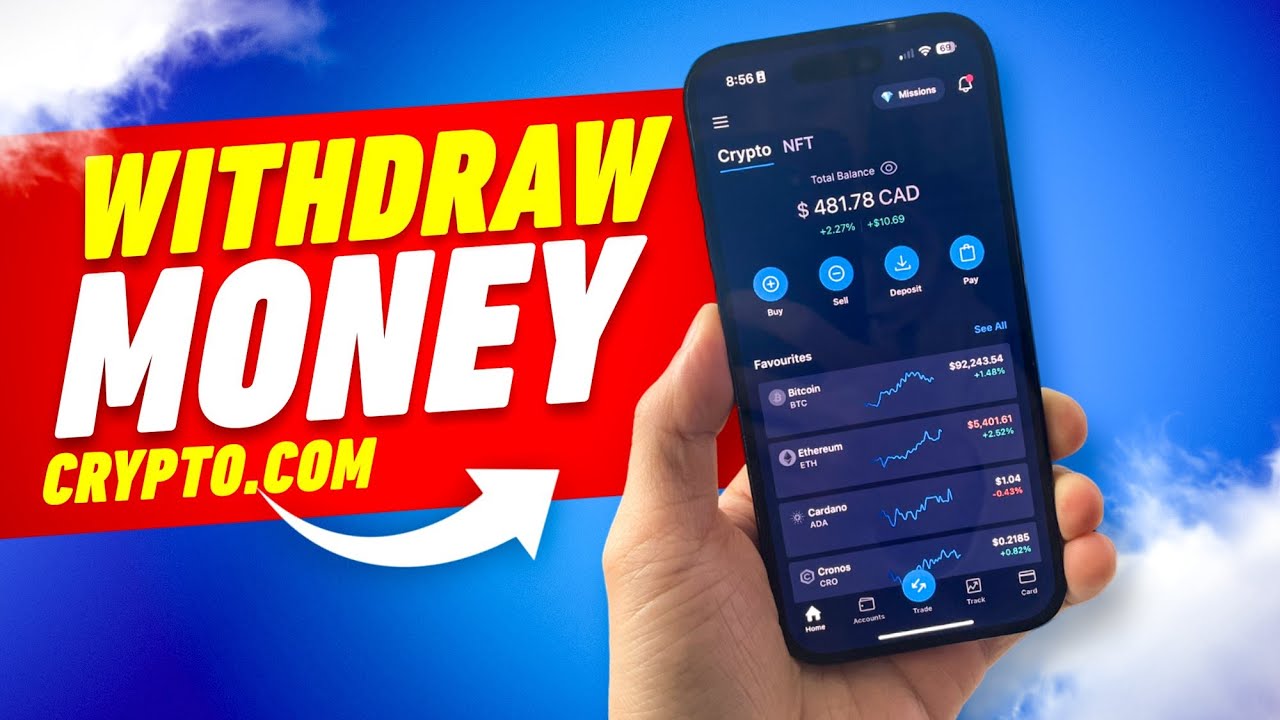

Getting money out of Crypto.com comes down to two paths: sell your crypto for fiat and transfer it to a bank account, or send your coins directly to an external wallet. Both paths require identity verification and security checks before anything leaves your account, and the steps differ enough that it’s worth understanding each one before you start.
How to withdraw money from Crypto.com
The first path, fiat withdrawal, means converting your digital assets into a supported currency like USD, then moving that balance to your bank. You sell the crypto inside the app, the proceeds land in your fiat wallet, and from there you initiate a bank transfer. This is the route most people use when they want cash in a checking or savings account.
The second path is a crypto withdrawal. Instead of converting to fiat, you send your coins directly out of Crypto.com to a self-custody wallet or another exchange. This is the move when you want to keep holding crypto but need it on a different platform, or when you’re moving your long-term crypto picks into cold storage.
Both paths share a couple of prerequisites. You’ll need to have completed KYC (identity verification) and set up two-factor authentication before Crypto.com lets any funds leave your account. Without those in place, the withdrawal options won’t even appear.
Verification and account setup before you withdraw
Before you can pull anything out of Crypto.com, your account needs a few things squared away. Skipping any of these will either block the withdrawal entirely or cause it to bounce back.
- Account creation happens through the app or the website. You’ll provide your name, email address, and phone number.
- Identity verification (KYC) is mandatory before any withdrawal. You’ll need to submit a government-issued photo ID along with your personal details. Crypto.com won’t process a single outbound transaction until KYC is approved.
- Bank account linking requires the bank account to be in the same name as your Crypto.com profile. If the names don’t match, the withdrawal gets automatically rejected. This is one of the most common reasons people see a failed transfer, and there’s no override for it.
- At least one successful deposit from the linked bank account may be required before fiat withdrawals are enabled. This confirms the bank connection works in both directions.
- Two-factor authentication (2FA) should be set up using an authenticator app. You can also enroll a passkey for faster verification during withdrawals. Both add a layer of protection that Crypto.com requires before releasing funds.
How to sell crypto for fiat on Crypto.com
Banks don’t accept direct crypto deposits, so you’ll need to convert your holdings into fiat before you can withdraw to a bank account. This applies to everything, including stablecoins like USDT. Here’s how the sell flow works:
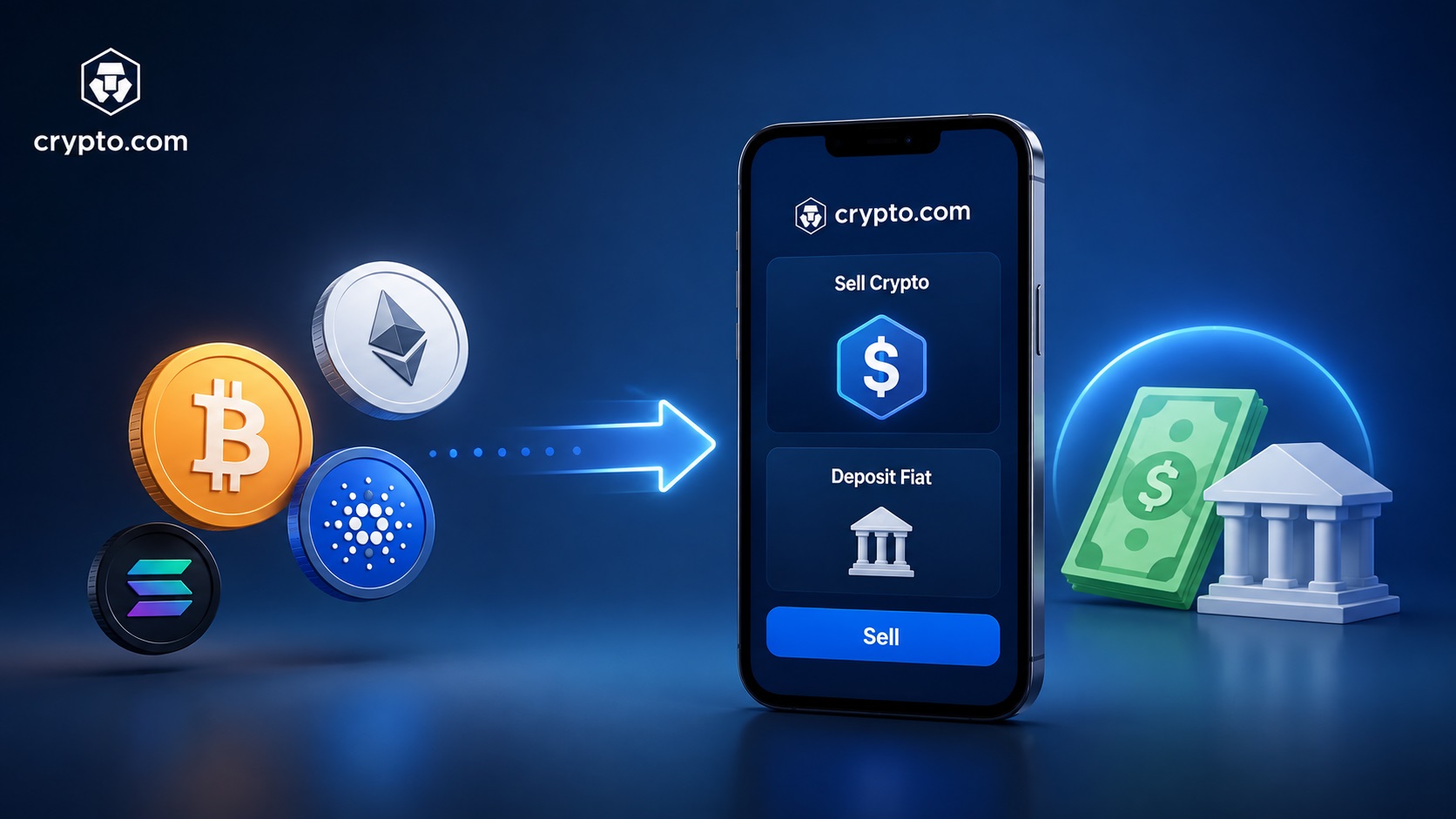
- Open the Crypto.com app and head to the Accounts or Home tab.
- Tap Sell and select the cryptocurrency you want to convert. This can be BTC, ETH, CRO, or any other supported coin.
- Choose your fiat currency destination. This is the fiat wallet denominated in USD, EUR, GBP, or another supported local currency.
- Enter the amount you want to sell. The app will show you a quoted exchange rate. That quote expires after a few seconds, so review it and confirm before it lapses.
- Once confirmed, the fiat balance appears in your fiat wallet. From there, it’s ready for a bank withdrawal.
If you’re holding USDT or another stablecoin and want to cash out, follow the same sell flow. Convert to fiat first, then withdraw. There’s no shortcut that sends stablecoins straight to a bank.
How to withdraw fiat to your bank account
Once your fiat wallet has a balance, moving it to your bank is straightforward:
- Go to Accounts, then Fiat Wallet, and tap Withdraw.
- Select your local currency (for example, USD) and choose the bank account you’ve already linked.
- Enter the withdrawal amount. The app displays your daily and monthly limits, so stay within those.
- Review the transaction details. Pay attention to any withdrawal fee and the estimated arrival time.
- Confirm the request using the required security verification, which is typically a 2FA code, an SMS OTP, or both.
After you confirm, the withdrawal request goes through an internal review before it’s sent out via the transfer network that applies to your region.
For US users, the two main rails are ACH and SWIFT, and they work quite differently. ACH is the domestic network most American banks use for standard transfers. Once Crypto.com approves the withdrawal, ACH transfers can arrive quickly, sometimes within the same day. SWIFT is the international wire network. It generally takes longer and may carry a separate fee on top of whatever Crypto.com charges. If you’re withdrawing USD to a US bank, ACH is usually the faster and cheaper option. SWIFT becomes relevant when you’re sending to a bank in another country or when ACH isn’t available for your specific setup.
Other regions have their own local rails. FAST (Singapore) and FPS (Hong Kong/UK) can process near-instantly once the withdrawal clears Crypto.com’s internal review.
Fiat withdrawals typically take 1 to 5 business days depending on your bank and region. If it’s your first withdrawal, expect an additional 1 to 3 business days of internal review on Crypto.com’s end. That extra wait only applies the first time.
How to transfer crypto to an external wallet
When you want to move crypto out of Crypto.com without converting to fiat, you’ll send it to an external wallet address. This process has a few more safety checkpoints than fiat withdrawal:
- Go to Accounts, then Token Wallet. Tap Transfer, then Withdraw, then External Wallet.
- Whitelist the receiving address first. Tap Add Wallet Address, then paste the address or scan the QR code. Select the correct network (this is critical, and covered in the next section), and give the wallet a name you’ll recognize.
- Complete 2FA or passkey verification to confirm the new address.
- If the 24-hour withdrawal lock is enabled on your account, you’ll need to wait a full 24 hours before you can send to this newly added address. This lock exists to protect you: even if someone gains access to your account and adds their own address, they can’t withdraw for a full day, giving you time to catch it. Plan ahead if you know you’ll need to send funds soon.
- Once the lock period passes, select the whitelisted address, choose the cryptocurrency, and enter the amount.
- Review the network fee. This fee gets deducted from the amount you’re sending, so the recipient receives slightly less than what you entered. Confirm with your passkey or 2FA plus SMS OTP.
Crypto withdrawals on Crypto.com are automated from cold storage. Most go through almost instantly, though Crypto.com Help Center states the process can take up to 2 to 3 hours. One thing to know: the withdrawal is sent from a Crypto.com hot wallet address, not from your deposit address. If the recipient is expecting funds from a specific address, let them know it’ll come from a different one.
Choosing the right network for a crypto withdrawal
When you withdraw crypto, you have to pick which blockchain network to send it on. This choice has to match whatever the receiving wallet supports. Sending on the wrong network is the most common cause of permanently lost funds, and there’s usually no way to recover them.
Before confirming any withdrawal, verify the network name on both the sending side (Crypto.com) and the receiving side (your destination wallet or exchange). The names need to match exactly.
Here’s how the main networks compare:
| Network | Typical confirmation time | Fee notes | Best for |
|---|---|---|---|
| Tron (TRC20) | Under 1 minute | Low; approximately 1 USDT for USDT withdrawals | USDT transfers where cost matters most |
| Solana | Under 1 minute | Low | Fast, affordable altcoin and stablecoin transfers |
| Ethereum (ERC20) | 1 to 5 minutes | Higher, gas-based fees that fluctuate with network congestion | Wide compatibility with DeFi and most wallets |
| Cronos | Fast | Low | CRO and Cronos-native destinations |
| Bitcoin | 10 to 60 minutes | Varies with congestion and miner fees | BTC transfers only |
Tron (TRC20) is frequently cited as the cheapest option for moving USDT. At roughly 1 USDT per withdrawal and confirmations in under a minute, it’s hard to beat for stablecoin transfers. Solana is similarly quick and cheap, making it a strong alternative when the receiving wallet supports it.
Ethereum is the most widely compatible network, but you pay for that compatibility. Gas fees can spike during busy periods, and even during calm stretches they tend to run higher than Tron or Solana. Use ERC20 when the destination only accepts Ethereum-based tokens or when you’re interacting with an Ethereum-native DeFi protocol.
Cronos is Crypto.com’s own network. If you’re sending CRO to a wallet or platform that supports Cronos, this is the network to use. For CRO-specific destinations, it may be the only option.
Bitcoin’s network is the slowest of the group. Bitcoin confirmation times range from 10 to 60 minutes depending on congestion and the miner fee attached to the transaction. There’s no way around this: BTC transfers move on the Bitcoin blockchain, and that blockchain has its own pace.
Fees and limits for Crypto.com withdrawals
Crypto withdrawal fees vary by coin and by network. A USDT withdrawal on TRC20 costs about 1 USDT, while the same token on Ethereum costs more because of gas fees. You can see the exact fee for each asset and network in the app under Settings > Fees & Limits.
Fiat withdrawal fees depend on your currency, your region, and the transfer method. A domestic transfer via ACH, for example, costs differently than a SWIFT wire. Crypto.com doesn’t publish a single flat rate because these fees change based on the combination of factors involved.
Daily and monthly withdrawal caps apply to fiat. The exact amounts depend on your verification tier, so a fully verified account has higher limits than one with basic verification. Minimum withdrawal amounts also exist for both fiat and crypto, and they differ by asset.
One detail that catches people off guard: network fees for crypto withdrawals are deducted from the amount you send. If you withdraw 100 USDT on TRC20, about 1 USDT goes to the network fee. The recipient gets roughly 99. Check the Fees & Limits page before you start any withdrawal so the deduction doesn’t surprise you.
How long does a Crypto.com withdrawal take?
As noted above, crypto withdrawals generally clear within minutes, though the platform allows up to 2 to 3 hours. In practice, most go through within minutes. Fiat withdrawals take longer because they involve the banking system. Local network transfers like ACH can settle quickly once Crypto.com approves the request, while SWIFT transfers generally take several business days.
The receiving bank also plays a role. Some banks hold or delay incoming transfers from crypto platforms. This isn’t something Crypto.com controls, and it can add a day or two beyond what the app estimated.
When you submit a withdrawal, Crypto.com sends a confirmation email acknowledging the request. A separate notification follows once the withdrawal actually processes and leaves the platform. If you’ve been waiting beyond the expected window and haven’t received that second notification, check the app’s transaction history for a status update before reaching out to support.
How to track a withdrawal with TxHash
Every crypto withdrawal generates a TxHash (Transaction ID) that you can use to follow the transaction on the blockchain. Here’s how to find it:
- Open the transaction in your Token Wallet or Transaction History.
- Tap the “Withdraw to” address hyperlink. This reveals the TxHash.
- Copy the TxHash, or tap it to open the transaction directly in a blockchain explorer.
The blockchain explorer shows the confirmation status, block number, and timestamp for the transaction. This is how you verify that funds actually reached the destination address. If someone on the receiving end says they haven’t gotten the transfer, the explorer will tell you whether the transaction confirmed on-chain or is still pending.
For fiat withdrawals, there’s no TxHash because the transaction doesn’t happen on a blockchain. Instead, you can follow the progress by checking your transaction history inside the app. You’ll see the request move from “pending” to “processing” to “completed” as it works through Crypto.com’s system and into the banking network.
Security features that protect your withdrawals
Crypto.com layers several safeguards around outbound transfers. At AXL Research Hub, we think it’s worth understanding each one, because these features only help if you set them up before you need them.

- Address whitelisting is required for every new external crypto address. You can’t send to an address that hasn’t been added and verified first.
- 24-hour withdrawal lock applies to newly whitelisted addresses when the feature is enabled. So if someone gets into your account and adds their own address, they still can’t withdraw anything right away. The 24-hour wait gives you time to notice the unauthorized address and act. Enable this in your security settings if it’s not already on.
- Passkey verification is available for both the whitelisting step and the withdrawal confirmation itself. Passkeys are tied to your device’s biometrics or security key, making them harder to intercept than a one-time code.
- 2FA via authenticator app plus SMS OTP is required when a passkey isn’t set up. Both factors must pass before the withdrawal goes through.
- Trusted vs. untrusted device detection adds another checkpoint. If you log in from a device Crypto.com doesn’t recognize, it triggers additional 2FA or passkey challenges before letting you do anything sensitive.
- If you receive an unauthorized withdrawal request email, don’t confirm it. Open the Crypto.com app and contact support through the in-app chat immediately. Support can freeze all crypto transactions on your account and reset your passcode. If you suspect your account has been compromised, you can also change your login email from the Profile section.
Troubleshooting common withdrawal problems
Most withdrawal issues fall into a few predictable categories. Here’s what to do for each:
- Your bank rejects a deposit from Crypto.com. Not every bank accepts incoming transfers that originate from a crypto exchange. Some flag them automatically, others quietly return the funds. If this happens, try linking a different bank account. Online banks and fintech accounts tend to be more accepting of crypto-related deposits than traditional banks. You can also try a different transfer method if your region offers one. If you keep hitting rejections, transferring your crypto to another exchange that has a smoother fiat off-ramp with your bank is a practical workaround.
- Withdrawal stuck in processing past the expected window. Pull up your transaction history in the app to see where things stand. If it still shows “processing” after the normal timeframe, contact Crypto.com through the in-app support chat. Don’t send a follow-up withdrawal assuming the first one failed, because both could eventually go through.
- Withdrawal options are grayed out or missing. This usually means your KYC verification hasn’t been approved yet. Go to your profile, check the verification status, and complete any outstanding steps. Withdrawals stay disabled until KYC clears.
- Name mismatch between your bank and Crypto.com profile. If the name on your linked bank account doesn’t match the name on your Crypto.com account exactly, the withdrawal gets automatically rejected. Fix the mismatch on whichever side is incorrect before trying again.
- Insufficient balance after the network fee. If you try to withdraw your entire crypto balance, the transaction may fail because the network fee has to come out of that same balance. Reduce the withdrawal amount enough to cover the fee.
Alternative ways to cash out or spend crypto without selling
Selling to fiat and withdrawing to a bank isn’t the only way to get value out of your crypto. Depending on your situation, one of these alternatives might work better:
- Transfer to another exchange that supports direct bank withdrawals in your country. Some platforms have smoother banking integrations in certain regions, and moving your crypto there first can simplify the cash-out.
- Peer-to-peer (P2P) trading lets you sell crypto directly to another person in exchange for cash or a bank transfer. You set the terms, and the platform holds the crypto in escrow until the buyer pays. This can be useful in regions where direct exchange-to-bank transfers are limited.
- Crypto-linked debit cards let you spend crypto directly at merchants without converting to fiat first. The card handles the conversion at the point of sale. Crypto.com offers its own Visa card for this purpose.
- Gift cards, mobile top-ups, and travel services can be purchased with crypto through various platforms. This sidesteps fiat conversion fees entirely and gives you spending power without touching your bank account.
- Convert to a stablecoin like USDT and hold it until a better off-ramp becomes available. Stablecoins track the dollar’s value, so you’re not exposed to price swings while you wait. When you’re ready, you can sell the stablecoin for fiat and withdraw.
Frequently asked questions
Do you need KYC to withdraw from Crypto.com?
Yes. Identity verification is required before any withdrawal is enabled, both fiat and crypto. That means uploading a government-issued photo ID and getting your information approved, which unlocks the withdrawal options in the app.
What’s the cheapest network for withdrawing USDT?
Tron (TRC20) is typically the cheapest option, with a withdrawal fee of approximately 1 USDT and confirmations in under a minute. It’s widely supported by most exchanges and wallets that accept USDT.
Can I withdraw crypto immediately after buying it?
It depends on how you funded the purchase. If you bought crypto with a bank deposit that hasn’t fully settled yet, there may be a hold period before you can withdraw. Once funds are settled and your account is verified, you can typically send crypto out within minutes.
What happens if I send crypto on the wrong network?
In most cases, those funds are gone for good because there’s no reliable way to recover crypto sent on the wrong network. Before you hit confirm, make sure the network you’ve selected in Crypto.com is the same one your receiving wallet actually supports.
Keeping your funds safe after every withdrawal
Once a withdrawal confirms, take a minute to verify the received amount. For crypto, check the destination wallet or look up the transaction on a blockchain explorer to make sure the full expected amount (minus the network fee) arrived. For fiat, confirm the deposit in your bank account within the expected timeframe.
If you’re withdrawing crypto for long-term holding, move it into a self-custody wallet and make sure your recovery phrase is backed up in a secure, offline location, the first step in protecting your crypto wallet. Losing that recovery phrase means losing access to the wallet permanently.
Enable the 24-hour withdrawal lock if you haven’t already. It’s one of the simplest safeguards against unauthorized transfers, and the small inconvenience of planning withdrawals a day ahead is worth the protection.
Periodically review the wallet addresses you’ve whitelisted on Crypto.com. Remove any that you no longer use. Every whitelisted address is a potential exit point for your funds if your account is ever compromised, so keeping the list tight reduces your risk.
Finally, save the TxHash for each withdrawal. It takes a few seconds to copy it into a note or spreadsheet. It gives you a permanent record you can reference if a transaction is ever disputed or if you need it for your own bookkeeping.