
MetaTrader 5 sits at the center of most retail traders’ workflows, whether they’re charting forex pairs, running automated strategies on index CFDs, or scanning futures contracts. It’s free to download, compatible with hundreds of brokers, and available on nearly every device. But a platform this feature-dense also carries real trade-offs: a dated interface, a steep learning curve, and mobile quirks that frustrate active traders. This review breaks down what MT5 actually delivers, where it falls short, and how it compares to its predecessor.
What is MetaTrader 5?
MetaTrader 5 is a multi-asset trading platform developed by MetaQuotes Software. It handles forex, stocks, futures, and CFDs from a single interface, connecting traders to broker servers where orders are executed. MetaQuotes built it as the successor to MetaTrader 4, expanding asset coverage, adding more timeframes and order types, and replacing the MQL4 programming language with the redesigned MQL5.
An important distinction: MetaQuotes is a software company. It doesn’t provide financial services, hold client funds, or have access to broker-managed servers and databases. The platform is the tool; the broker is the counterparty.
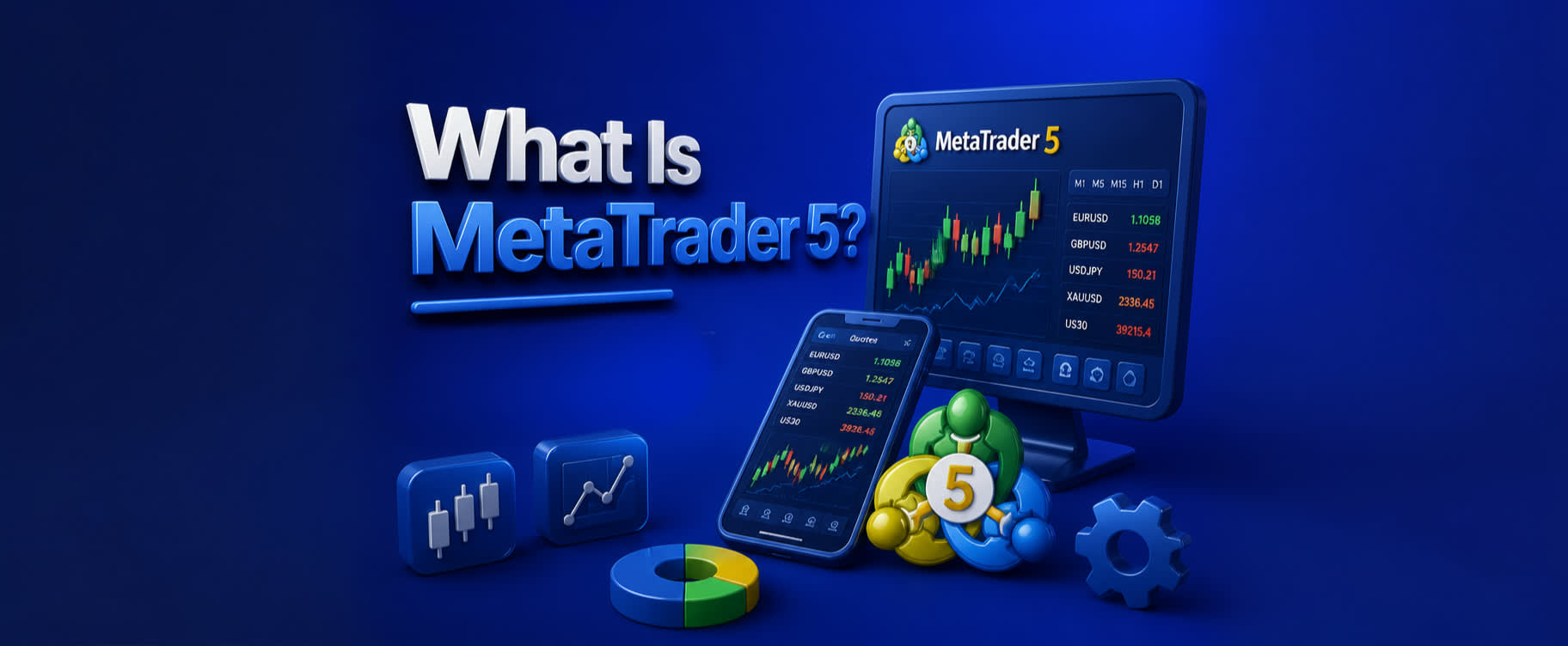
MT5 is available on Windows, macOS, Linux, iOS, Android, Huawei AppGallery, and as a browser-based web terminal. That reach shows in its adoption numbers. On Google Play alone, MT5 has crossed 50 million downloads and holds a 4.7-star rating from roughly 1.16 million reviews. On one review aggregator, the platform scored 8.2 out of 10 across 17 reviews; another aggregator puts it at 4.4 out of 5 from 48 reviews.
Trading volume on MT5 surpassed MT4 as of April 2025, a shift that’s been pushing broader broker adoption ever since.
Key features of MetaTrader 5
MT5 delivers real-time quotes for forex, stocks, and other instruments, with Level II pricing that supports up to 32 quotes per symbol. That depth-of-market view matters for traders who want to see where liquidity actually sits before placing an order, not just the best bid and ask.
The platform offers a full set of trade orders: market, pending, stop-loss, and take-profit. What sets it apart from MT4 are the Buy Stop Limit and Sell Stop Limit order types. A Buy Stop Limit, for example, activates a limit order once the price rises to a specified trigger level, giving traders more control over entries in breakout scenarios without chasing price.
MT5 runs two account modes. Netting consolidates everything into one position per symbol, so adding to a position adjusts the average entry price. Hedging lets you hold multiple separate positions on the same symbol, which is what most retail forex traders expect if they’re coming from MT4.
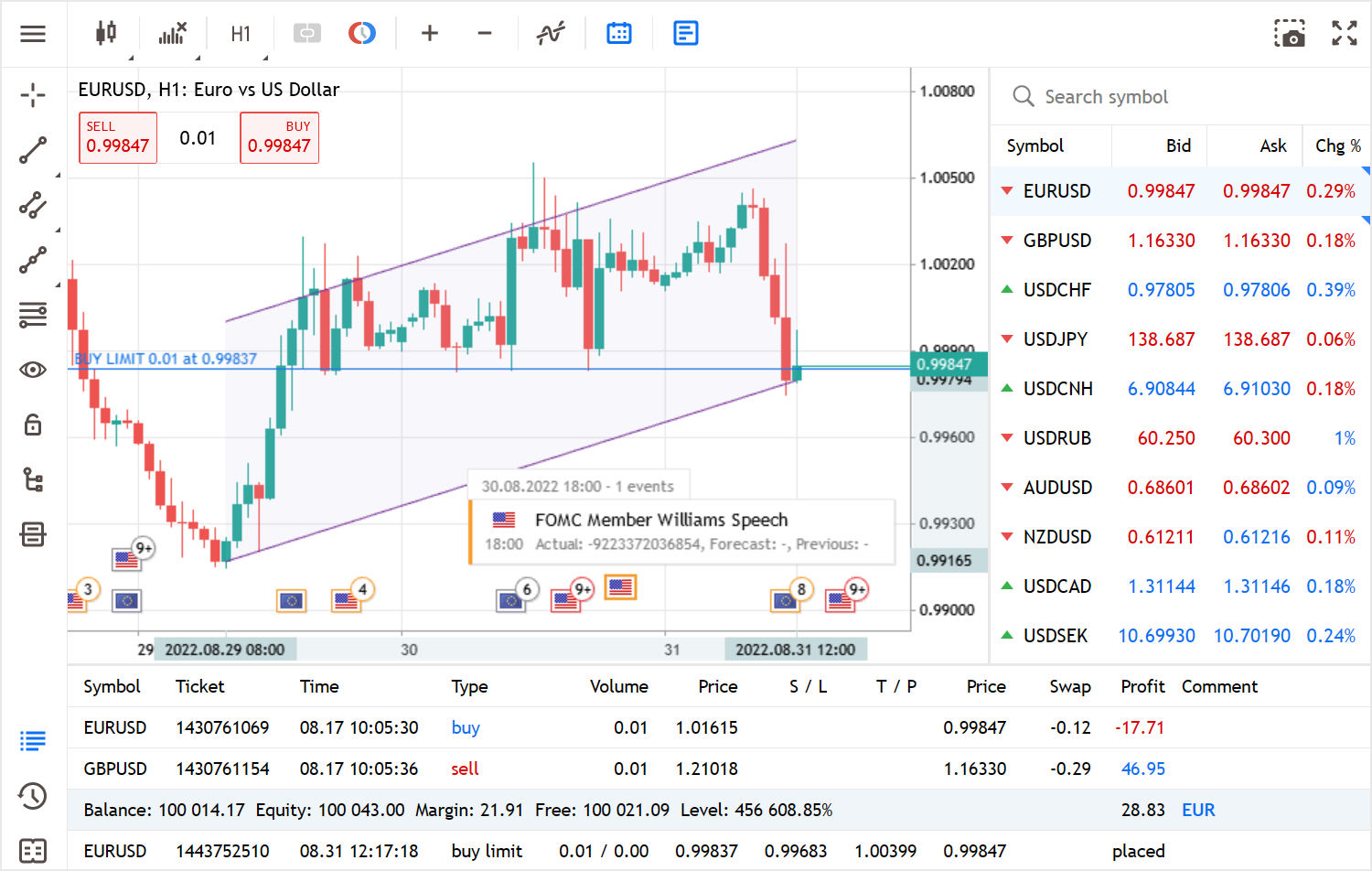
For charting, the platform provides 9 timeframes (M1, M5, M15, M30, H1, H4, D1, W1, MN), 3 chart types (bars, Japanese candlesticks, and broken line), 30 built-in technical indicators, and 24 analytical objects including Gann, Fibonacci, and Elliott tools.
A built-in economic calendar and a free financial news feed round out the research tools. The news feed pushes dozens of items daily, and the calendar highlights upcoming data releases right inside the platform. Push notifications can be sent from the desktop terminal and MQL5.community services to your mobile device, so you don’t have to keep every screen open to stay informed.
MT5 connects to hundreds of brokers worldwide. Each broker runs its own server component, which determines the instruments and pricing you see.
Technical analysis and charting tools
MT5’s charts are interactive with zoom, scroll, and customizable color schemes, including a dark mode option. Indicators are organized into four groups: Trend, Oscillators, Volumes, and Bill Williams. A fifth slot lets you import or build custom indicators.
Seven new indicators were added beyond the MT4 set, and five of those are trend indicators. The standouts include Fractal Adaptive MA, Adaptive MA, Double Exponential MA (DEMA), Triple Exponential MA (TEMA), and Variable Index Dynamic Average. DEMA reduces lag relative to a simple EMA by computing an EMA of the EMA, which makes it more responsive to recent price changes without the whipsaw that comes from just shortening the period. TEMA takes that a step further with a triple calculation, squeezing out even more lag while keeping the line smoother than you’d get by dropping the lookback window.
On the oscillator side, the TRIX uses triple exponential smoothing around a zero centerline. It filters out short-term market noise more effectively than traditional oscillators, which makes it useful for confirming trend direction on higher timeframes without reacting to every minor pullback.
Under the Bill Williams category, MT5 adds the Market Facilitation Index, which generates signals based on how volume and price movement interact. When volume rises alongside the index, it confirms the current trend has participation behind it.
One charting feature worth noting for active traders: MT5 overlays pending-order prices, stop-loss levels, and take-profit targets directly on the chart. You can see exactly where your risk and reward sit without switching to a separate order window.
Algorithmic trading and Expert Advisors
MT5’s algorithmic trading runs on MQL5, a programming language MetaQuotes redesigned from MQL4. MQL5 is object-oriented, which means code is organized into reusable classes rather than loose procedural scripts. In practice, that translates to fewer bugs, more condensed syntax, and faster execution for complex strategies.
Expert Advisors (EAs) are the workhorses of MT5 automation. An EA is a program that monitors price, indicators, or other conditions and executes trades based on coded rules. You can build your own in the MetaEditor IDE that ships with the platform, import an EA someone else wrote, or purchase one from the MQL5.community marketplace.
The built-in Strategy Tester is where algorithmic trading on MT5 goes from concept to something you can evaluate. You load an EA, select a date range of historical data, and the tester runs your strategy against that data to show how it would have performed. You can optimize parameters by running multiple passes with different input values, and the tester ranks the results so you can compare variations. A chart-in-chart capability inside the Strategy Tester lets you visually replay the trades your EA took, which is far more revealing than just reading a performance table.
The MQL5.community marketplace is where the broader community opens up. Thousands of custom indicators and trading robots are available for free or for purchase, and the marketplace includes reviews and ratings. If you don’t code, this is the fastest route to automation, though you’ll still want to backtest anything you download.
Some brokers extend the default MT5 toolbox with third-party add-on packages, including correlation matrices, sentiment maps, and tick-chart tools. And for traders who need EAs running around the clock, several brokers offer VPS hosting so your strategies stay live even when your computer is off.
Asset classes available on MT5
The range of instruments you can trade on MT5 depends on your broker, but the platform itself supports several asset classes:
- Forex. Dozens of currency pairs, including majors like EUR/USD, minors like GBP/AUD, and exotics like USD/TRY. This is the asset class MT5 is most widely used for.
- Stocks and share CFDs. Brokers that enable the exchange-trading module give you access to equity instruments. Whether you’re trading actual shares or share CFDs depends on the broker’s setup and regulatory jurisdiction.
- Futures. Exchange-traded contracts on commodities, indices, and interest rates. Futures on MT5 require a broker that supports exchange connectivity.
- CFDs on indices, commodities, energies, and cryptocurrencies. This is where broker variation is widest. One broker might offer 20 crypto CFDs; another might offer none.
- Options on futures. Available through certain regulated brokers, though this is the least common asset class on the platform.
The specific instrument lineup comes down to your broker’s MT5 server. Whatever symbols the broker has configured will appear in your Market Watch window. Before you open an account, verify that the broker’s server carries the specific asset classes and instruments you plan to trade.
Desktop, web, and mobile platforms
The desktop version of MT5, available for Windows, macOS, and Linux, carries the fullest feature set. Multi-monitor chart layouts, full EA support, and access to every indicator and drawing tool make it the version active traders gravitate toward. If you’re running algorithmic strategies or doing serious technical analysis, the desktop client is where that happens.
The web terminal runs in any modern browser with no installation. It covers core trading and charting, and it’s convenient for checking positions or placing trades from a shared computer. You won’t get EA support or the full suite of analytical objects, but for quick access, it works.
The mobile app supports sound notifications, push alerts, and fast switching between instruments. For monitoring positions and placing straightforward orders on the go, it’s functional.
That said, mobile has its pain points. A common complaint is that pinch-to-zoom on charts can cause prices to disappear and trigger unwanted object-deletion prompts, which is disorienting in the middle of analysis. Drawing tools on mobile are limited compared to the desktop version, and active chart analysts feel that gap quickly. Stop-loss and take-profit drag adjustment, available on desktop, is inconsistent or missing on some mobile and tablet versions. If you rely on dragging your SL/TP levels to adjust risk visually, test this on your device before depending on it.
MetaTrader 5 pros and cons
MT5 has earned its user base for real reasons, but it also carries frustrations that don’t get mentioned enough in surface-level reviews.
Pros:
- Broad multi-asset coverage in a single platform. MT4 was forex-focused; MT5 handles stocks, futures, CFDs, and more without needing a separate application.
- Advanced order types, including conditional stop-limit orders on both sides of the market, plus a depth-of-market display, give you more control over entries and execution than most retail platforms offer.
- A large, active developer community supplies thousands of free and paid indicators and EAs through MQL5.community. If you need a tool, someone has probably already built it.
- Free to download and use. Brokers pay the licensing cost, so retail traders don’t.
- Regular updates and continuous improvement. Users across review platforms consistently mention that the platform keeps getting better over time.
Cons:
- The interface looks dated compared to newer charting platforms. The GUI graphics haven’t kept pace with what traders see in tools launched in the last few years.
- Steep learning curve for anyone who hasn’t used an earlier MetaTrader version. Tool locations and menu depth can overwhelm beginners who don’t know where to look.
- Mobile app stability problems after updates. Users report deleted chart settings and glitched downloads following new releases.
- Drawing tools on mobile are limited, a real issue for traders who mark up charts regularly.
- No built-in partial-profit automation or price-level alarm feature in the standard release. If you want to close half a position at a target, you’ll need a third-party EA or manual execution.
- The platform can get sluggish under heavy indicator or EA loads, especially on lower-spec hardware.
Is MetaTrader 5 trustworthy?
MetaTrader 5 is a software application, not a broker. The safety of your funds depends entirely on the broker you connect through, not on the platform itself.
Data transmitted between the app and broker servers is encrypted in transit. Users can also request deletion of collected personal data. But the security features that protect your money, things like two-factor authentication, segregated accounts, and compensation schemes, come from the broker side, not from MetaQuotes. MetaQuotes doesn’t process deposits, handle withdrawals, or touch client funds in any way.
User sentiment toward the platform is overwhelmingly positive. In one emotional-sentiment survey, MT5 scored a Net Emotional Footprint of +94, with 97% positive responses, 3% neutral, and 0% negative. The Likeliness to Recommend score came in at 92 out of 100, and the Plan to Renew score hit 100 out of 100.
Those numbers reflect how traders feel about the software. Whether your trading setup is trustworthy depends on your broker’s regulatory licenses and capitalization. Always verify that your broker holds licenses from reputable financial regulators before depositing funds.
Is MetaTrader 5 legal in the USA?
MT5 is legal to download and use in the United States. The platform itself carries no restrictions.
What limits access for American residents is broker availability. To trade live through MT5 in the U.S., you need a broker that’s both registered with the CFTC and a member of the NFA, and that broker also has to offer MT5 specifically. Not all qualifying brokers do. Some global brokers restrict U.S. sign-ups because of regulatory requirements, which narrows the pool further.
The result is that U.S.-based traders have fewer MT5 broker options than traders in most other countries. That said, you can still install the platform and use demo accounts without any restriction, which lets you practice and test strategies regardless of whether you’ve found a qualifying live broker.
Does MetaTrader 5 pay real money?
MT5 is a trading tool, not a source of income on its own. Profits or losses come from the trades you execute through your broker, not from the platform.
To trade with real money, you open a live account with a broker, deposit funds into that broker account, and connect to the broker’s server through MT5. MetaQuotes doesn’t process deposits, withdrawals, or payments. All money movement runs through the broker.
MT5 also offers a demo mode that uses virtual funds. Demo accounts let you practice charting, order placement, and strategy testing without any financial risk. They’re a good starting point, but they don’t carry real-money consequences.
A necessary warning: most retail investor accounts lose money when trading leveraged financial products. The platform gives you tools, but it doesn’t change the odds.
Is MetaTrader 5 good for beginners?
Free demo accounts are the strongest feature MT5 offers new traders. You can practice charting, place orders, and test strategies without risking real money, and demo accounts on MT5 are available through virtually every broker that supports the platform.
If you’re migrating from MT4, the transition is manageable. The surface-level appearance and core functions are similar enough that you won’t feel lost. But if you’ve never used any MetaTrader version, the experience is different. Users with no prior MetaTrader background consistently report difficulty locating critical tools. The menu structure is dense, and features are buried in places that aren’t intuitive until someone shows you where they are.
A practical starting path: study forex or trading fundamentals through your broker’s educational resources, community forums, or third-party courses before touching the platform. Then experiment on a demo account. Get comfortable with order placement and chart navigation before funding a live account. MT5 doesn’t include built-in educational content, so you’ll need to seek that out separately.
MT5’s added features over MT4, more timeframes, a deeper order book, MQL5, probably won’t matter to you in the first few weeks. But they mean you won’t outgrow the platform as your skills develop.
MetaTrader 5 vs. MetaTrader 4
| Feature | MetaTrader 5 | MetaTrader 4 |
|---|---|---|
| Timeframes | 21 (adds M2, M3, M4, M6, M10, M12, H2, H3, H6, H8, H12) | 9 |
| Built-in indicators | 38 | 30 |
| Analytical (graphical) objects | 44 | 31 |
| Programming language | MQL5 (object-oriented, faster) | MQL4 (procedural, simpler to learn) |
| Account models | Netting and hedging | Hedging only |
| Asset classes | Multi-asset (forex, stocks, futures, CFDs) | Primarily forex |
| Trading volume | Now leads MT4 (as of April 2025) | Previously dominant |
| Broker adoption | Accelerating | Widespread but plateauing |
MT5 is the technically superior platform by nearly every measurable feature count. The 21 timeframes alone give chart analysts far more granularity, with intervals like M2, M6, and H8 that MT4 simply can’t produce natively.
MQL5’s object-oriented structure makes it more powerful for complex strategies, but MQL4 is simpler to pick up for traders writing their first scripts. That’s a real trade-off, not just a spec-sheet difference. If you have legacy EAs built for MQL4, they won’t run on MT5 without rewriting. Depending on the complexity of those EAs, the migration effort can range from minor edits to a full rebuild.
MT5’s trading volume now exceeds MT4’s, which is accelerating broker migration. Fewer brokers historically offered MT5, but that gap is closing. For new traders choosing between the two today, MT5 is the forward-looking pick. For traders with an established MQL4 library and no need for multi-asset coverage, MT4 still works, but its trajectory is one of declining priority for brokers.
What real users say about MetaTrader 5
Positive feedback clusters around a few consistent themes: real-time data accuracy, fast order execution, broad broker compatibility, and the pace of software updates. Traders praise the ability to display multiple charts at once, watching different currency pairs and instruments on one screen. Switching between accounts in the Navigator panel also gets high marks from traders running separate strategies across accounts.
The complaints follow patterns too. The GUI appearance comes up often, with users calling it outdated compared to newer platforms. Sluggishness under heavy indicator or EA loads is another recurring issue. And mobile app regressions after updates, including lost chart settings and download glitches, frustrate traders who rely on the app between desktop sessions. Several users note that MT5 can’t be fully used without a desktop setup, ideally with multiple monitors.
Across major review aggregators, the numbers stay consistently strong:
- Ease of use: 4.4 out of 5
- Value for money: 4.3 out of 5
- Customer support: 4.0 out of 5
- Satisfaction of cost relative to value: 90 out of 100
The customer support score is the lowest of the group. That makes sense when you consider that MetaQuotes doesn’t provide direct support to retail traders; support comes through your broker, and the quality varies.
Frequently asked questions about MT5
Can I use MT5 for crypto trading?
Some brokers list cryptocurrency CFDs on MT5 servers, so yes, crypto trading is possible on MT5. Whether you can access it depends on your broker and your jurisdiction. You’re trading CFDs on crypto prices, not holding actual coins, and the available pairs vary from one broker to the next.
What is the minimum deposit to start trading on MT5?
MetaQuotes doesn’t set a minimum. Deposit requirements are determined by the broker you choose, and they vary widely. Some brokers allow you to start with a small amount, while others set higher thresholds. Check with your broker directly before assuming a specific number.
Does MT5 support copy trading?
Yes. MT5 has the MQL5 Signals service built into the platform, which lets you subscribe to other traders’ signals and automatically copy their trades into your account. Some brokers also offer third-party copy-trading integrations layered on top of MT5.
Choosing the right broker for your MT5 setup
Your broker matters more than the platform itself for fund safety, execution quality, and the instruments available to you. MT5 is the interface; the broker is the business you’re trusting with your money.
Start with regulatory licenses. A broker regulated by a reputable authority (CFTC/NFA in the U.S., FCA in the UK, ASIC in Australia, for example) operates under capital requirements and conduct rules that protect traders. Beyond regulation, compare the range of tradeable symbols on each broker’s MT5 server, the spread and commission structure, whether VPS hosting is available, and the quality of customer support.
Before opening a live account, confirm that the broker’s MT5 server actually lists the particular markets and symbols you want to trade. A broker might support MT5 but only list forex pairs, not the index CFDs or futures contracts you’re after.
If you’re running algorithmic strategies, broker infrastructure gets more specific. Look for low-latency execution, colocation near major data centers, and permissive policies around scalping and high-frequency strategies. A broker that throttles order frequency or widens spreads during fast markets will undermine an EA that depends on tight execution.
The broker comparisons and exchange reviews published on AXL Research Hub can help you narrow the field. A practical approach: open demo accounts at two or three brokers and compare spreads, slippage, and platform add-ons side by side before committing real funds. Demo accounts are free and give you a firsthand look at what each broker’s MT5 environment actually feels like to trade in.