
Crypto cards are Visa or Mastercard payment cards that turn Bitcoin, Ethereum, or stablecoins into dollars at checkout, so the store gets paid in regular currency. Depending on the card, you either spend crypto you already hold or earn crypto rewards on everyday purchases made with dollars.
What is a crypto card?
A crypto card is a payment card, issued by a regulated financial institution or its bank partner, that connects the digital assets in your crypto wallet to traditional payment networks. It runs on Visa or Mastercard, so it works in stores, online, and at ATMs in more than 200 countries. The merchant never handles crypto. Your coins get converted to local currency, and the store receives US dollars, Japanese yen, or whatever it normally takes.
That network reach is the main draw. Mastercard is accepted at over 150 million merchants worldwide, and Visa at over 175 million. If a checkout takes those cards, it’ll usually take a crypto card too, apart from a handful of blocked merchant categories.
You can get one as a physical card, in plastic or metal, or as a virtual card. Virtual cards connect to Apple Pay, Google Pay, or Google Wallet for tap-to-pay, which means your phone can work at the register before any plastic arrives.
People pick up crypto cards for one of two reasons. Some want to spend crypto they already own without cashing out to a bank first. Others never spend crypto at all. They pay in dollars and collect crypto rewards on regular purchases, the same way other cards pay miles or cash back.
Use keeps climbing. In 2025, annual payment volume on crypto cards reached a record $406 million.
How does a crypto card work when you pay with it?
When you tap or swipe a crypto card, the purchase travels over Visa or Mastercard like any other card payment. Behind the scenes, the platform either sells just enough of your crypto at the live market rate or records the charge against a credit line. The merchant gets local currency within seconds.
The conversion step is the one to watch, because that’s where the rate you pay gets set. Here’s the full sequence:
- Fund or link the card. You can preload a balance by converting crypto to dollars ahead of time. You can also link an exchange account or a self-custody wallet so the platform converts on demand. Credit cards skip both and give you an approved credit line instead.
- Authorization at checkout. The merchant sends a payment request across the Visa or Mastercard network. The card issuer then checks with the crypto platform that your balance or credit limit covers the purchase.
- Real-time conversion. On debit and prepaid cards, the platform sells the exact amount of crypto needed at live market rates. That sale happens outside the payment network. On credit cards, nothing gets sold, and the issuer simply logs the dollar transaction so it can calculate your rewards.
- Merchant settlement. The local currency moves across the card network to the merchant within seconds. On your end, either your crypto balance drops or your monthly statement balance goes up.
- Rewards and repayment. You get a percentage of the purchase back in supported tokens. Some cards deposit it instantly, while others wait until the billing cycle ends. On a credit card, you repay the balance in dollars or with linked crypto.
Wallet custody and multi-asset balance controls
Where your crypto sits until checkout depends on whether the card is custodial or self-custody. That choice decides who holds your coins and who carries the security risk.
Custodial exchange cards keep your assets on a centralized crypto exchange. The exchange handles storage and security, and it sells your coins for you when you pay. You don’t have a wallet to manage, which makes these cards easy to start with. The trade-off is trust: if the exchange gets breached, your balance sits inside that breach.
Self-custody (non-custodial) cards connect straight to a wallet you control, such as MetaMask, Trust Wallet, Phantom, or Base. You keep your private keys until the exact moment you pay, instead of parking your funds on an exchange ahead of time. The MetaMask Card, for example, runs on the Linea, Solana, Monad, and Base networks. Here the risk flips. Nobody can recover a leaked seed phrase for you, so wallet security sits entirely with you.
If you hold several coins, the card also needs to know which one to spend. Cards handle this in two main ways.
Specific asset selection means you pick one designated token, such as USDC, Ethereum, or Solana, and the card draws only from that balance. You always know what’s getting sold. Pick a stablecoin, and your spending power stays steady instead of riding the market.
Priority order lets you rank several assets, so if the first token’s balance is too low to cover a purchase, the card automatically pulls from the next token on your list. That fallback keeps purchases from getting declined, but it can also sell a coin you’d rather have kept, so put the assets you’re comfortable spending at the top.
Some cards go a step further and let you switch between spending crypto and spending dollars from the same account. That’s handy when prices are down and you’d rather not sell.
Types of crypto cards: debit, prepaid, and credit
Crypto cards come in three structures: prepaid or debit cards, standard unsecured credit cards, and secured credit cards backed by crypto collateral. They differ in how purchases get funded and whether you face a credit check. Rewards and borrowing limits work differently too.
| Crypto prepaid and debit cards | Crypto credit cards | Secured crypto credit cards | |
|---|---|---|---|
| Spending model | Prepaid or direct wallet debit, converted to fiat before spending or at purchase | Revolving fiat credit line from the issuer, repaid monthly | Credit line backed by deposited crypto collateral |
| Funding source | Your existing crypto or fiat balance | The issuer’s credit line | Credit limit set as a percentage of locked collateral (such as 25% of asset value) |
| Eligibility | Identity verification (KYC) only, no credit check | Credit check and ID verification (e.g., 670-850 credit score on Gemini Credit Card) | Identity verification and a crypto collateral deposit |
| Rewards | Optional crypto cashback, typically at lower rates than credit cards | Percentage of spending paid back in crypto | Varies by issuer; you keep holding assets without selling |
| Crypto support | Multiple cryptocurrencies supported for spending | Usually rewards in one chosen coin or platform token at a time | Collateral such as Bitcoin, Ethereum, or stablecoins |
Crypto debit and prepaid cards
A crypto debit or prepaid card can only spend what you already hold: it connects to your wallet or exchange balance, so $500 worth of Bitcoin gives you a $500 spending limit. Because you never borrow anything, there’s no credit check, no interest charges, and no effect on your credit score.
The two versions differ in when the selling happens. A prepaid card works like a reloadable gift card. You open the app, sell some crypto, and top up a dollar balance before you go shopping. An auto-converting debit card skips that step and sells the crypto it needs automatically at the point of sale.
Each approach has its own feel day to day. With prepaid, your dollar amount is locked in once you top up, since the sale already happened. Auto-converting saves you a step, but the value of what you’re spending keeps moving with the market until the moment you pay.
Crypto credit cards
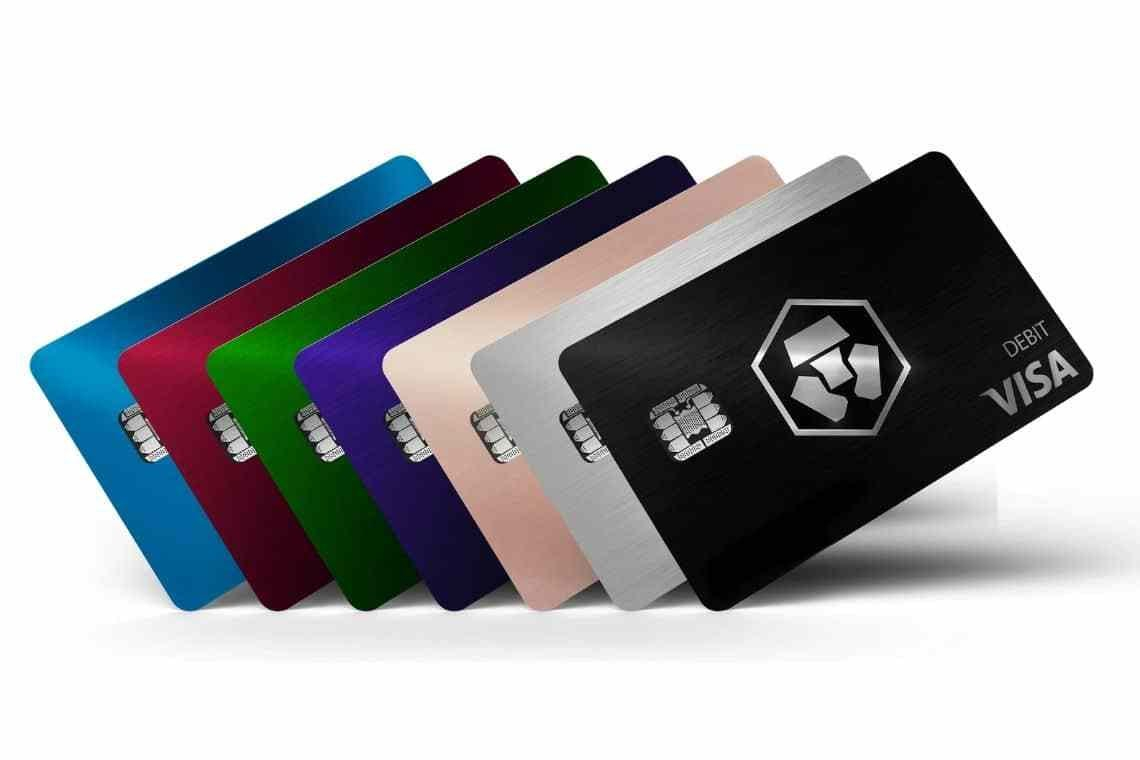
A crypto credit card works like any other rewards credit card, except the rewards come in crypto. You borrow dollars from the issuer up to an approved limit. Each month you get a statement you have to pay. Your crypto holdings don’t get touched when you swipe.
All the usual credit card rules apply. Carry a balance, and you’ll pay variable APR interest. Miss a payment, and late fees kick in. Your payment history also feeds your credit score. For scale, the Gemini Credit Card asks for good to excellent credit (670 to 850) and carries a variable APR of 18.49% to 34.49%. At rates like that, interest on a carried balance can wipe out your rewards fast.
The reward math itself is simple. Spend $1,000 on a card paying 2%, and you earn $20 worth of Bitcoin or the platform’s own token. Some issuers drop the crypto into your account with each swipe. Others award points that convert into crypto once your monthly statement closes, so the coins show up later.
Secured crypto cards
A secured crypto card lets you borrow against your crypto instead of selling it. You lock coins with the issuer as collateral. In return, the issuer sets a credit limit worth a fraction of that collateral, such as 25% of its value. You spend dollars on the card while still owning the tokens, so if they rise in price, that gain stays yours.
The catch is liquidation risk. Your credit line rests on the market value of the coins you pledged. If that value drops sharply, the issuer issues a margin call, which is its warning that the collateral no longer comfortably covers what you’ve borrowed. If the shortfall isn’t fixed, the issuer sells your collateral to cover the credit line. You could end up losing coins at a low price, the exact outcome you were trying to avoid by not selling.
A limit set at a quarter of your collateral’s value gives you some room before that happens. Still, the trigger points differ between issuers, so read how much of a price drop sets off a margin call before you lock anything up.
What are the benefits and rewards of using a crypto card?
The biggest benefits are instant access to your crypto’s value at checkout and 1% to 4% back in crypto on purchases. Many cards add travel perks, subscription rebates, and card network protections on top. What you actually get depends on the card and, often, on which tier you’re in.
- No waiting on bank transfers. The card turns crypto into spendable money right at checkout. Without one, you’d sell on an exchange and wait days for a wire withdrawal to reach your bank.
- Crypto cashback. Cards pay 1% to 4% back in Bitcoin, Ethereum, stablecoins, or a platform’s native token. Those rewards can grow in value over time, though they can also drop like any crypto.
- Yield on your rewards. You can route earned rewards into yield-bearing or crypto staking accounts. The MetaMask Money Account, for example, lists a variable yield of up to 4% to 6% APY.
- Travel and lifestyle perks. Premium tiers can include airport lounge access, travel insurance, waived foreign transaction fees, hotel discounts, and restaurant rewards. The MetaMask Card advertises up to 60% off hotel stays plus 4% off at checkout.
- Subscription rebates. Some programs refund part or all of your monthly charges for services like Spotify, Netflix, or Amazon Prime.
- Card network protections. Platinum and Signature network tiers come with purchase protection, price protection, extended warranties, and auto rental coverage. Oobit’s card runs on Visa Platinum, so it carries all four, with rental coverage that works worldwide.
The richer perks usually sit on upper tiers, and those tiers can cost an annual fee or require a token stake. Before you upgrade, weigh the perks you’d actually use against what the tier costs you.
Downsides to watch out for
A crypto card’s real costs rarely show up as a line item on your statement. They hide in the exchange rate at checkout, in the fees on higher tiers, and in the tax you may owe each time crypto gets sold.
Fees and conversion spreads
A “zero fee” label doesn’t mean zero cost. The spread is the gap between a token’s live market price and the rate the issuer actually uses when it sells your crypto at checkout. That gap works as a fee built into the price. It won’t appear on your receipt, but you pay it on every purchase that converts crypto.
The easiest way to see it is to compare the rate on a purchase with the market price at that same moment. Do that a few times, and you’ll know what the card really costs you.
Then come the stated fees. Metal and high-tier cards can charge annual fees. The MetaMask Metal Card, for example, costs $199 a year. Some cards also charge international currency conversion fees when you shop abroad, and some charge you when you sell the crypto rewards you’ve earned.
Taxes on spending and rewards
Under crypto tax rules in the US and many other countries, spending a volatile coin like Bitcoin counts as disposing of an asset. In plain terms, every purchase is a sale. Each sale can create a capital gain or loss, so you’d need to track your cost basis (what you paid for that crypto) and report the result. On a card you use every day, those small transactions pile up quickly.
Stablecoins work differently. Spending US dollars or USD Coin (USDC) generally doesn’t create a taxable gain. That makes a stablecoin-funded card far simpler to live with at tax time.
Rewards follow their own pattern. Earning crypto rewards on a credit card isn’t taxable when you receive them. If you later sell rewards that have gone up in value, that sale does trigger tax. Your own situation shapes how these rules apply, so check with a tax professional about your specific case.
Price swings and spending restrictions
Prices can move between the time you load a card and the time you pay. A fast market drop shrinks your spending power, sometimes right before checkout. To manage this, some issuers lock the rate at authorization, and others steer users toward stablecoins.
Some purchases won’t go through at all. Payment processors and issuers block certain merchant categories, including:
- Securities broker-dealers
- Gambling and casinos
- Wire transfers
- Money orders
- Firearm sellers
- Marijuana businesses
If you planned to fund a brokerage account or buy a money order with your crypto card, expect a decline and plan another route.
Where you live matters too. US state money transmitter rules and international laws limit where cards can operate. The Coinbase Card, for example, is available in all US states except Hawaii. Some issuers have also paused new signups in the US and UK for stretches of time, so confirm you’re eligible before you apply.
Notable crypto cards and how they compare
Crypto cards come from three kinds of companies: major exchanges, self-custody wallets, and fintech platforms. Each one pairs a custody model with its own fee setup and reward token. For deeper breakdowns of fees, limits, and rewards, see the card reviews at AXL Research Hub.
| Card | Card type | Cost to know | Rewards paid in |
|---|---|---|---|
| Coinbase Card | Visa prepaid debit | $0 annual and spending fees; conversion spread applies | Rotating rewards across 8 cryptocurrencies |
| Gemini Credit Card | Mastercard credit | $0 annual fee; fees to sell or convert rewards | Bitcoin, Ether, or 50+ cryptocurrencies |
| Crypto.com Visa cards | Visa prepaid debit and Visa credit | Best rates tied to CRO stake or lockup | CRO |
| MetaMask Card | Self-custody card, Virtual and Metal tiers | $0 (Virtual) or $199/year (Metal) | mUSD |
Coinbase Card
The Coinbase Card is a Visa prepaid debit card issued by Pathward, N.A. and powered by Marqeta. It’s open to US residents outside Hawaii. You pay $0 in annual fees and $0 in spending fees on both USD and crypto. A conversion spread still applies whenever you buy, sell, or trade crypto, so the “free” part covers the card but not the exchange rate.
You won’t face a credit check, and you don’t have to stake any tokens. You can fund the card from your Coinbase balance or a linked bank account. Direct deposit of your paycheck works too, with no fee. Rewards rotate and vary across eight cryptocurrencies, including Bitcoin, Ethereum, and Dogecoin.
Gemini Credit Card
The Gemini Credit Card is a Mastercard credit card issued by WebBank. It has a $0 annual fee and no foreign transaction fees. The card itself is made of 75% recycled stainless steel and comes in six colors.
Rewards land in your Gemini account the moment you swipe, in Bitcoin, Ether, or more than 50 other supported cryptocurrencies. You earn 4% back on gas, EV charging, transit, taxis, and rideshares on up to $300 of monthly spend, then 1% after that. Dining earns 3%. Groceries earn 2%, and everything else earns 1%.
The platform charges fees when you sell or convert your earned crypto. To get approved, you’ll also need a credit score in the 670 to 850 range.
Crypto.com Visa cards
Crypto.com offers two cards. Its prepaid Visa debit card converts crypto to dollars before you load it. Its Visa credit card runs on a revolving credit line, with boosted reward rates for the first 12 months.
Both pay cashback in CRO, Crypto.com’s own token. Your reward rate depends on how much CRO you stake or lock up in the Level Up program. The same tiers control subscription rebates, airport lounge access, and ATM withdrawal limits. In practice, the best rewards ask you to tie up money in a single platform token, and that token carries its own price risk.
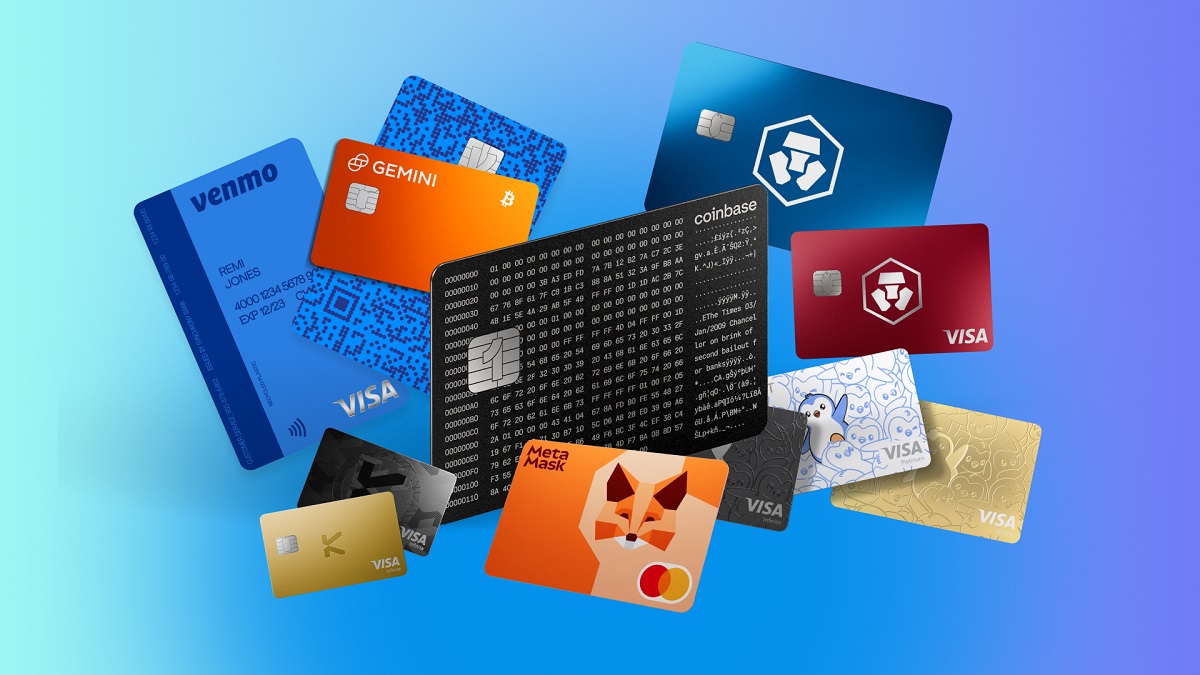
MetaMask Card
The MetaMask Card supports nine tokens, including mUSD, wETH, EURe, GBPe, USDC, and USDT. It comes in two tiers.
| Feature | Virtual | Metal |
|---|---|---|
| Annual fee | $0 | $199 |
| Rewards | 1% back in mUSD | 3% back in mUSD on the first $10,000 spent, then 1% |
| Daily card limit | $15,000 | $30,000 |
| Daily ATM limit | $1,000 | $5,000 |
| Free ATM withdrawals | Not listed | Up to $1,200 per month |
| Foreign transaction fees | Not listed | None |
| Extras | 5X Blackbird $FLY bonus | Boosted Aave yield, 7X Blackbird $FLY dining points |
The Metal tier’s 3% rate only covers the first $10,000 you spend before dropping back to 1%. Compare that bonus against the $199 fee before you upgrade. If you travel or pull cash often, the free ATM withdrawals and lack of foreign transaction fees may tip the math toward Metal.
Other crypto card options
The Oobit Crypto Card is a Visa Platinum card that uses your digital assets as collateral. It connects to self-custody wallets like MetaMask, Trust Wallet, Phantom, and Base for spending Bitcoin, Ethereum, and USDT. In the US, Oobit partners with Bakkt Financial Solutions I, LLC, a FinCEN-registered money services business.
The Venmo Credit Card offers a gentler way into crypto. You can have the cash back you earn automatically buy Bitcoin, Ethereum, Litecoin, or Bitcoin Cash.
The Brex Business Card is built for companies rather than individuals. Businesses can redeem the reward points they earn for Bitcoin or Ethereum.
How to get and set up a crypto card
Most of the setup happens inside the issuer’s app, and the virtual card is often ready long before the physical one ships. Your first decision matters most, since spending crypto you own and earning crypto on dollar purchases call for different cards.
- Pick the card type and provider. Decide whether you want a prepaid or debit card to spend tokens you already hold, or a credit card to earn crypto rewards. Then check that the card supports your coins and accepts residents of your state.
- Create an account and verify your identity. Issuers run Know Your Customer (KYC) checks under USA PATRIOT Act rules. You’ll submit your name, address, date of birth, a government-issued ID, and a selfie. Credit cards add a credit check.
- Link a funding source. Depending on the card, you’ll preload crypto or dollars onto an exchange account, connect a non-custodial crypto wallet like MetaMask or Phantom on a supported chain, or receive an approved credit limit.
- Activate the virtual card. The issuer generates a virtual card instantly. You can shop online with it right away or add it to Apple Pay or Google Wallet while the physical card makes its way through the mail.
- Set your security and spending controls. In the app, set daily or monthly spending limits and choose your preferred spending tokens. Turn on two-factor authentication, alerts, and instant card freeze.
If your card uses a priority order, set it during this step. Otherwise your first purchase might sell a coin you meant to hold.
Frequently asked questions about crypto cards
Can I withdraw money from a crypto card?
Yes. Physical crypto cards work at ATMs and convert your crypto to local cash on demand. Daily and monthly limits apply. On the MetaMask Card, for example, the daily ATM limit runs from $1,000 on the Virtual tier to $5,000 on Metal, and Metal includes free withdrawals up to $1,200 a month.
Can I use my crypto card anywhere?
Almost anywhere. Crypto cards work online and in person at over 150 million Mastercard merchants and 175 million Visa merchants worldwide. The exceptions are restricted categories like casinos, broker-dealers, and wire transfer services. Some payment processors also block card numbers (BINs) tied to crypto issuers.
Are crypto cards safe to use?
Reputable issuers partner with FDIC-member or licensed banks. They add security like 2FA, PIN controls, and real-time fraud monitoring on both the blockchain and card side. Custodial balances sit in cold storage, and you can freeze the card instantly in the app.
The weak points usually sit outside the card itself. A breach at a custodial exchange can expose your funds. On a self-custody card, a leaked seed phrase hands your wallet to whoever has it.
How do I choose the right crypto card for my needs?
Start with how you actually use crypto. If you spend it often and want no debt or credit check, a prepaid or self-custody debit card is the usual fit. Funding it with a stablecoin like USDC keeps things simpler, since purchases made with USDC typically don’t produce any gain you’d owe tax on.
If you mostly spend dollars and have a credit score of 670 or higher, a no-annual-fee crypto credit card makes more sense. It lets you build up crypto passively without staking any tokens.
Deciding if a crypto card fits your wallet
A crypto card pays off when it matches how you already handle money. If you hold crypto to spend it, a debit or self-custody card gives you direct control with no borrowing involved. Stablecoins keep that setup clean at the register and at tax time.
If you pay every statement in full, a crypto credit card quietly turns groceries and gas into Bitcoin, Ethereum, or another coin. If you sometimes carry a balance, the interest will outrun the rewards.
Long-term holders who rarely spend crypto get the least out of a card. You’d be taking on conversion spreads, possible staking lockups, and tax tracking for purchases you could just as easily make with a regular card.