
MetaMask has grown from a simple Ethereum browser extension into a multichain wallet handling Bitcoin, Solana, in-wallet trading, and a crypto spending card. Choosing a self-custodial wallet means weighing convenience against the responsibility of managing your own keys. This review breaks down MetaMask’s fees, security model, user ratings, and every major feature available right now.
What is MetaMask?
MetaMask is an open-source, self-custodial crypto wallet for managing digital assets, signing transactions, and connecting to decentralized applications. Dan Finlay and Aaron Davis created it in July 2016, and it’s developed by Consensys.
You can run MetaMask as a browser extension on Chrome, Firefox, Brave, or Edge, or as a mobile app on iOS and Android. It has crossed 100 million downloads across Google Play, the App Store, and the Chrome Web Store.
At its core, MetaMask works as both a token wallet and a Web3 signing key. When a dApp needs your permission, MetaMask displays the details of what’s being requested so you can approve or reject before anything happens. MetaMask Portfolio adds a web-based dashboard where you can view assets, buy, sell, swap, and bridge tokens across networks from a single interface.
How MetaMask works
MetaMask is a hot wallet, meaning your private keys are generated and stored on an internet-connected device. When you first set it up, the wallet creates a cryptographic key pair. Your private key signs every outgoing transaction, proving you authorized it.
During setup, you also receive a 12-word Secret Recovery Phrase. This phrase can restore your wallet on any compatible device, but anyone who gets hold of it controls your funds. There’s no “forgot password” reset through MetaMask or anyone else. The local password you set only unlocks the wallet on that specific device. It doesn’t replace the recovery phrase.
Your crypto doesn’t actually live inside MetaMask. Assets exist on their respective blockchains, and MetaMask reads those balances and signs transactions linked to your accounts. The default network is Ethereum. You can add other EVM-compatible networks with a few clicks, but assets on each chain stay separate. Sending tokens on Polygon, for instance, requires a Polygon balance for gas, not ETH on Ethereum mainnet.
Supported blockchains, tokens, and NFTs
MetaMask’s network support has expanded well past Ethereum. Here’s what it covers:
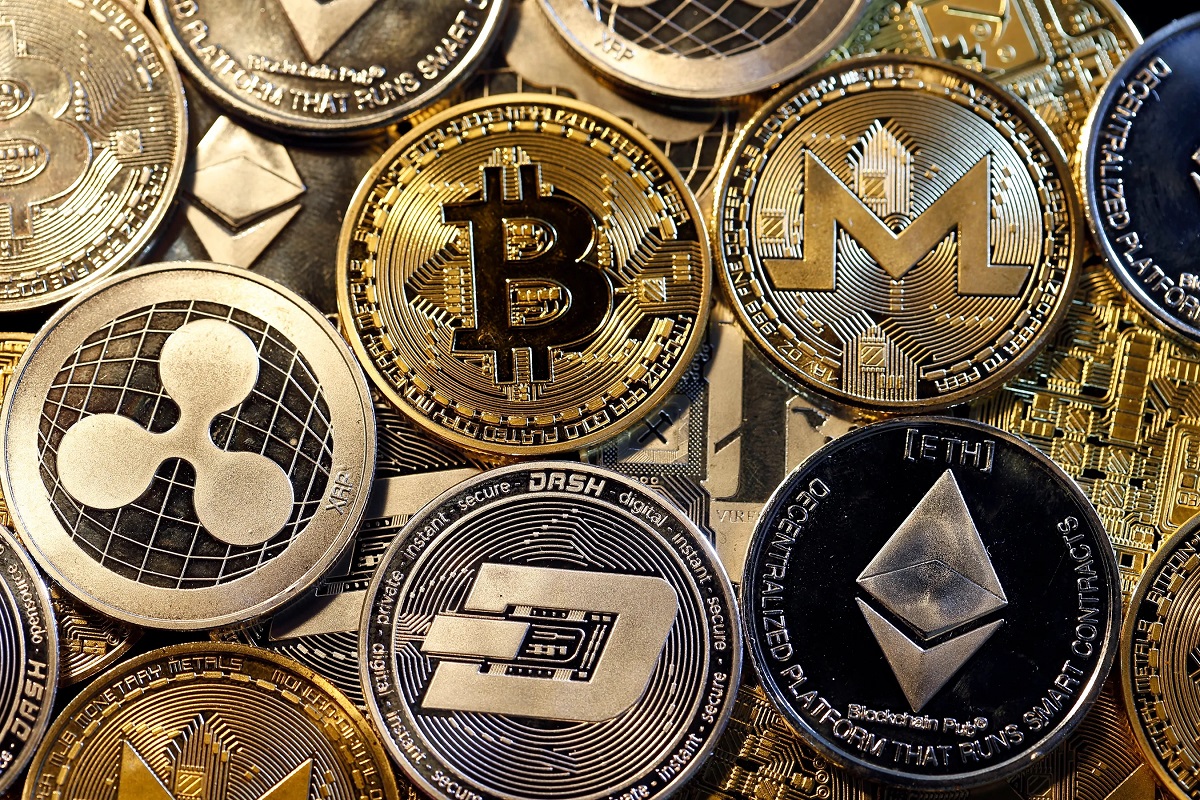
- Ethereum and EVM-compatible networks such as Polygon, Arbitrum, Optimism, Base, Linea, BNB Chain, zkSync, Avalanche, Sei, Monad, and TRON
- Solana, with native support added on July 8, 2025, covering send, receive, swap, bridge, and Solana dApp interactions
- Bitcoin, with native support added on December 15, 2025, letting you manage BTC directly without relying on wrapped Bitcoin alone
On the token side, MetaMask handles ERC-20 tokens across all supported EVM networks, plus ERC-721 and ERC-1155 NFT standards. Supported tokens include ETH, BTC, SOL, USDC, Tether stablecoin USDT, mUSD, WBTC, XRP, ADA, SHIB, PEPE, DOGE, DAI, and hundreds of thousands of others depending on the chain.
Enhanced token detection auto-identifies new tokens that arrive in your wallet. If detection misses one, you can always import it manually using the token’s contract address.
Key features
MetaMask packs a wide range of tools into the wallet itself, from token swaps and cross-chain bridging to fiat purchases, DeFi access, and staking. Each one works a bit differently, so let’s walk through them.
Token swaps
MetaMask’s built-in swap aggregator compares quotes from liquidity pools like Uniswap, 1inch, ParaSwap, and others, then routes your trade through the best available price. You don’t need to leave the wallet or connect to a separate DEX interface.
Smart Transactions include maximal extractable value protection, which guards against front-running bots that would otherwise sandwich your trade and cost you money. On the cost side, MetaMask charges a 0.875% service fee on swaps. That’s on top of the network gas fee and whatever exchange rate you’re quoted. Compared to some competing in-wallet swap tools that charge lower percentages or roll fees into the spread less visibly, MetaMask’s fee is transparent but not the cheapest option available. You’ll want to compare the total cost (fee plus price impact) on larger trades.
Cross-chain bridging
Bridging lets you move assets between networks without leaving MetaMask. Bridge routes are sourced through aggregators like Li.Fi and Socket, plus providers such as Hop, Celer cBridge, Polygon PoS Bridge, Squid, Across, Stargate, Relay, Mayan, and CCTP.
In 2026, bridging was integrated into the Swaps interface, so you can bridge and swap in one transaction when the route supports it. That saves a step and sometimes a fee compared to bridging first, then swapping on the destination chain.
Bridge costs include provider fees, liquidity costs, and gas on the destination chain. Quoted estimates can overstate the actual cost. In one test, the quoted estimate was $8.53, but the actual cost came out to $1.33. Checking the final confirmation screen before signing is worth the extra few seconds.
Buying and selling crypto
MetaMask integrates fiat on-ramp providers so you can buy crypto directly in the wallet. Payment methods include card, bank account, PayPal, Apple Pay, Google Pay, and various regional options. Which providers appear depends on your location. MoonPay, Transak, and Coinbase Pay are among the options, with MoonPay setting a $30 minimum purchase and a $3.99 minimum fee.
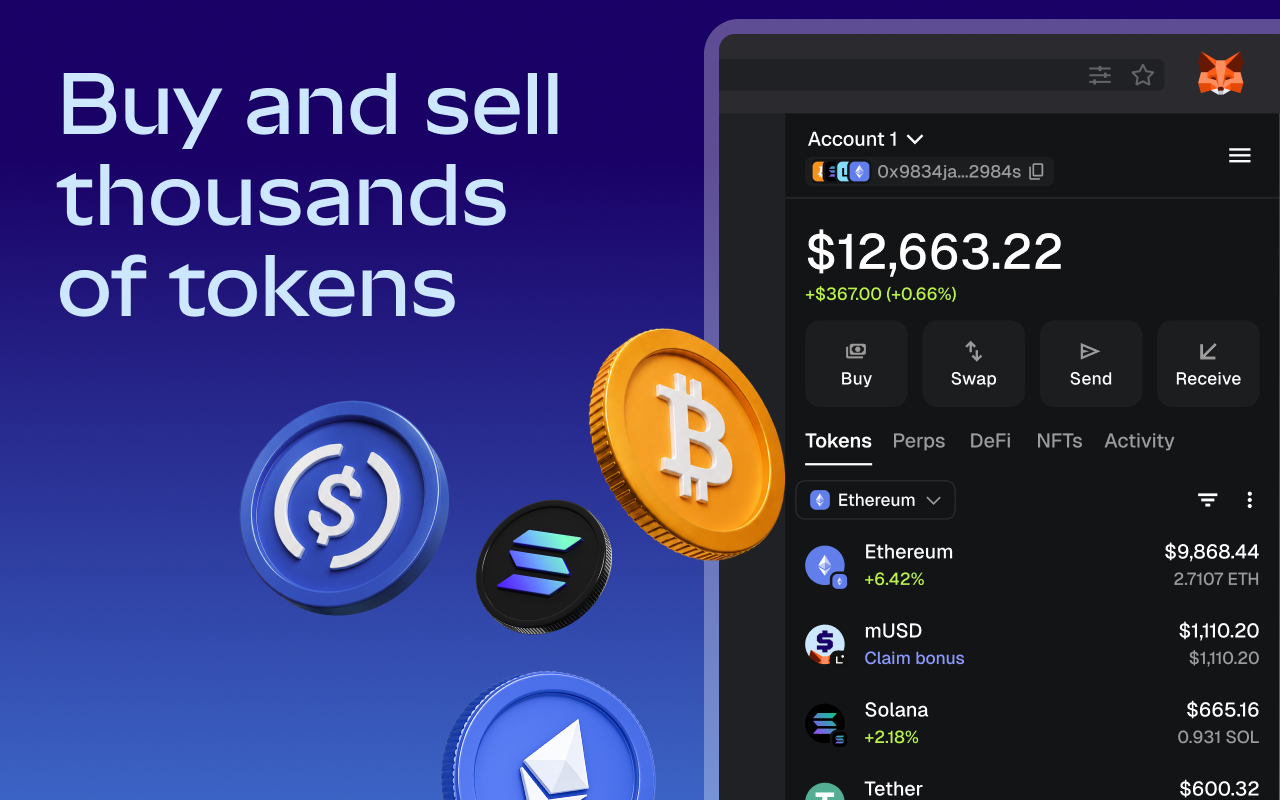
Selling works through off-ramp providers in supported regions. You choose a payout method, review the quote, and confirm in MetaMask. Keep in mind that provider fees, spreads, card fees, or withdrawal charges may apply on top of the purchase or sale price. Direct bank withdrawal from MetaMask isn’t available. You’d either sell through an in-wallet off-ramp or send your crypto to a centralized exchange and cash out from there.
DeFi access
MetaMask connects to decentralized protocols like Uniswap, Aave, 1inch, Compound, Curve, Yearn Finance, dYdX, and Balancer. If you’re on the mobile app, a built-in dApp browser sorts apps by category, making it easier to find lending, trading, or yield protocols. The browser extension relies on standard browser tabs, so you navigate to each dApp’s site directly.
Most Ethereum-based dApps list MetaMask as the primary wallet connection option, which means you’ll rarely run into compatibility issues.
NFT management
MetaMask connects to NFT marketplaces for minting, buying, and selling. Your NFTs show up in the wallet with visual previews, so you can track your collection without switching to an external portfolio tracker.
NFTs do carry specific risks worth watching. Fake mints that appear in your wallet unsolicited, malicious marketplace links, and hidden approval requests can all lead to drained funds if you interact with them. Avoid clicking on unexpected NFTs or approving transactions from sources you don’t recognize.
Staking and earn
MetaMask offers staking and earn options including pooled staking, validator staking, liquid staking, and stablecoin earn features. Availability depends on the specific product, the asset you’re staking, and your region.
Rewards are variable and not guaranteed. Before you commit, factor in provider exposure, validator fees, smart contract risk, possible lockup periods, and liquidity limits. Liquid staking tokens give you more flexibility since you can trade them, but they introduce their own smart contract layer.
MetaMask fees
MetaMask is free to download, install, and create a wallet. Costs come from using specific features:
- Network gas fees apply to most on-chain actions: transfers, swaps, approvals, and contract interactions. These fluctuate with network demand.
- Swap service fee of 0.875% on every in-wallet swap, plus the network gas and quoted exchange rate.
- Bridge costs include provider fees, liquidity costs, and destination-chain gas. Quoted estimates can run higher than actual costs.
- Buy/sell fees are set by the on-ramp or off-ramp provider and may include spreads, card fees, or withdrawal charges.
- Optional products like MetaMask Card and Transaction Shield carry their own fees, limits, and regional terms.
Gas fees on Ethereum mainnet can make small-balance activity impractical. Using Layer 2 networks like Polygon, Arbitrum, or Optimism cuts those costs significantly, often to fractions of a cent per transaction.
Is MetaMask safe?
MetaMask is a legitimate, widely used wallet developed by Consensys. Its open-source code is regularly audited by security firms, and Coinspect rated it the number-one most secure wallet. The self-custodial model means MetaMask never holds your assets and can’t access your accounts. Private keys stay on your device.
That said, every hot wallet carries a trade-off. Because it’s always connected to the internet, MetaMask is more exposed to phishing, malware, and malicious signature requests than a hardware (cold) wallet. Phishing scams and fake browser extensions are among the most common threats. Always verify URLs before connecting, and download MetaMask only from official sources.
Malicious token approvals are another risk area. When you approve a smart contract to spend your tokens, a bad actor behind that contract can drain your balance. MetaMask lets you set custom spend limits to reduce exposure, so instead of granting unlimited access, you can cap approvals to the amount you actually need for that transaction.
MetaMask doesn’t offer native two-factor authentication. If someone gains access to your device and your password, they can open the wallet. Pairing with a hardware wallet (covered below) adds that physical confirmation layer.
In 2024, the SEC sued Consensys over allegations related to MetaMask Swaps and Staking. The enforcement action was dismissed with prejudice in 2025, meaning the SEC can’t refile those same claims. That dismissal removed regulatory uncertainty, though it doesn’t amount to regulatory approval of MetaMask or its features.
User sentiment varies sharply by platform. MetaMask holds a 4.4-star rating from roughly 488,000 Google Play reviews and a 4.7-star rating from 76,000 App Store ratings. On Trustpilot, the picture is very different: a 1.5 TrustScore out of 5 based on 650 reviews. That gap likely reflects different user populations. App store reviewers tend to be active users rating the product during regular use, while Trustpilot attracts complaint-driven posts from people who lost funds or hit an unresolved issue.
Hardware wallet integration
MetaMask pairs with hardware wallets like Ledger, Trezor, and Keystone. In this setup, MetaMask serves as the interface for browsing dApps, viewing balances, and building transactions. The hardware wallet keeps your private keys offline and must physically approve every transaction.
Connecting a Ledger, for example, creates up to five new accounts within MetaMask. Those accounts require the hardware device for signing, so even if your computer is compromised, an attacker can’t move funds without pressing a button on the physical device. For anyone holding significant balances, this pairing is one of the strongest security steps you can take while still using MetaMask’s full feature set.
MetaMask Snaps
Snaps are third-party modules that extend MetaMask beyond its default capabilities. They plug into the wallet and add features the core product doesn’t ship with.
Protocol Snaps, for example, add support for non-EVM blockchains, letting you interact with networks MetaMask doesn’t natively cover. Notification Snaps push alerts about on-chain events, like a transaction confirmation or a governance vote going live, while transaction insight Snaps display risk information or run phishing checks before you sign, flagging suspicious contract interactions. Privacy and identity Snaps handle things like decentralized identity verification.
Security-focused Snaps are particularly useful. A transaction insight Snap can analyze the contract you’re about to interact with and warn you if it’s associated with known scams or if the approval request is unusually broad. That extra layer of review catches risks MetaMask’s default interface might not surface.
Snaps are still third-party software. Treat them the way you’d treat any browser extension: install only from trusted sources, review the permissions each Snap requests, and remove any you’re no longer using.
New MetaMask features in 2026
MetaMask has rolled out several major product expansions that push it well beyond a simple wallet. Here’s what’s new.
MetaMask USD (mUSD)
mUSD is a wallet-native stablecoin that launched in 2025 and is integrated directly into the MetaMask extension and mobile app. It’s backed 1:1 by US dollars and short-term US Treasury bills held in regulated custody, with issuance supported through Bridge and the M0 protocol.
You can hold, buy, sell, swap, and bridge mUSD where supported. Depending on your region, mUSD also connects to MetaMask’s payments and money-account features, letting you keep stable value inside the wallet without converting to fiat.
MetaMask Card
The MetaMask Card is a crypto spending card that lets eligible users pay wherever Mastercard is accepted, covering 150 million-plus merchants worldwide. Your crypto is converted to local currency at the time of payment, so you don’t need to manually sell before spending.
MetaMask markets cashback on purchases of up to 3%, along with cardholder perks in dining, travel, and crypto categories. Keep in mind that cashback rates are variable and not guaranteed. The associated Money Account offers an earn rate of up to 4% APY, also variable.
Some users have reported card freezing issues during the early rollout. If you’re considering the card, start with smaller purchases to make sure everything processes smoothly before relying on it for daily spending.
Transaction Shield
Transaction Shield is a paid security product that provides transaction protection and priority support. It covers eligible malicious transactions up to $10,000.
This doesn’t eliminate risk. Transaction Shield won’t help if you voluntarily send crypto to a scammer’s address or approve a malicious contract without reading the prompt. You still need to verify URLs, review what you’re signing, and avoid fake websites. Think of it as a safety net for specific scenarios, not a blanket insurance policy.
Smart Transactions and MEV protection
Smart Transactions use simulation-based execution to preview whether a transaction is likely to succeed before you sign. Just-in-time simulation features improve execution outcomes on busy networks by checking conditions right before submission.
Simulations aren’t guarantees. Network conditions can change between the simulation and the actual execution. Always review the final confirmation screen, especially on high-value transactions.
Perpetual futures, stocks, and prediction markets
MetaMask now includes perpetual futures trading with up to 50x leverage inside the wallet. That’s a high-risk instrument, and losses can exceed your initial position quickly at those leverage levels.
You can also trade tokenized versions of real-world stocks and funds, with 260-plus options currently listed. These represent tokenized versions of traditional assets, accessible without leaving the wallet. Prediction markets round out the trading features, letting you trade on real-world events.
Pros and cons of MetaMask
After spending time with MetaMask’s full feature set, here’s what stands out on both sides.
Pros:
- User-friendly interface across the Chrome extension and mobile app, with a layout that doesn’t overwhelm new users
- Broad multichain support covering Ethereum, Solana, Bitcoin, and dozens of EVM networks
- Deep dApp and DeFi integration, with most Ethereum-based dApps listing MetaMask as the primary connection option
- Hardware wallet pairing with Ledger and Trezor and Keystone for offline key storage
- Adjustable gas fees so you can prioritize speed or cost depending on urgency
- Open-source codebase with regular security audits
- 24/7 customer support in 134 languages
Cons:
- Hot wallet exposure leaves it more vulnerable to phishing and malware than cold storage
- Trustpilot sentiment is heavily negative, with common complaints about slow UI, swap failures, and limited customer-support resolution
- Ethereum mainnet gas fees can make small-balance activity impractical
- Some newer network integrations (TRON, for example) lack full feature parity at launch
- The app has been reported to drain battery in the background on some mobile devices
User ratings across platforms
| Platform | Rating | Review count | Common themes |
|---|---|---|---|
| Google Play | 4.4 / 5 | ~488,000 reviews | Generally positive; complaints about unwanted token additions, refund handling for MetaMask Card, occasional UI lag |
| App Store | 4.7 / 5 | 76,000 ratings | Highest rating; praise for dApp connectivity and DeFi utility; negative reviews cite gas-fee confusion and browser bugs |
| Trustpilot | 1.5 / 5 | 650 reviews | Overwhelmingly negative; most one-star reviews cite scam encounters, stuck transactions, unresponsive support |
The gap between app store ratings and Trustpilot is striking. App store reviewers tend to be people actively using MetaMask and rating it during regular use. Trustpilot attracts a different audience: users who hit a problem and went looking for a place to complain. That doesn’t mean the Trustpilot reviews aren’t worth reading. They surface real patterns.
Across all three platforms, common negative themes include phishing and scam exposure, high Ethereum gas fees (often mistakenly blamed on MetaMask itself rather than the network), and difficulty reaching a human support agent. MetaMask responds to about 51% of negative Trustpilot reviews, typically within one month. That’s a moderate response rate, though many users note the replies are templated rather than case-specific.
How to set up MetaMask safely
Getting MetaMask installed correctly matters more than most people realize. A wrong download source or a carelessly stored recovery phrase can cost you everything in the wallet.
- Download from official sources only. Go to metamask.io, the Chrome Web Store, Apple App Store, or Google Play. Don’t click on sponsored links in search results or follow download links from direct messages.
- Create a new wallet and set a strong local password. This password unlocks MetaMask on your device but doesn’t replace your recovery phrase.
- Back up the 12-word Secret Recovery Phrase offline. Write it on paper and store it somewhere secure. Never save it in cloud notes, screenshots, email, or messaging apps. If your phone is compromised, anything stored digitally is at risk.
- Import an existing wallet carefully. Only do this on a clean device using the real MetaMask interface. Fake MetaMask sites designed to capture recovery phrases are one of the most common scams in crypto.
- Make a small test deposit. Send a small amount first to confirm you’ve got the correct address, asset, and network before moving larger amounts.
- Connect to your first dApp cautiously. Verify the URL character by character. Review what the connection request is asking for.
- Review your first transaction details. Check the token, amount, network fee, destination address, and any contract request before confirming.
MetaMask also offers social login and device sync as an alternative onboarding path. This option simplifies the initial setup by letting you create or restore a wallet through a social account, which can be faster for users who find the manual recovery-phrase process intimidating. You’re still responsible for understanding how your keys are managed under this model.
Who MetaMask fits best
MetaMask isn’t the right wallet for everyone. Here’s where it makes the most sense:
- Active DeFi users who regularly swap tokens, provide liquidity, stake, or interact with smart contracts across multiple networks. MetaMask’s dApp compatibility is unmatched.
- NFT collectors and creators who need direct, reliable connections to marketplaces like OpenSea, Blur, and others.
- Self-custody advocates who want to hold their own keys rather than trusting a centralized exchange with their assets.
- Developers and power users who extend functionality through Snaps and custom network additions.
MetaMask is less suited for users who prefer a custodial app that manages keys and recovery on their behalf. If you don’t want the responsibility of securing a recovery phrase, a custodial exchange wallet is simpler, though it comes with its own trade-offs.
If you’re holding significant balances long-term, pair MetaMask with a hardware wallet rather than relying on the hot wallet alone. The hot wallet works fine for active trading and daily DeFi use, but cold storage adds a critical security layer for funds you’re not moving regularly.
Frequently asked questions
Can you withdraw money from MetaMask?
You can sell crypto for fiat through in-wallet off-ramp providers in supported regions. Pick how you want to receive the funds, check the quoted rate, and approve the transaction. Another option is transferring your holdings to a centralized exchange and withdrawing fiat from that platform. Direct bank withdrawal from MetaMask isn’t available.
Is MetaMask good for beginners?
The interface is straightforward, and the extension installs in under a minute. The challenge for beginners isn’t the wallet itself but the responsibilities that come with self-custody. Managing private keys, backing up a recovery phrase, selecting the right network, and reviewing smart-contract approvals all fall on you. A custodial app handles those things behind the scenes, so MetaMask requires more awareness from day one.
How does MetaMask compare to other self-custodial wallets?
MetaMask leads in dApp integration and multichain breadth. Most Ethereum-based protocols default to MetaMask as the first wallet connection option, and the addition of native Solana and Bitcoin support closes gaps that competitors used to fill. Some competing wallets offer broader non-EVM native support, built-in two-factor authentication, or lower swap fees. The best choice depends on which chains you use most and how much you value dApp compatibility versus features like 2FA.
Choosing a wallet that matches your crypto goals
MetaMask in 2026 extends far beyond its original Ethereum-extension identity. Ethereum, Solana, and Bitcoin under one roof, perpetual futures and tokenized stock trading built in, a crypto spending card, mUSD stablecoin tools, and staking options all add up to one of the most feature-dense self-custodial wallets you can use today.
None of those features matter if you lose access to your wallet. Security with MetaMask depends on your behavior: protecting the Secret Recovery Phrase, pairing with a hardware wallet for significant holdings, and reviewing every transaction prompt before signing. The wallet gives you the tools, but the responsibility stays with you.
For active Web3 participation, from DeFi and NFTs to newer features like prediction markets and tokenized assets, MetaMask’s flexibility and wide dApp compatibility make it one of the strongest options. AXL Research Hub publishes wallet comparisons, exchange reviews, and setup guides so you can find the right fit for how you actually use crypto.