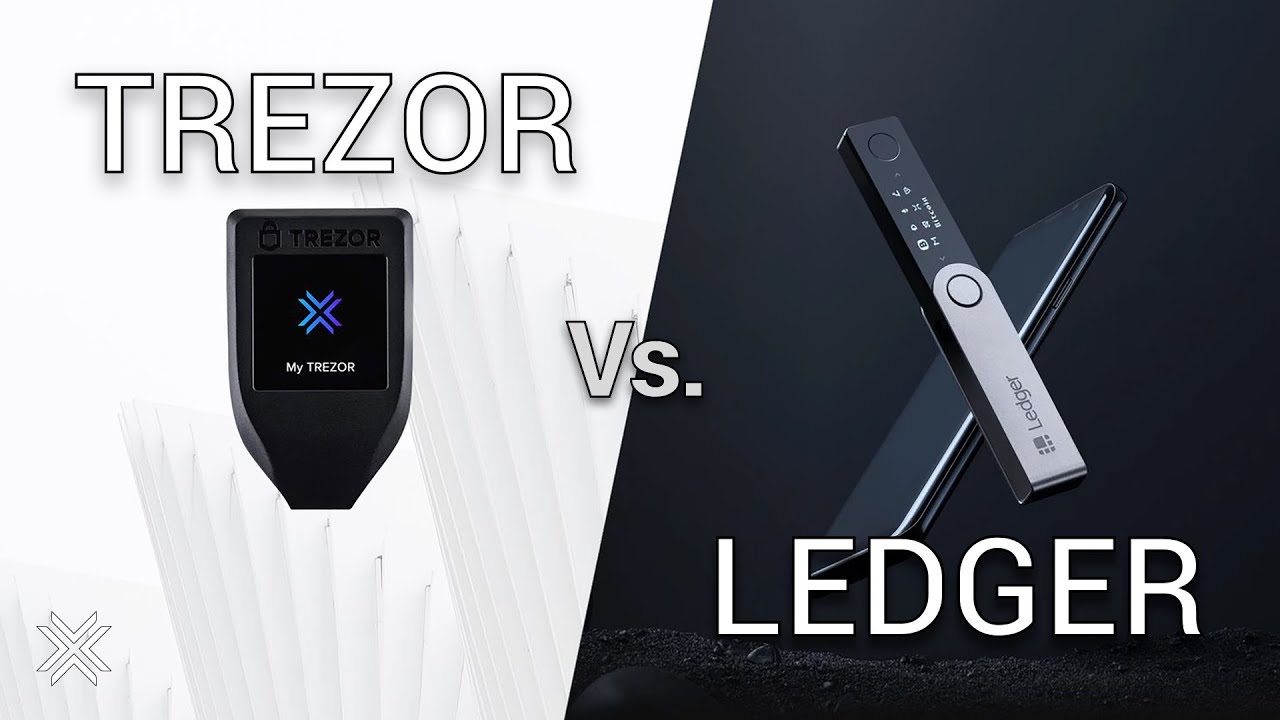

Trezor and Ledger are the two names that come up in nearly every hardware wallet conversation, and for good reason. Both keep your private keys offline and require you to confirm every transaction on the device itself, which is the whole point of self-custody. But the two brands take genuinely different approaches to security design, software features, recovery options, and transparency.
What you should know upfront: choosing between them comes down to your asset mix, how you feel about open-source versus Secure Element trust models, whether you need strong mobile support, and how you plan to back up your recovery phrase. Neither device makes you immune to phishing, blind signing, seed-phrase theft, or careless transaction approvals. The device protects the keys; you still have to protect everything around them.
Which crypto hardware wallet is better: Trezor or Ledger?
Nobody can hand you a one-size-fits-all pick here: both wallets keep private keys away from internet-connected devices, but they build on completely opposite design philosophies to get there. Trezor, which launched the first commercial hardware wallet in July 2014, has built its reputation on open-source transparency. Its firmware and hardware designs are publicly available, meaning anyone can audit the code running on the device. Ledger, the Paris-based company that has shipped over 8 million devices across more than 200 countries, anchors its security model on certified Secure Element chips that isolate every critical operation inside tamper-resistant hardware.
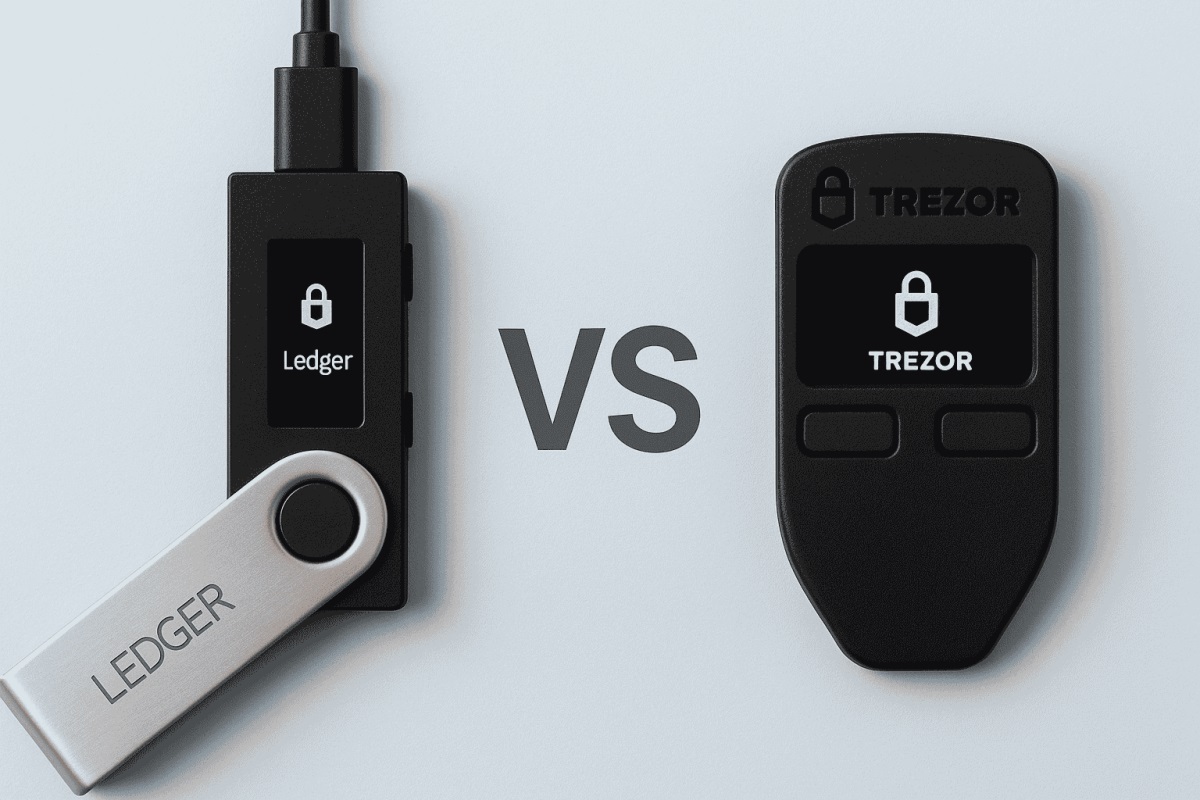
That philosophical split touches everything from how each wallet handles transaction signing to how it approaches recovery, privacy tools, and app design, though the way you transfer crypto to a cold wallet is the same on both. If you value the ability to verify exactly what code is running on your device, Trezor’s open-source model gives you that. If certified, tamper-resistant silicon is what gives you confidence, Ledger’s architecture is designed around exactly that assurance. The sections below compare them point by point so you can weigh the trade-offs that matter to your situation.
Quick comparison table
| Feature | Ledger | Trezor |
|---|---|---|
| Current models | Nano S Plus, Nano X, Nano Gen5, Flex, Stax | Safe 3, Safe 5, Safe 7 |
| Entry price | Nano S Plus ~$59 | Safe 3 ~$99 |
| Flagship price | Stax ~$399 | Safe 7 ~$249 |
| Supported assets | ~15,000+ coins and tokens | 8,000-9,000+ officially listed |
| Companion software | Ledger Live (buy, swap, stake, NFT management) | Trezor Suite (desktop-first, Tor routing, CoinJoin, coin control) |
| Connectivity | USB-C; Bluetooth and NFC on select models | USB-C; Bluetooth on Safe 7 only |
| Open-source device firmware | No (companion app is open source) | Yes |
| Recovery method | BIP-39 (24 words); optional paid Ledger Recover service | BIP-39 (24 words); SLIP-39 Shamir Backup |
| Mobile support | Full-featured app (iOS and Android) | Full transactions on Android; iOS strongest on Safe 7 |
| Security chip | Secure Element (EAL5+/EAL6+) in all models | Secure Element in Safe series; open-source firmware |
| Devices sold | ~8 million | 2 million+ users |
Prices vary by region, taxes, bundles, and promotions. Supported asset counts vary by source and change with firmware and app updates.
Ledger Live acts as an all-in-one dashboard: buying, swapping, staking, and managing NFTs happen inside a single app. Trezor Suite leans desktop-first and appeals to users who want built-in Tor support, CoinJoin for Bitcoin privacy, and granular coin-control tools. The software difference is as important as the hardware difference for daily use, because the companion app is where you’ll spend most of your time.
Current device lineups
Both brands have expanded their hardware lineups well beyond the single-device days. Ledger currently sells five models, starting with a basic USB-connected device and climbing through Bluetooth-enabled, touchscreen, E Ink, and curved-display flagships. Trezor’s Safe series is a tighter lineup of three: a budget two-button device, a color-touchscreen mid-range option, and a large premium model with wireless features, all of which replace the discontinued Model One and Model T.
Across both brands, the newer models with touchscreen and E Ink displays make on-device transaction verification noticeably easier. Instead of scrolling through addresses character by character on a tiny OLED, you can read full transaction details on a screen large enough to actually parse them.
Budget tier: entry-level cold storage
Ledger’s Nano S Plus is the cheapest way into either brand’s lineup at roughly $59. It connects via USB-C, works with desktop and Android, and supports Ledger’s full range of 15,000+ assets through Ledger Live. There’s no Bluetooth and no touchscreen, so you’re navigating with two physical buttons and a small screen.
Trezor’s Safe 3 starts at roughly $99 and includes a Secure Element chip for key storage, which is a notable addition over Trezor’s older budget models. Like the Nano S Plus, it connects via USB-C with no Bluetooth. Navigation uses two buttons and a small display.
Both devices do the job for someone who wants to move crypto off an exchange and into cold storage without spending much. If you’re buying your first hardware wallet and plan to hold BTC and ETH long-term without frequent transactions, either one works. The Nano S Plus costs less; the Safe 3 pairs Trezor’s open-source firmware with a Secure Element. Neither is built for comfortable daily use with DeFi or frequent signing.
Mid-range tier: touchscreen models
This is where the lineups start to diverge in meaningful ways.
Ledger’s Nano Gen5, priced at roughly $179, adds a touchscreen, Bluetooth, and NFC to the compact Nano form factor. It’s the most affordable Ledger with wireless connectivity, which means it pairs with the Ledger Live mobile app on both iOS and Android. The Ledger Flex sits higher at roughly $249 and offers a larger E Ink touchscreen with Bluetooth and NFC, giving you more screen space for verifying transaction details.
Trezor’s Safe 5, at roughly $129, is the most affordable touchscreen option across either brand. It features a color touchscreen with haptic feedback for confirming transactions, a tactile step up from button-pressing. There’s no Bluetooth or NFC on the Safe 5, so you’re still tethered to USB-C.
The practical gap here is connectivity. If you want to sign transactions from your phone without a cable, Ledger gets you there at the Nano Gen5 price point. Trezor doesn’t offer Bluetooth until the Safe 7 at $249. If you mostly use a desktop and want the best screen-per-dollar, the Safe 5’s color touchscreen at $129 is hard to beat.
Premium tier: flagship devices
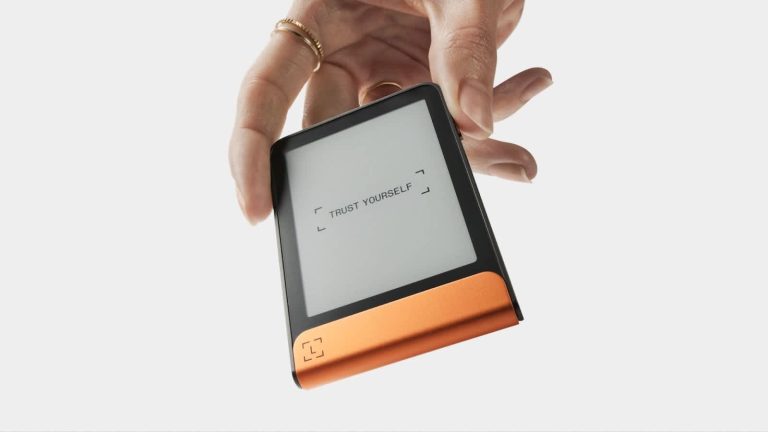
Ledger’s Stax is the most expensive option at roughly $399. It has a curved E Ink display that wraps around the edge, wireless charging, and a customizable spine label that shows your chosen image even when the device is off. It’s a design-forward device meant to feel more like a consumer gadget than a security tool.
Trezor’s Safe 7, at roughly $249, features a large high-resolution color touchscreen, encrypted Bluetooth, and Qi2 wireless charging. What sets it apart technically is a dual Secure Element layout featuring the TROPIC01 chip, an auditable component that lets Trezor pair its open-source philosophy with the kind of hardware-level protection usually found only in closed systems.
If you sign transactions regularly and want that process to feel comfortable, these flagships deliver with larger screens that make verifying addresses and contract details far easier than squinting at a budget device. Keep in mind, though, that the extra cost gets you a better screen, wireless convenience, and nicer materials without changing the underlying private-key isolation that every model in both lineups already provides.
Security architecture: Secure Element vs open-source transparency
This is the deepest disagreement between the two brands, and it’s worth understanding clearly because it shapes how you evaluate everything else.
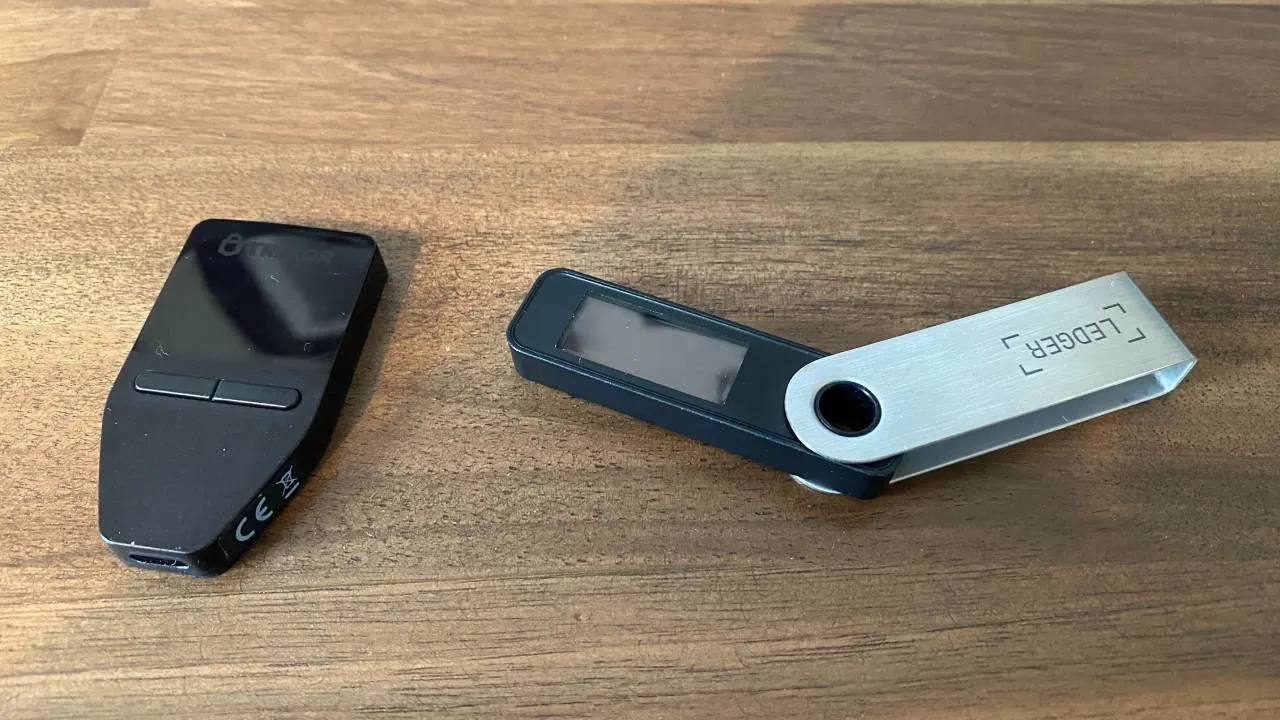
Ledger runs all critical signing operations inside a single Secure Element chip. Key storage, transaction parsing, display generation, and the actual cryptographic signature all happen within that protected environment. Because the screen content and the signature come from the same chip, what you see on the device display is tightly coupled to what actually gets signed. The Secure Element carries Common Criteria certifications, typically cited at EAL5+ or EAL6+, meaning it has passed standardized evaluations for resistance to physical tampering and side-channel attacks.
Trezor’s older models used a two-chip architecture: a Secure Element stored the keys, but the main processor handled the display and the signing logic. That separation introduced a theoretical risk: if the main processor were compromised, it could display one transaction on screen while signing a different one. The newer Safe models close that gap with their own Secure Elements, and the Safe 7 goes further: its dual-chip layout with the auditable TROPIC01 lets researchers inspect the hardware-level protections firsthand instead of relying on vendor claims alone.
The open-source side of Trezor’s security model is where it stands apart. Because Trezor publishes its firmware and hardware designs publicly, independent researchers can inspect the code, find flaws, and report them. Bugs get discovered and patched in the open. Ledger’s companion software (Ledger Live) is open source, but the device firmware itself remains closed source. Ledger argues that its Secure Element and internal security team provide the same level of assurance, and the company operates an internal attack lab that continuously tests its own devices. Ledger has also publicly disclosed vulnerabilities it found in competitor hardware.
Trezor works with external researchers through public bug-bounty programs. Lab-tested vulnerabilities on Trezor’s older models were responsibly disclosed and patched via firmware updates, including Model One firmware 1.8.0 on February 27, 2019 and Model T firmware 2.1.0 on March 6, 2019.
No confirmed real-world attack has extracted private keys from either brand’s devices. The practical, day-to-day risk for most people comes from phishing, seed-phrase leaks, fake websites, blind signing, and poor backup habits, not from chip-level exploits. The security architecture matters, but your operational habits matter more.
Transaction verification and clear signing
Blind signing is one of the biggest attack vectors across all wallets. It happens when you approve a transaction without actually understanding what it does, typically because the device shows raw hexadecimal data instead of readable details. You tap “confirm” on something you can’t interpret, and if that transaction was malicious, your funds are gone. A signed malicious transaction is still a valid transaction on the blockchain.
Ledger has tackled this with Clear Signing, backed by the ERC-7730 Generic Parser. This system converts raw smart-contract data into human-readable prompts inside the Secure Element before the signature is produced. Instead of seeing a wall of hex, you’d see something like “Swap 0.5 ETH for USDC on Uniswap” on the device screen. Because the parsing and the signing happen in the same chip, the prompt you read is directly tied to the transaction you’re approving.
Trezor Suite takes a different approach by integrating third-party threat detection that interprets raw transaction data and surfaces warnings about unknown contracts or risky operations. The warnings appear in the companion app rather than being parsed inside the Secure Element itself. This is still useful, but the interpretation of the transaction and the cryptographic signature are produced in separate environments. That two-chip split in earlier Trezor hardware left room for the same theoretical mismatch described above between what appeared on screen and what actually got signed. The newer Safe models with their own Secure Elements narrow this gap.
Both brands release firmware updates that patch vulnerabilities and extend asset support over time, which is why buying a device with updatable firmware matters. A device with non-updatable firmware can’t receive security patches after manufacturing and becomes a fixed target.
Open-source and firmware transparency
Trezor makes all of its firmware source code and hardware schematics available for anyone to inspect. This means security researchers, developers, and curious users can read the actual code running on the device, verify that it does what the company claims, and flag problems. Community audits tend to surface bugs faster than internal testing alone, and the public nature of the process means fixes are visible too.
Ledger’s device firmware is closed source. Ledger Live’s source code is open for review, but the firmware sealed inside the Secure Element remains off-limits to outside auditors. Ledger’s position is that the certified hardware and its dedicated internal security team provide the same protection, and the closed firmware prevents attackers from studying the code for exploitable weaknesses.
The two brands also differ in how they structure the software running on the device. Ledger uses a custom operating system with app isolation: each cryptocurrency runs in its own sandboxed environment, so a vulnerability in one app can’t reach another. Trezor runs monolithic firmware where all wallet functions share one environment. App isolation adds a layer of containment, but monolithic firmware is simpler to audit since there’s one codebase to review.
If code-level verification matters to you, Trezor’s openness gives you a clear edge. If you’re more comfortable relying on certified hardware backed by a dedicated security team, Ledger’s closed model is built around that confidence. Neither approach is objectively wrong; they just start from different trust assumptions.
Recovery and backup options compared
During setup, each device creates a recovery phrase, and if you take away one thing from this entire comparison, make it this: your funds on the blockchain are controlled by that phrase, not by the physical device holding it. If your device breaks, gets lost, or is stolen, the recovery phrase is what lets you restore your wallets on a new device.
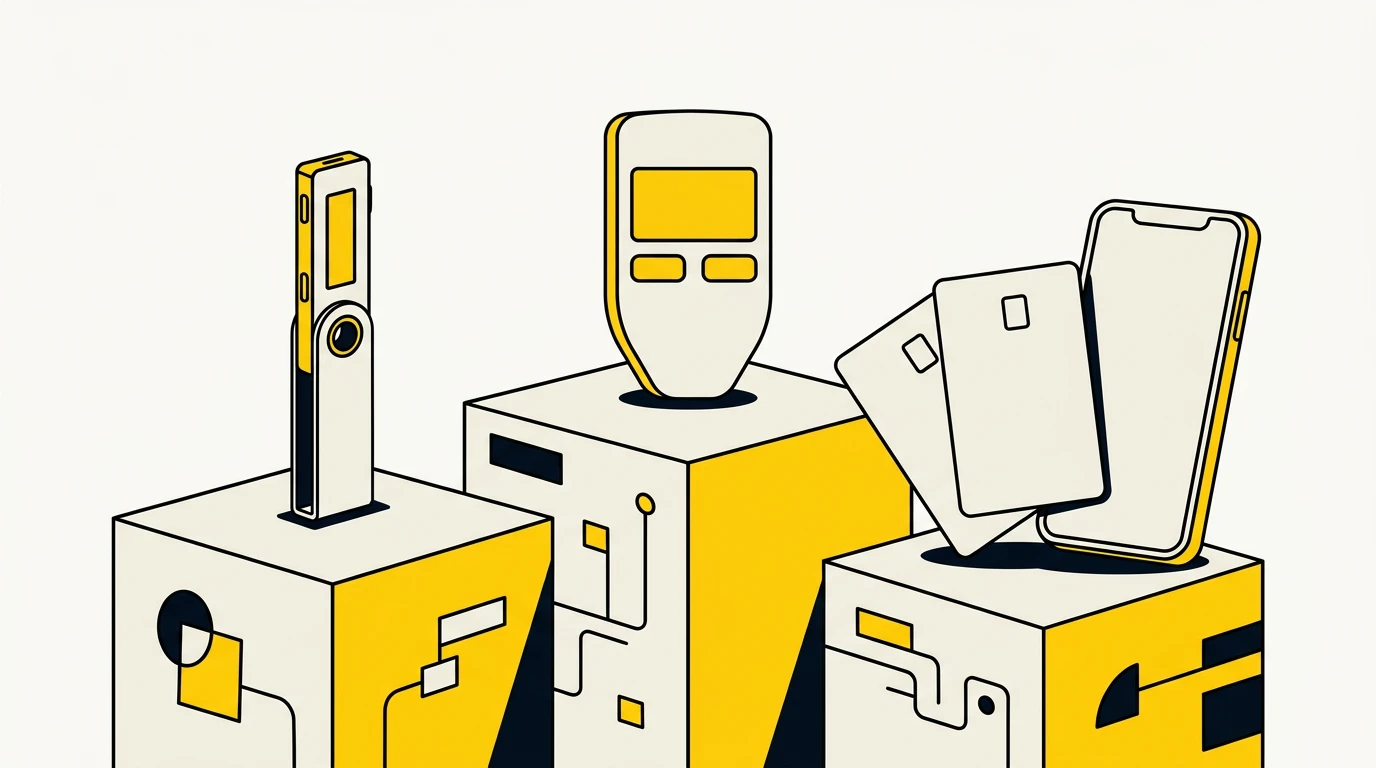
The standard recovery phrase is a BIP-39 seed, typically 24 words. This format is widely portable, meaning you can restore a BIP-39 phrase on most hardware and software wallets from any brand, provided the asset and account derivation path are supported. Both Trezor and Ledger use BIP-39 by default.
Beyond that baseline, the two brands offer different additional recovery options.
Trezor supports SLIP-39 Shamir Backup, which splits the recovery into multiple shares with a threshold you choose. For example, you could create 3 shares and require any 2 of them to restore your wallet. This removes the single-point-of-failure risk of a standard 24-word phrase: no single share is enough to access your funds, so storing shares in separate locations gives you redundancy without full exposure. The trade-off is narrower compatibility. SLIP-39 doesn’t restore directly on most non-Trezor wallets, so you’re more tied to Trezor’s product line for recovery.
Ledger offers Ledger Recover, an optional paid cloud-recovery service. It encrypts your seed and splits it into three fragments held by separate custodians. Restoration requires identity verification, after which the encrypted fragments are recombined on-device within the Secure Element’s protected environment. This is not enabled by default and not mandatory; it’s a paid opt-in. It appeals to users who worry about losing a physical backup but are comfortable trusting third-party custodians with encrypted fragments of their seed. Ledger Recover is designed for Ledger’s devices and isn’t a universal wallet standard.
Newer Trezor touchscreen devices include a PIN-protected physical recovery card with its own Secure Element, serving as an offline backup option that doesn’t require writing words on paper.
Both brands support a passphrase, sometimes called the 25th word, which creates a hidden wallet derived from the same seed. This is a powerful feature: even if someone gets your 24-word phrase, they can’t access the hidden wallet without the passphrase. Both Trezor and Ledger implement this the same way at the protocol level, but the practical risk is identical on both: if you forget the passphrase, those funds are permanently inaccessible. There’s no recovery process for a lost passphrase. If you use one, treat it with the same seriousness as the seed phrase itself.
For any recovery method, a metal backup plate offers more durable offline storage than paper. Metal resists fire, water, and time. For larger holdings especially, pairing your preferred backup method with a metal plate is worth the small extra cost.
Recovery cross-compatibility
A standard BIP-39 phrase from Trezor can usually restore on a Ledger device, and vice versa, provided the destination device supports the relevant coin and the derivation path your accounts were created under. This portability is one of the strengths of the BIP-39 standard.
SLIP-39 Shamir shares don’t restore on Ledger devices directly, and Ledger Recover doesn’t work with Trezor hardware. If cross-brand compatibility matters to you, sticking with a standard BIP-39 phrase as your primary backup keeps your options open.
Supported coins, tokens, and network coverage
Ledger lists over 15,000 coins and tokens with broad native send, receive, swap, and stake coverage inside Ledger Live. For most popular assets and many smaller ERC-20 tokens, you can manage everything without leaving the app.
Trezor officially lists 8,000 to 9,000+ assets (the exact count varies by source) with native support in Trezor Suite. Coverage extends further through third-party wallet connections, meaning you can use Trezor as a signing device with external apps like MetaMask or Rabby for chains and tokens that Suite doesn’t handle natively. The distinction between native app support and third-party wallet support matters for daily convenience: native support means you manage the asset entirely within Suite, while third-party support means you’re opening another app and connecting your Trezor to it.
If you hold a lot of altcoins, newer chains, or a wide spread of ERC-20 tokens, Ledger’s larger asset list means you’re less likely to hit gaps. Some major assets like ATOM and DOT have drawn user complaints about missing or slow support on Trezor, though coverage changes with updates.
Regardless of which wallet you use, verifying the correct network before sending is critical. Sending an ERC-20 token on the wrong chain (for example, sending to a native-chain address instead of an Ethereum address) can result in permanent loss. Both wallets show network information during the send process, but it’s on you to check it.
Staking, DeFi, and NFT support
Ledger Live supports crypto staking for multiple networks directly in the app, including ETH, SOL, DOT, ATOM, ADA, XTZ, TRX, and ALGO. You don’t need to leave Ledger Live to delegate or claim rewards for these assets. DApp connections are also built into the app, so you can interact with DeFi protocols and manage NFTs with a visual interface that shows your collection alongside your portfolio.
Trezor Suite enables staking for SOL, ADA, ALGO, ATOM, and XTZ, partly through built-in integrations and partly through third-party tools. NFT viewing in Suite is more limited, without the visual gallery-style management that Ledger Live offers. For DeFi and broader Web3 interactions, Trezor users typically connect their device to external wallets like MetaMask, Phantom, or Rabby. This works well, and both brands can pair with MetaMask for Ethereum DeFi with hardware confirmation still required on-device for every transaction.
The difference comes down to whether you want everything in one app or you’re comfortable using your hardware wallet as a signing device across multiple interfaces. Ledger’s approach is more self-contained. Trezor’s approach gives you flexibility but means more app-switching.
Mobile experience and wireless options
| Feature | Ledger | Trezor |
|---|---|---|
| Mobile app | Full-featured (iOS and Android): send, receive, stake, swap, portfolio management | Full transaction capability on Android; iOS support strongest on Safe 7 |
| Bluetooth models | Nano X (~$99), Nano Gen5 ($179), Flex ($249), Stax ($399) | Safe 7 (~$249) only |
| NFC models | Nano Gen5, Flex, Stax | None |
| USB-C | All models | All models |
| Wireless charging | Stax (flagship) | Safe 7 (Qi2) |
| Entry price for Bluetooth | ~$99 (Nano X) | ~$249 (Safe 7) |
Ledger’s mobile experience is noticeably broader. Bluetooth starts at the Nano X price point, roughly $99, giving phone-first users an affordable way to manage crypto on the go. NFC on the Nano Gen5, Flex, and Stax adds another wireless option. If you primarily use your phone and want to sign transactions without plugging in a cable, Ledger gets you there at a lower cost with more device choices.
Trezor reserves Bluetooth for the Safe 7 at roughly $249, which is also the only Trezor model with wireless charging. The Safe 3 and Safe 5 are USB-C only. Trezor’s Android app handles full transactions, but if you’re on iOS, the Safe 7 is your best option for a smooth mobile experience.
For desktop-primary users who rarely sign from a phone, this gap matters less. But if mobile signing is part of your daily routine, the connectivity spread is a meaningful differentiator.
Privacy features
Trezor Suite includes built-in Tor network support, letting you route your wallet traffic through Tor without configuring anything externally. This hides your IP address from the nodes your wallet connects to, which matters if you don’t want your transaction activity linked to your physical location. Suite also includes CoinJoin for on-chain Bitcoin privacy, which mixes your transactions with other users’ to make tracing harder, and coin-control tools that let you choose which specific UTXOs (unspent transaction outputs) to spend. If you want to avoid linking different Bitcoin holdings together in a single transaction, coin control gives you that granularity.
Ledger Live doesn’t include Tor routing, CoinJoin, or coin control. Its strength is how well it connects with third-party services for buying, swapping, staking, and card-related features, but each of those services may involve KYC (know your customer) requirements and third-party data handling. Using Ledger Live to buy crypto through an integrated exchange partner, for example, means sharing identity information with that partner.
Trezor’s open-source firmware adds another layer for privacy-conscious users: you can verify that the device isn’t sending data anywhere unexpected, because the code is publicly available for inspection.
That said, privacy depends on much more than the device and its app. How you withdraw from exchanges, whether you reuse addresses, which DApps you connect to, and what identity information you’ve already disclosed elsewhere all contribute. A hardware wallet with strong privacy tools doesn’t help much if your exchange withdrawal is already linked to your identity and your receiving address.
Pricing and value by budget
| Tier | Ledger | Trezor | What the price buys |
|---|---|---|---|
| Budget (sub-$100) | Nano S Plus ~$59 | Safe 3 ~$99 | Basic cold storage, USB-C, small screen, button navigation |
| Mid-range ($129-$249) | Nano Gen5 ~$179, Flex ~$249 | Safe 5 ~$129 | Touchscreen, improved on-device readability; Ledger adds Bluetooth and NFC at this tier |
| Premium ($249-$399) | Stax ~$399 | Safe 7 ~$249 | Large displays, wireless charging, premium build, Bluetooth on both |
Prices vary by region, taxes, bundles, and promotions.
The most important thing to understand about pricing is that a higher price buys you a bigger screen, wireless connectivity, and nicer materials. It doesn’t buy you fundamentally different security. The private-key isolation model works the same on a $59 Nano S Plus and a $399 Stax.
For simple long-term cold storage, where you’re moving crypto off a crypto exchange and checking it a few times a year, a budget device plus a metal backup plate may deliver better practical value than a premium model. The money you’d spend on a flagship could go toward a metal backup, a second device for redundancy, or simply staying in your pocket.
Best wallet by user type
| User type | Better fit | Why |
|---|---|---|
| Beginner holding BTC and ETH | Either entry-level model | Trezor Safe 3 is simpler to set up; Ledger Nano S Plus covers more assets at a lower price |
| Altcoin-heavy portfolio | Ledger | 15,000+ supported tokens means less need for third-party wallets |
| Bitcoin-only long-term holder | Trezor | Open-source firmware, Bitcoin-first design philosophy, Tor, CoinJoin, coin control |
| DeFi and NFT user | Ledger | In-app DApp connections and visual NFT management; Trezor works through external wallets |
| Privacy-focused user | Trezor | Built-in Tor, CoinJoin, coin control, and fully auditable firmware |
| Recovery planner (self-managed) | Trezor | SLIP-39 Shamir Backup eliminates single-point-of-failure risk |
| Recovery planner (convenience) | Ledger | Optional Ledger Recover cloud service for users who trust custodial backup |
| High-value cold storage | Either | Larger holdings should pair the device with metal backups, passphrases, multiple devices, multisig, and inheritance planning regardless of brand |
High-value storage deserves a note: at significant portfolio sizes, relying on a single device and a single backup location isn’t enough regardless of brand. Multisig setups (requiring multiple devices to approve a transaction), geographic distribution of backup shares, passphrase-protected hidden wallets, and documented inheritance plans all become more important than which brand logo is on the device.
Trust, data breaches, and buying safely
Both brands have had security incidents that didn’t compromise device security but did expose customer information, and that distinction matters.
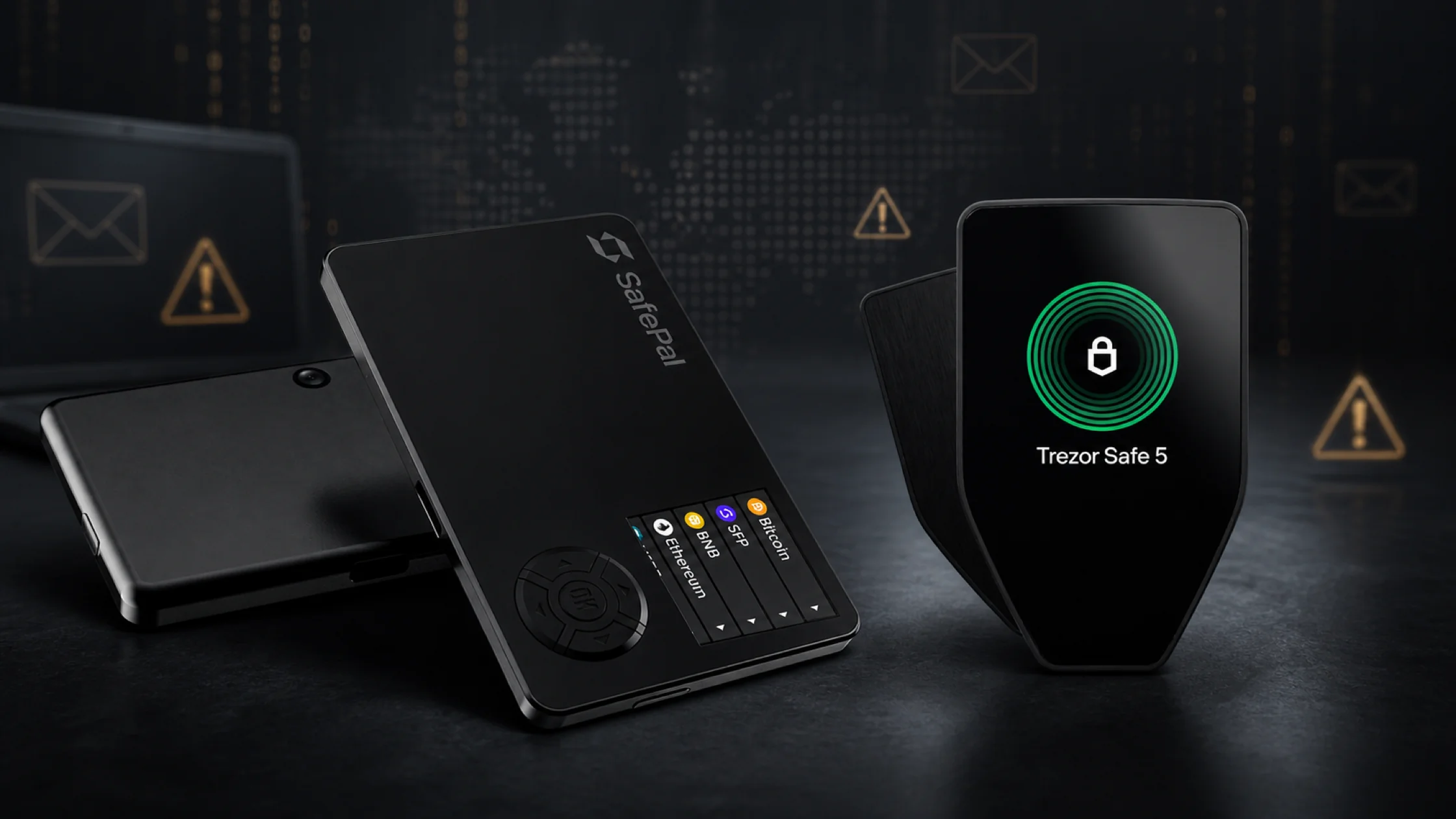
Ledger experienced a customer-data breach in July 2020 when its e-commerce and marketing database was compromised. Contact details and order information were exposed. No payment data and no crypto funds were affected, but the leaked names, emails, and physical addresses fueled highly targeted phishing campaigns. Customers received convincing scam emails and even physical mail with fake Ledger devices, all aimed at tricking them into entering their recovery phrases.
Trezor had a third-party support portal incident in January 2024. User digital assets were not compromised, but exposed contact information similarly enabled phishing attempts.
The lesson from both incidents is the same: even when the device itself is secure, leaked personal data gives attackers the information they need to craft believable scams. A phishing email that addresses you by name and references a hardware wallet you actually own is far more convincing than a generic one.
Protecting yourself starts at the point of purchase and continues through every interaction:
- Buy only from the official store (trezor.io or ledger.com) or an authorized reseller. Never buy from third-party marketplace sellers, secondhand sources, or suspiciously discounted listings.
- Never use a device that arrives pre-initialized or with a recovery phrase already written down. A legitimate device generates a fresh seed during your setup.
- Never share your recovery phrase, PIN, or passphrase with anyone. No real support agent from either company will ever ask for them.
- Verify the official website URL manually by typing it yourself. Fake sites appear in search ads and phishing emails with URLs that look almost identical to the real ones.
- Watch for fake support agents on social media and messaging apps. Scammers impersonate both brands’ support teams on Twitter, Telegram, Discord, and Reddit.
Common mistakes that compromise either wallet
Hardware wallets protect your private keys from remote theft, but they don’t protect you from your own mistakes. These are the most common ways people lose funds even with a hardware wallet in hand:
- Buying from unofficial sellers or using a pre-initialized device. A tampered device can be set up with a seed phrase the attacker already knows. When you load funds onto it, the attacker drains them. Always generate a fresh seed on a factory-new device from an official source.
- Photographing or storing the recovery phrase in cloud notes, email, or messaging apps. Your seed phrase is the master key to your funds. Storing it digitally puts it everywhere your cloud account, email, or phone can be accessed, which includes every data breach those services experience.
- Entering the recovery phrase on a website, app, or form. No legitimate service, wallet, or support process will ever ask you to type your seed phrase into a computer or phone. Any prompt to do so is a scam, full stop.
- Ignoring the device screen and approving transactions without verifying the address and amount. The whole point of the hardware wallet’s screen is to show you exactly what you’re signing. If you tap confirm without reading, you’ve bypassed the device’s primary security feature. A signed malicious transaction is irreversible.
- Sending funds on the wrong network. Sending an ERC-20 token to a native-chain address, or vice versa, can result in permanent loss. Always confirm the network matches on both the sending and receiving sides.
- Connecting the wallet to unknown or malicious DApps. Granting token approvals to a malicious smart contract can drain your wallet even with hardware confirmation, if you approve the transaction without understanding what it’s requesting.
- Leaving recovery words next to the device. If someone finds both, they have everything they need.
- Assuming the hardware wallet blocks all scams. The device protects key storage and requires physical confirmation. It doesn’t evaluate whether the transaction you’re confirming is a good idea. That judgment is always yours.
Frequently asked questions
Do I lose my crypto if I lose my Trezor or Ledger device?
No. Your funds live on the blockchain, not on the device. The hardware wallet stores the private keys that control access to those funds. If your device is lost, stolen, or broken, you can restore access on any compatible wallet using your recovery phrase. This is why protecting the recovery phrase matters more than protecting the device itself.
What are the main disadvantages of each brand?
Ledger’s device firmware is closed source, so outside researchers have no way to audit what executes on the chip itself. The optional Ledger Recover cloud-recovery service has also drawn criticism from users who view any form of seed-phrase sharing with third parties as a philosophical compromise, even though the service is not mandatory or enabled by default. Trezor supports fewer assets natively than Ledger, has weaker mobile and NFT tooling, and doesn’t offer Bluetooth until its most expensive model.
Is it safe to buy a Trezor or Ledger from a third-party retailer?
Buying directly from the official store is the safest option. If you buy from a third-party retailer, stick to authorized resellers listed on the manufacturer’s website. Avoid secondhand devices, listings with broken or missing seals, and prices that seem unusually low. A tampered device can look identical to a legitimate one.
Choosing the right hardware wallet for your situation
Your best pick comes down to your daily crypto habits, the specific assets sitting in your portfolio, and the compromises you’re comfortable living with.
Ledger suits users who want broader asset coverage, a full-featured mobile app, and integrated staking, DeFi, and NFT tools without leaving the companion software. If you hold a diverse portfolio of altcoins and want to manage everything in one place from your phone, Ledger is built for that.
Trezor suits users who value open-source transparency, simpler cold storage, and advanced self-managed backup options like Shamir Backup. If you’re Bitcoin-focused, privacy-conscious, or want the ability to audit the firmware running on your device, Trezor’s design philosophy aligns with those priorities.
Both brands deliver strong private-key isolation, and AXL Research Hub has found that the larger risk for most people isn’t the hardware architecture at all. It’s operational: seed-phrase safety, transaction verification discipline, and phishing awareness make a bigger difference than any spec-sheet comparison. Understanding why Bitcoin matters and how self-custody works matters far more than picking the perfect model. Buying from the official store, setting a passphrase if you can manage it responsibly, and running a small test transaction plus a full recovery check before moving meaningful funds provides more real-world protection than the difference between any two models.