
Coinbase Wallet gives you full control of your private keys in a free mobile app, but that self-custody model comes with trade-offs most reviews gloss over. The biggest question for most people isn’t whether Coinbase Wallet works; it’s whether the convenience is worth the hot-wallet risk and the extra steps required to turn crypto back into dollars.
What is Coinbase Wallet?
Coinbase Wallet is a free, self-custody crypto wallet for iOS and Android that launched in 2018. It’s a standalone app, completely separate from the Coinbase exchange app most people already know. The distinction matters: with Coinbase Wallet, your private keys are stored on your device, not on Coinbase’s servers. The company can’t access, freeze, or move your funds.
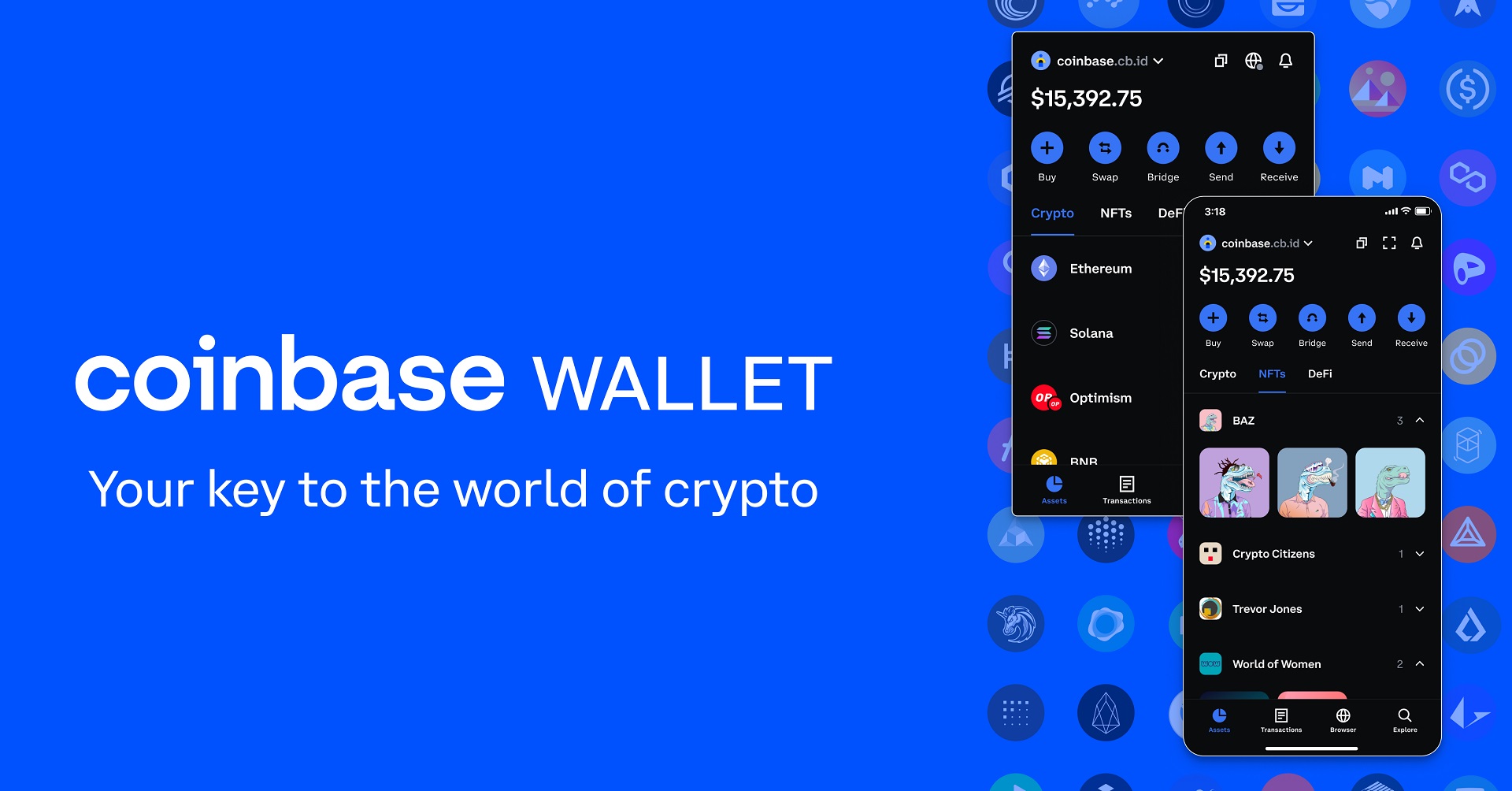
When you create a wallet, the app generates a 12-word recovery phrase. That phrase is the only backup for your crypto. Lose it and nobody, including Coinbase, can restore your access. Write it on paper and keep it somewhere physically secure.
Beyond storing and sending crypto, Coinbase Wallet includes a built-in browser for decentralized applications, NFT viewing, and token swaps. Parts of the codebase are open source, which means independent developers and security researchers can audit portions of how the wallet handles your keys and transactions. That transparency adds a layer of trust you don’t get from fully closed-source wallets.
Coinbase Wallet vs the Coinbase exchange: key differences
People mix these two products up constantly, and the confusion leads to misdirected funds and wasted support tickets. Here’s what actually separates them:
| Feature | Coinbase exchange | Coinbase Wallet |
|---|---|---|
| Custody model | Custodial (Coinbase holds your keys) | Non-custodial (you hold your keys) |
| Private-key control | Company manages keys on your behalf | Keys stored on your device only |
| Bank account linking | Yes, direct fiat on-ramp | No direct bank purchases |
| FDIC insurance | Pass-through coverage on USD balances up to $250,000 per depositor | None |
| KYC/AML tracking | Yes, full compliance monitoring | Greater privacy, though linking a Coinbase account ties your identity |
| Fiat cash-out | Withdraw directly to bank | Must transfer crypto to the exchange first, then withdraw |
| Transfer between the two | Network fee applies | Network fee applies |
The practical takeaway: the exchange is where you buy with dollars and sell back to dollars. The Wallet is where you hold your own keys and interact with DeFi. Moving crypto between them costs a network fee each way, so treating them as a single integrated product will eat into small balances.
If you want to cash out from Coinbase Wallet, you’ll always need the exchange as a middleman. There’s no way to send crypto from the Wallet straight to your bank. That extra step catches new users off guard, especially when Ethereum gas fees spike.
Security features and trustworthiness
Coinbase Wallet stores your private keys exclusively on your device, so no server, employee, or third party ever has access to them. Even if Coinbase shut down tomorrow, your funds would still be accessible through any wallet that supports your 12-word recovery phrase.
On the device level, Coinbase Wallet supports biometric authentication through Face ID and Touch ID, along with a PIN lock. On phones with Secure Enclave hardware (most modern iPhones and some Android devices), the app uses that chip to add hardware-level protection around your keys. This means the keys are encrypted in a dedicated security processor, isolated from the rest of the operating system.
What Coinbase Wallet doesn’t have is its own two-factor authentication layer. Security depends entirely on your device protection and how well you guard your recovery phrase. If someone gets your unlocked phone or your seed words, they get your crypto.
Because Coinbase Wallet is a hot wallet, it maintains a constant internet connection, which inherently exposes it to more remote exploits than a cold wallet sitting in a drawer. Every software wallet shares this trade-off, so the risk isn’t unique to Coinbase Wallet.
Coinbase as a company was founded in 2012 and is headquartered in San Francisco. It holds regulatory licenses in the U.S. and multiple other countries, which adds organizational credibility. However, in 2021, attackers exploited a flaw in the exchange’s account-recovery process, affecting roughly 6,000 users. Coinbase reimbursed the affected accounts and patched the vulnerability. The exploit targeted the exchange side, not the Wallet app directly, but it’s a reminder that the broader Coinbase platform isn’t immune to security incidents.
Public review scores for Coinbase overall aren’t flattering. Its Trustpilot average sits at 1.6 out of 5 across more than 5,500 reviews, and it carries an F rating with the BBB, unaccredited. Those scores are driven largely by exchange-side customer service complaints rather than Wallet-specific issues, but they reflect the support experience you’d encounter if you needed help.
Supported cryptocurrencies and networks
Coinbase Wallet stores Bitcoin, Ethereum, Solana, Litecoin, Dogecoin, and a broad range of altcoins across more than eight distinct blockchains. It supports over 1,500 tokens when you count ERC-20 assets and tokens on EVM-compatible networks, and the real number grows as new projects deploy contracts on supported chains.
Compatible networks include Ethereum mainnet, Arbitrum, Avalanche C-Chain, Polygon, Base, Solana, Bitcoin, Litecoin, and Dogecoin. That multi-chain coverage means you can hold assets across Layer 1 and Layer 2 networks in a single app without juggling separate wallets.
NFT storage and viewing are built in for Ethereum-based collectibles. Your NFTs show up in a dedicated tab, so you can browse and manage your collection without connecting to a third-party site. USDC is natively supported, including on Base, Coinbase’s own Layer 2 network, where transaction costs are a fraction of Ethereum mainnet fees.
One thing to watch: some tokens won’t display correctly until you manually select the right network. If you receive a token on Polygon but your wallet is showing Ethereum mainnet, the balance might look like zero. Switching to the correct network in the app’s settings fixes the display.
Fees and costs
Coinbase Wallet is free to download and doesn’t charge a subscription or maintenance fee. Holding crypto in the wallet costs nothing. The fees show up when you move or swap assets.
- Network (gas) fees apply to every on-chain transaction, whether you’re sending crypto to a friend or interacting with a smart contract. These fees vary by blockchain and fluctuate with network congestion. Ethereum mainnet transactions can get expensive during busy periods, while Layer 2 networks like Base cost significantly less.
- In-app swap fees add a service charge on top of the gas fee. Swapping tokens inside the wallet typically runs around 2% per transaction, plus a recovery fee. That’s noticeably higher than trading the same pair on a centralized exchange.
- Transfers between Coinbase Wallet and the exchange carry the standard network fee for whatever crypto you’re sending. There’s no extra Coinbase surcharge, but the gas cost is still yours.
- Receiving crypto into the wallet is free. No deposit fee applies.
- Cashing out to fiat requires moving your assets to the Coinbase exchange first, then withdrawing. On the exchange side, ACH transfers are free and take one to two business days. Wire transfers cost $25. Instant cashout charges up to 1.5%, with a $0.55 minimum. Buying crypto on the exchange with a debit card carries a 3.99% fee.
The swap fees are the most common source of frustration. If you’re regularly trading tokens, doing those swaps on the Coinbase exchange (or another centralized platform) and then transferring the result to your wallet will usually cost less than swapping inside the wallet itself.
DApp browser, DeFi, and staking
Coinbase Wallet’s built-in Web3 browser is one of its strongest advantages over basic send-and-receive wallets. You can connect directly to decentralized applications without leaving the app, which means lending platforms, borrowing protocols, liquidity pools, and NFT marketplaces are all accessible from your phone.
Token swaps run through integrated decentralized-exchange aggregation. The wallet checks multiple DEX sources and routes your trade, though the service fee on top of gas can add up. For DeFi users, being able to lend, borrow, or provide liquidity from a mobile app saves the hassle of connecting through a desktop browser.
Crypto staking is available for select proof-of-stake assets. You can earn rewards on eligible holdings directly inside the wallet, though the supported staking options are more limited than what you’d find on the exchange side.
The wallet also supports a feature called Quests, which turns onchain activity into a guided experience. Quests walk you through specific actions (trying a new protocol, minting an NFT) and reward you for completing them. It’s a useful discovery tool if you’re exploring Web3 for the first time.
Coinbase Wallet also works beyond the Coinbase platform. It connects with MetaMask-compatible DApps and links to eight or more external wallet interfaces through WalletConnect and direct injection. If a DApp supports WalletConnect, you can use Coinbase Wallet with it.
Pros and cons of Coinbase Wallet
After spending time with the wallet across multiple chains and use cases, here’s where it stands.
Pros:
- Beginner-friendly interface with clear onboarding. The app walks you through recovery-phrase backup with prompts that are hard to skip, reducing the chance a new user will lose access later.
- True self-custody. You hold your private keys, period. No third party can freeze or confiscate your funds.
- Broad multi-chain and multi-token support. Bitcoin, Ethereum, Solana, and Layer 2 networks are all covered, with thousands of tokens accessible.
- Integrated DApp browser for DeFi, NFTs, and Web3 exploration, all from your phone.
- Backed by a publicly traded, U.S.-regulated company with an operating history dating to 2012. That brand recognition carries weight, especially for people new to self-custody.
Cons:
- Customer support is poorly rated. Wallet-specific problems are often hard to separate from exchange complaints in the support queue, which can slow resolution.
- In-app swap fees and Ethereum gas costs can run high compared to trading on a centralized exchange. Small swaps on Ethereum mainnet are sometimes impractical.
- No direct fiat cash-out. Converting holdings to dollars means routing them through the Coinbase exchange, which adds both an extra step and a network fee.
- Advanced portfolio analytics and charting tools are minimal. If you want detailed performance tracking or technical analysis, you’ll need a separate app.
How to set up Coinbase Wallet
- Download the app from the Apple App Store or Google Play. Before installing, verify the developer is listed as Coinbase, Inc. Fake wallet apps exist, and sending crypto to a fraudulent app means losing it permanently.
- Create a new wallet or import an existing one. If you already have a wallet with a 12-word recovery phrase, you can enter it here to restore your holdings. For a fresh start, the app generates a new phrase.
- Write down your 12-word recovery phrase on paper and store it in a secure physical location. Don’t screenshot it, don’t paste it into a notes app, and don’t email it to yourself. Anyone with those 12 words controls your funds.
- Set up biometric security. Enable Face ID or Touch ID so the app locks when you’re not using it. This is your first line of defense if your phone is lost or stolen.
- Optionally link your Coinbase exchange account. This makes transferring crypto between the exchange and the wallet faster, since you won’t need to copy and paste addresses manually.
- Add crypto by purchasing through a linked payment method, receiving funds from an external wallet address, or pulling holdings over from your exchange account.
How to get your money out of Coinbase Wallet
This is the step that trips up the most people. You can’t withdraw dollars directly from Coinbase Wallet to your bank. The wallet holds crypto, and converting it to fiat requires the Coinbase exchange as an intermediary.
- Open Coinbase Wallet and tap on the asset you want to withdraw.
- Send the crypto to your Coinbase exchange account. In the exchange app, locate the deposit address for the specific asset and network you’re transferring, then copy it carefully. Paste it into the Wallet’s send field. A network fee applies to this transfer.
- Send a small test transaction first. Before moving a large balance, send a tiny amount to confirm the address is correct. Crypto sent to the wrong address or the wrong network is usually gone for good.
- Inside the Coinbase exchange, sell the crypto for USD or another fiat currency.
- Withdraw your fiat. ACH transfers are free and take one to two business days. Wire transfers cost $25. Choosing the instant option costs up to 1.5%, with a minimum charge of $0.55.
The entire process involves two separate transactions (wallet to exchange, then exchange to bank), each with its own fee and processing time. Plan accordingly, especially if you need the money quickly.
How Coinbase Wallet compares to other crypto wallets
| Comparison point | Coinbase Wallet | Hardware wallets | Other software wallets |
|---|---|---|---|
| Wallet type | Hot (software) | Cold (hardware) | Hot (software) |
| Private-key control | User holds keys | User holds keys | User holds keys |
| Supported assets | 1,500+ tokens, 8+ chains | Varies by device, often thousands | Varies widely |
| DApp browser | Built in | Typically not built in | Some include one |
| Staking | Select assets | Depends on companion app | Varies |
| Swap fees | ~2% service fee plus gas | N/A (use external DEX) | Varies, some lower |
| Customer support | Ticket-based, poorly rated | Manufacturer support | Varies |
| Price | Free | $50 to $200+ | Free |
| Third-party review score | 8.1 out of 10 (one comparison) | Varies by model | Varies |
Hardware wallets store your keys completely offline, which makes them resistant to remote attacks in a way no software wallet can match. But they cost money, they don’t have built-in DApp browsers, and carrying a separate device for every transaction isn’t practical for daily use.
Other software wallets may offer more advanced charting, broader support for obscure tokens, or fully open-source code. Some charge lower swap fees. Coinbase Wallet’s edge is its clean interface, strong brand recognition, and tight integration with the Coinbase exchange for users who already have an account there.
If your priority is maximum offline security, a hardware wallet is the better choice. If you want the lowest possible swap fees, shop around. Coinbase Wallet fits best in the middle: self-custody with a familiar brand and easy transfers to and from the exchange.
Is Coinbase Wallet good for beginners?
Yes, and it’s one of the easier self-custody wallets to start with. The setup process requires minimal technical knowledge, and the app prompts you to back up your recovery phrase during onboarding rather than burying the option in settings. That guided backup alone prevents the most common beginner mistake: skipping the seed phrase and losing access forever.
The interface keeps things clean, putting sending, receiving, and viewing your balances front and center instead of burying them behind charts and order books. Built-in help resources and FAQs are also included for quick reference.
That said, there’s still a learning curve. Gas fees aren’t intuitive the first time you encounter them, token approvals can feel confusing, and understanding which network you’re on matters more than most beginners expect. Sending an Ethereum-based token to a Solana address, for example, results in lost funds. Start with small test transactions before committing larger amounts.
The trust signal of a well-known, U.S.-regulated parent company makes the initial leap into self-custody less intimidating. For someone who’s only used the Coinbase exchange and wants to take ownership of their own keys, Coinbase Wallet is a natural next step.
Common complaints and issues
These are the problems that show up repeatedly in user feedback:
- Slow or unhelpful customer support. Responses come through support tickets only, with no dedicated live phone line for wallet-related problems. The Coinbase support phone number (888-908-7930) is limited to automated account-disabling on the exchange side.
- Confusion between the Wallet and the exchange app. Users frequently send funds to the wrong app or submit support requests to the wrong product. This leads to delays and, in some cases, temporarily inaccessible funds.
- High Ethereum gas fees. During network congestion, gas costs can make small transactions impractical. A $10 swap might carry a $15 gas fee. Layer 2 networks help, but not every token is available on them.
- DApp glitches. Occasional slow loading or failed transactions when interacting with decentralized applications, especially on busy networks.
- Lost recovery phrases with no recourse. By design, Coinbase can’t override a lost seed phrase. Users who didn’t write it down or stored it insecurely have no way to recover their funds. This isn’t a bug; it’s how self-custody works.
- Incorrect token balances. Some tokens fail to appear or display wrong amounts until the correct network is manually selected in settings.
- Exchange-side account freezes affecting cash-out. A compliance restriction on your Coinbase exchange account blocks the fiat conversion step, leaving wallet crypto stranded until the hold clears, even though the wallet itself remains fully accessible.
Frequently asked questions
Can you trust Coinbase Wallet?
Coinbase Wallet comes from a publicly listed, federally regulated U.S. company, giving it a level of accountability that many anonymous wallet projects lack. Its non-custodial design means Coinbase itself can’t seize or freeze your funds. That said, trust is high but not equal to hardware storage. A hot wallet always carries more risk from remote exploits than a device that stays offline.
Is there a monthly fee for Coinbase Wallet?
No. There’s no subscription or maintenance fee. You’ll only pay network transaction fees when you send crypto or interact with smart contracts, plus optional swap service fees if you trade tokens inside the app.
What is the downside of Coinbase Wallet?
The main downsides are hot-wallet exposure to online threats, reliance on your device’s security for key protection, higher swap fees than centralized trading platforms, and no way to withdraw directly to a bank account. You always need the Coinbase exchange as a go-between for fiat cash-outs.
Does Coinbase Wallet support Bitcoin?
Yes. Coinbase Wallet supports Bitcoin along with Ethereum, Solana, Litecoin, Dogecoin, and thousands of ERC-20 tokens across multiple networks.
How secure is Coinbase Wallet compared to a hardware wallet?
A hardware wallet stores your private keys offline inside a dedicated chip, providing a degree of protection against remote attacks that no software wallet can match. Coinbase Wallet is a software hot wallet, always connected to the internet. It offers more convenience for daily transactions and DApp access, but at the cost of that physical isolation. Pairing the two, using the hardware wallet for long-term storage and Coinbase Wallet for everyday activity, covers both angles.
Who Coinbase Wallet works best for
Coinbase Wallet fits well for a few specific types of users. Crypto beginners who want self-custody without a steep learning curve will find the onboarding straightforward and the interface approachable. DeFi explorers and NFT collectors who need a mobile DApp browser get that functionality built right in, without needing a desktop extension.
Everyday users making small to mid-size transactions across multiple chains benefit from the multi-network support and the easy bridge to the Coinbase exchange when it’s time to cash out. If you’re already using Coinbase, the wallet slots in naturally.
It’s not the strongest fit for high-volume traders who need advanced analytics, or for users who demand maximum offline security. For the security-focused, pairing Coinbase Wallet with a hardware device gives you the best of both: cold storage for the bulk of your holdings and a convenient hot wallet for the crypto you’re actively using.