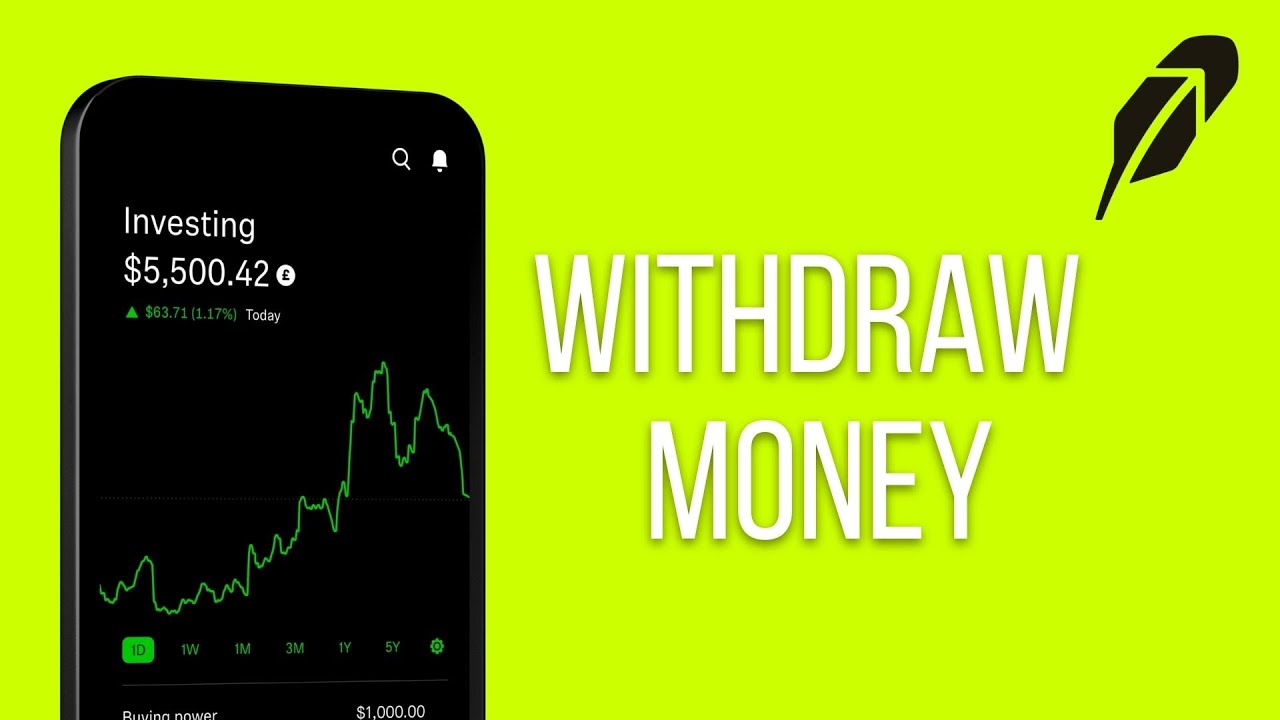

Cash withdrawals from Robinhood land in your bank account in about a minute once you know where to tap, but the method you pick changes how fast the money arrives, what it costs, and whether you’ll hit a limit.
How to withdraw money from Robinhood to your bank account
The process is nearly identical on mobile and desktop. On the web, you’ll find the same options inside the Account area, though a few menu labels are worded slightly differently. Here’s the mobile sequence:
- Tap the Account (person) icon in the bottom-right corner, then open the three-bar menu.
- Select Transfers, then tap Withdraw.
- Enter the dollar amount you want to transfer out.
- Choose which Robinhood account the money should come from. If you have more than one account type, you’ll see options for Investing, Retirement, or Spending. Withdrawing from a Retirement account may carry tax consequences that don’t apply to an Investing or Spending withdrawal, so double-check that you’re pulling from the right one.
- Select the linked bank account or debit card as your destination. If the destination qualifies for an instant transfer, you’ll see an “Instant transfers eligible” label next to it.
- Review the withdrawal summary. This screen shows the amount, the destination, and any associated fee.
- Tap Transfer to submit.
That’s it. You’ll get a confirmation, and the transfer moves into your pending-transfers list where you can track its status.
Withdrawal methods: standard ACH, instant, and wire
Robinhood offers three ways to move cash out, and they differ in speed, cost, and destination type.
| Method | Speed | Fee | Destination |
|---|---|---|---|
| Standard ACH | Up to 5 business days | $0 | Linked bank account |
| Instant withdrawal | Minutes to 24 hours | 1.75% of the amount ($1 min, $150 max per transaction) | Debit card or eligible bank account |
| Wire transfer | About 1 business day | $25 flat | Linked bank account |
Only accounts and cards in the account holder’s own name qualify as withdrawal destinations. You can’t send funds to a friend’s bank account or a card that doesn’t match your legal name on file.
Which method you choose comes down to how quickly you need the money and whether the fee is worth it. A $5,000 instant withdrawal, for example, costs $87.50 at 1.75%. That same transfer by standard ACH costs nothing but could take several business days. Wire transfers land in the middle: faster than ACH, cheaper in percentage terms for larger amounts, and flat-priced at $25 regardless of size, which makes them more practical when you’re moving a substantial sum.
Robinhood withdrawal limits
The daily withdrawal limit for standard ACH transfers can reach up to $50,000 per business day, though your personal cap may be lower depending on your account. Instant withdrawal and debit-card transfer limits also vary by account. You’re allowed up to 5 withdrawal transfers per business day.
These limits reset on different clocks. The ACH limit resets at 7 PM ET on business days, while instant-transfer limits reset at 12 AM ET each calendar day. Knowing the difference matters if you’re trying to move a large amount in a short window.
You can check your personal limits before submitting by going to Transfers, then Transfer Limits. That screen shows the exact figures tied to your account. If you need to move more than your daily cap allows, splitting the withdrawal across two days is the simplest workaround.
How long does a Robinhood withdrawal take?
Standard ACH withdrawals take up to 5 business days. Instant withdrawals usually post within minutes and typically don’t exceed 24 hours. Wire transfers process on Robinhood’s side within about one business day, though your bank’s receiving process adds its own timeline.
Weekends and bank holidays pause ACH processing entirely. A withdrawal submitted on a Friday evening may not begin moving until Monday. If you need cash by a specific date, count only business days and submit early in the week.
You can track a pending withdrawal in the History or Transfers section of the app or website. Each transfer shows its current status and expected completion date.
What is withdrawable cash on Robinhood?
Withdrawable cash is the portion of your account balance that’s actually eligible for transfer out. It’s often less than the total cash balance or buying power you see on your home screen, because several types of holds reduce it.
Exclusions that reduce withdrawable cash
- Settlement period. Equity and options sales settle on T+1, meaning one trading day after the trade. Proceeds become withdrawable on the second day after the trade, not the moment the sale confirms. If you sold shares on Monday, that cash typically clears for withdrawal on Wednesday.
- Pending deposits. A new deposit has to finish processing before you can withdraw it. This can take several business days, especially for initial deposits.
- Cash held for pending orders. Any open buy orders lock the corresponding funds. If you need that cash freed up, cancel the pending order first.
- Referral stock proceeds. Cash from selling a referral stock is locked for 30 calendar days from the date you received it.
- Options collateral. Cash or shares held as collateral for open options positions can’t be withdrawn until those positions are closed.
- Futures collateral. Cash reserved against open futures positions is similarly locked.
- Pending debit card transactions. If you use Robinhood’s spending account, funds held for unsettled card purchases reduce your withdrawable balance.
- Round-ups. Cents rounded up from Cash Card transactions are held until the weekly recurring order executes, so they won’t appear in your withdrawable cash until that cycle completes.
Margin accounts have an additional wrinkle: Robinhood requires a minimum account value of $2,000 for margin investing. Dropping below that threshold by withdrawing too much can trigger a margin call or restrict your account.
Do you need to sell stocks or crypto before withdrawing?
Yes, only uninvested cash can be withdrawn. If your entire balance sits in stocks, ETFs, options, or crypto, you’ll need to sell first to generate cash, the same step required before closing your Robinhood account.
For stocks and options, the settlement rule is T+1. Sell on Tuesday, and the proceeds typically become withdrawable by Thursday. Crypto settlement works differently. When you sell crypto on Robinhood, the proceeds convert to a USD cash balance, but the settlement timing is separate from equities. If you hold only crypto and no cash, you’ll need to sell and wait for that settlement before you can start a bank withdrawal.
Planning ahead helps. If you know you’ll need cash by a certain date, sell the assets several days in advance so settlement doesn’t create a last-minute delay.
How to sell crypto on Robinhood before withdrawing
- Open the Crypto section and select the coin you want to sell.
- Tap or click Sell.
- Enter the amount in USD or crypto units.
- Choose an order type. A market order executes immediately as long as the price stays within a 5% fluctuation window. If the price moves outside that range for more than five minutes, the order may cancel. A limit order fills only at the price you specify or better. You can also use stop or stop limit orders for more control over execution price.
- Submit the sell order.
Once the order fills, proceeds settle into your cash balance. From there, follow the standard withdrawal steps above.
Buying power vs. withdrawable cash
These three numbers look similar but mean different things:
Buying power is the total amount available for placing trades. For margin users, this includes borrowed funds, which is why it can appear much larger than your actual cash. You can’t withdraw borrowed money.
Cash balance is the dollar amount sitting in your account, including both settled and unsettled funds.
Withdrawable cash is the subset of your cash balance that clears every hold and exclusion listed above. It’s the only number that matters when you’re ready to move money out.
Margin users often get confused because their buying power might show $10,000 while only $3,000 is actually withdrawable. The gap is margin, which Robinhood lends you for trading but won’t let you transfer to your bank. Before starting a withdrawal, check the Transfers screen for the withdrawable-cash figure. That prevents failed attempts and saves you from guessing which dollars are truly yours to move.
Why can’t I withdraw money from Robinhood?
If your withdrawal attempt fails or the amount available is lower than expected, one of these is usually the cause:
- Recent sale hasn’t settled. Equity and options trades settle T+1. Until settlement completes, those proceeds are locked.
- Pending deposit still processing. Initial deposits can take up to 5 business days to clear. You can’t withdraw funds that haven’t finished arriving.
- Linked bank account not verified. If your bank details don’t match or verification was never completed, Robinhood won’t send the transfer. Re-check your linked accounts in settings.
- Account restriction or compliance hold. Look for a banner or notification in the app. Restrictions can stem from pattern day trading violations, identity verification issues, or regulatory holds. You’ll need to resolve the specific issue before withdrawals resume.
- Referral-stock proceeds within the 30-day hold window. Cash from selling referral stocks won’t unlock until 30 calendar days after you received the stock.
- Pending orders locking cash. Open buy orders reserve funds. Cancel any orders you no longer need to free up that cash for withdrawal.
Common withdrawal errors and how to fix them
Transfer-limit error means you’ve hit your daily cap. You can either wait for the reset (7 PM ET for ACH, midnight ET for instant) or reduce the withdrawal amount to fit under the remaining limit.
Account-restriction error requires resolving whatever triggered the restriction. Robinhood usually provides in-app prompts explaining the issue. If the prompts don’t resolve it, contact support directly.
Withdrawing to a different bank within 60 days of a deposit triggers extra verification. If you’re trying to send money to a bank account other than the one your most recent deposit came from, and that deposit landed within the last 60 days, Robinhood will ask for documentation. You’ll need to provide a government-issued ID (front and back), bank statements proving you own both the original and the new account, a written explanation of why the original bank can’t receive the transfer. You’ll also need to include the specific withdrawal amount and receiving account number. This is one of the more frustrating situations because the documentation request can add days to the process. Gathering everything before you submit the request speeds things up.
Original bank account closed is a scenario that can’t be resolved through the app alone. Contact Robinhood support to start a manual withdrawal to your new account.
Unlinked or expired bank connection happens when your bank revokes the link or the connection times out. Re-link the bank through the app and complete micro-deposit verification before retrying the withdrawal. Micro-deposits are two small test transactions (usually a few cents each) that Robinhood sends to confirm the account is yours.
How to cancel a pending withdrawal
If you change your mind after submitting a withdrawal, you can cancel it as long as it hasn’t passed the processing cutoff:
- Open Account, then tap the three-bar Menu and select History.
- Under Pending, find and select the withdrawal you want to cancel.
- Tap Cancel Transfer.
There are three potential cutoff times on each trading day. If you’re past the cutoff when you try to cancel, the option won’t appear. At that point, the transfer will process normally, and the funds will arrive at your bank. You’d then need to deposit the money back into Robinhood if you still want it there.
The cutoff times aren’t prominently displayed in the app, so acting quickly after you realize you want to cancel gives you the best chance of catching the transfer before it locks in.
Can you withdraw crypto to an external wallet?
Robinhood supports sending cryptocurrency directly to external wallet addresses, so you don’t have to sell to USD first if your goal is to move crypto rather than cash.
Before you can use this feature, you’ll need to complete identity verification and enable two-factor authentication. Once that’s set up, select the coin you want to send, tap Send, enter the amount, and paste the recipient wallet address.
The wallet address must match the coin’s network. Sending Bitcoin to an Ethereum address, for example, can result in permanent loss of those funds, and Robinhood can’t reverse blockchain transactions. Double-check the address and network before confirming.
Crypto withdrawal limits vary by coin and are viewable under Transaction Limits in your account settings. Blockchain network fees also apply, and they fluctuate with network congestion. During busy periods on chains like Ethereum, fees can spike significantly.
Each crypto withdrawal generates a transaction hash. You can copy that hash and paste it into a blockchain explorer to track the transfer’s progress through network confirmations. If you’re sending funds to a self-custody address, our guide to help you make your first crypto wallet covers setup for various wallet types. This is especially useful for large transfers where you want confirmation that the funds arrived at the destination wallet.
Tips to avoid withdrawal delays
- Link and verify your bank account before you need a withdrawal. Most issues happen during initial setup, including micro-deposit verification and name-matching errors. Getting this done ahead of time means your first real withdrawal goes smoothly.
- Do a small test withdrawal first. Sending $1 or $5 confirms that your bank details work and that the connection is active before you try to move a larger amount.
- Watch the reset clocks. ACH limits reset at 7 PM ET, and instant limits reset at midnight ET. If you’re close to your daily cap, knowing when it resets helps you time the next transfer.
- Submit time-sensitive withdrawals early in the week. A Monday or Tuesday submission clears well before the weekend. Friday submissions risk sitting idle through Saturday and Sunday.
- Cancel open orders holding cash. If you need your full withdrawable balance, check for any pending buy orders that might be reserving part of it.
- Enable two-factor authentication before moving large amounts. This reduces fraud risk and is required for crypto withdrawals anyway.
Tax implications of selling before withdrawing
Selling stocks, options, or crypto to generate withdrawable cash may create a taxable event. The withdrawal itself isn’t taxed, but the sale that precedes it is.
Capital gains or losses depend on your holding period and cost basis. Assets held for less than one year before selling generate short-term capital gains, which are taxed at your ordinary income rate. Assets held longer than one year qualify for long-term capital gains rates, which are lower.
Crypto-to-USD sales are reportable to the IRS just like stock sales. If you’re new to digital assets and want a simple explanation of crypto before trading, a foundational overview helps with tax planning too.
Tracking your cost basis and sale proceeds across multiple transactions throughout the year simplifies filing. Robinhood provides tax documents (1099 forms), but keeping your own records helps you catch discrepancies early and plan around large gains before year-end.
Robinhood withdrawal FAQ
What is the minimum withdrawal amount?
Robinhood doesn’t publish a universal minimum for standard ACH withdrawals, and the threshold can vary by account settings. For instant withdrawals, the minimum fee is $1, which corresponds to a transfer of roughly $57 at the 1.75% rate. The instant withdrawal fee structure is 1.75% of the amount, with a $1 minimum and $150 maximum per transaction.
How much does a wire transfer cost?
Outgoing wire transfers carry a flat $25 fee regardless of the amount, which makes them more cost-effective in percentage terms as the transfer size grows. On a $25,000 wire, for example, the fee works out to just 0.1%, compared to the 1.75% you’d pay with an instant withdrawal.
Can I withdraw to a bank account that isn’t linked?
No. You need to link and verify the bank account first. If you’re withdrawing to a different bank than the one you deposited from within the past 60 days, expect additional verification requirements.
Choosing the right withdrawal method for your timeline
Standard ACH is the default choice when you’re not in a rush. It costs nothing and handles amounts up to your daily limit. If you’re pulling money for a bill due next week, ACH gets it there without eating into the transfer.
Instant withdrawal fits situations where you need cash today, whether it’s a same-day purchase, an unexpected expense, or just not wanting to wait. The 1.75% fee is the trade-off. On smaller amounts it’s barely noticeable, but on a $5,000 withdrawal it’s $87.50, so weigh that against how urgently you need the funds.
Wire transfers make sense for high-value or time-critical moves where the $25 flat fee is minor relative to the total. Transferring $50,000 by wire costs $25. The same amount by instant withdrawal would hit the $150 fee cap, but wires also process within about one business day, making them a solid middle ground between ACH’s slow-and-free approach and instant’s fast-and-percentage-based pricing.
Factor in settlement time, too. If you’re selling assets to generate the cash, add T+1 for stocks and options on top of whatever transfer method you choose. Selling on Monday, settling on Tuesday, and then submitting a standard ACH could mean the money doesn’t reach your bank until the following Monday. Map out that full timeline, from sale to settlement to transfer to bank arrival, to find the real date your cash lands. For a deeper look at Robinhood’s fees, features, and how it compares to other platforms, see our Robinhood review.
For the official breakdown of fees, settlement rules, and withdrawable-cash exclusions, see Robinhood Support.