
Which of MetaMask or Trust Wallet fits you depends on how you actually use crypto, which chains you hold assets on, and whether you spend more time on a desktop or your phone.
MetaMask vs Trust Wallet at a glance
This table covers the biggest differences in one place. Scan it for the feature that matters most to you, then read the deeper sections below.
| Feature | MetaMask | Trust Wallet |
|---|---|---|
| Supported blockchains | Ethereum + ~40 EVM chains; Bitcoin and Solana via Snaps | 100+ blockchains natively (EVM and non-EVM) |
| Primary interface | Browser extension + mobile app | Mobile app + browser extension (launched 2023) |
| Swap fee | 0.30% to 0.875% (explicit, added on top) | ~0.7% included in the exchange rate |
| Staking scope | ETH-focused (Lido, Rocket Pool); limited multi-chain via third parties | 20+ assets with native in-app staking |
| NFT support | ERC-721 and ERC-1155 on Ethereum ecosystem | Multi-chain NFT gallery (Ethereum, BNB Chain, Polygon, Solana, more) |
| Hardware wallet integration | Ledger and Trezor | Ledger only |
| Open-source status | Fully open-source codebase | Open-source Wallet Core library |
| KYC required | No | No |
| Platform availability | Chrome, Firefox, Brave, Edge; iOS, Android | iOS, Android; browser extension |
Both wallets are non-custodial, meaning your private keys stay on your device. Neither wallet provider can access, freeze, or move your funds.
What is MetaMask?
MetaMask is a non-custodial Web3 wallet developed under ConsenSys. It launched in July 2016 as an Ethereum browser extension and has since grown into a full mobile app for iOS and Android alongside extensions for Chrome, Firefox, Brave, and Edge. As of mid-2026, it has surpassed 100 million downloads across roughly 190 countries, with over 30 million monthly active users reported in late 2024.
At its core, MetaMask is built around Ethereum. You can add other EVM-compatible chains like Polygon, Arbitrum, Optimism, Avalanche, and BNB Smart Chain through custom RPC configuration. The Snaps framework extends functionality further, bringing non-EVM chains such as Bitcoin and Solana into the wallet through third-party add-ons.
MetaMask’s built-in swap engine aggregates liquidity from multiple DEXs, aiming to surface competitive rates across supported chains. The swap fee ranges from 0.30% to 0.875% depending on routing complexity, and that fee sits on top of the exchange rate rather than being folded into it. The wallet also supports ERC-721 and ERC-1155 NFT standards with tight integration into Ethereum-based marketplaces.
The entire MetaMask codebase is open source. Anyone can inspect and audit it, and the code receives regular audits backed by ConsenSys. Hardware wallet support covers both Ledger and Trezor, giving users a path to cold-storage security without leaving the MetaMask interface.
Recent features have pushed MetaMask well beyond a basic wallet. The MetaMask Card, available as both a virtual and metal debit card, works wherever Mastercard is accepted. ConsenSys has also rolled out a proprietary stablecoin for payments, a rewards program, and perpetual futures trading with up to 50x leverage.
What is Trust Wallet?
Trust Wallet is a mobile-first self-custody wallet founded by Viktor Radchenko in November 2017 and acquired by Binance in 2018. It supports over 100 blockchains natively, including Bitcoin, Ethereum, Solana, Cosmos, Tron, Avalanche, and BNB Chain, with no manual network setup required. As of 2026, it has crossed 220 million downloads and supports more than 10 million crypto assets; for the full picture, see Trust Wallet pros and cons.
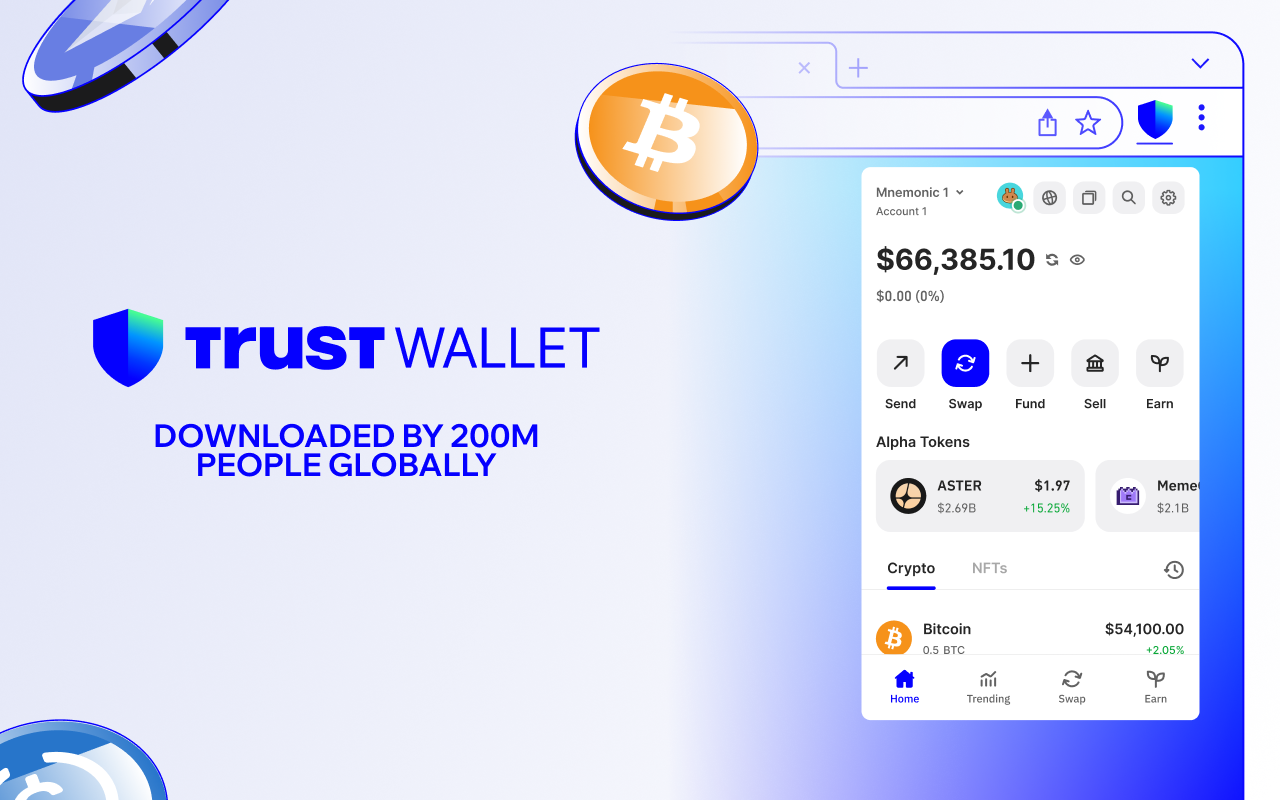
The wallet ships with a built-in dApp browser on mobile, giving you direct access to Web3 applications without leaving the app. Its native staking feature covers 20+ assets with real-time reward tracking and estimated annual returns displayed before you confirm a stake. Yields typically range from 3% to over 20% depending on the asset and network conditions.
Trust Wallet became the first crypto wallet to achieve both ISO/IEC 27001:2022 and ISO/IEC 27701:2019 certifications, covering information security management and privacy management. Those certifications reflect how the wallet’s security infrastructure is managed at the organizational level, though your own key management habits still carry the most weight in keeping funds safe.
User ratings are strong across both app stores: 4.7 out of 5 on the App Store (roughly 197,000 reviews) and 4.6 out of 5 on Google Play (2.5 million reviews).
Recent additions include an in-app AI assistant for market data and token research, limit orders for token-to-token swaps, and perpetual futures routing through decentralized venues with up to 200x leverage.
Supported blockchains and multi-chain compatibility
Chain coverage is one of the sharpest dividing lines between these two wallets. If you hold assets on non-EVM chains, this section will likely settle the decision.
| Capability | MetaMask | Trust Wallet |
|---|---|---|
| EVM chains | ~40 networks (Ethereum, Polygon, Arbitrum, Optimism, Base, Linea, zkSync, Avalanche, BNB Smart Chain, more) | 100+ blockchains including all major EVM chains |
| Non-EVM chains | Bitcoin and Solana via Snaps (added late 2025) | Bitcoin, Solana, Cosmos, Tezos, Tron, TON, Ripple, and many others natively |
| Adding new chains | Manual RPC configuration for non-default EVM networks | Auto-detected; no setup needed |
| Total supported assets | 500,000+ tokens | 10 million+ assets |
| Ethereum Layer-2 depth | Strong, with verified presets for major L2s | Supported, though L2 presets are less prominently curated |
Trust Wallet has supported Bitcoin and Solana natively since its early years. MetaMask only reached those chains in late 2025 through Snaps, which rely on third-party extensions rather than built-in support. For chains like Cosmos, Tezos, Tron, TON, and Ripple, Trust Wallet remains the only option of the two that offers native access.
MetaMask’s strength is depth on Ethereum and its Layer-2 ecosystem. If your portfolio lives on Arbitrum, Optimism, Base, Linea, or zkSync, MetaMask’s verified presets and tight dApp integration make network switching smooth. Adding a new EVM chain that isn’t preloaded requires entering RPC details manually, which is straightforward but can trip up newer users.
For anyone holding assets across many non-EVM chains, Trust Wallet removes that setup friction entirely. You open the app, and the chains are already there.
Swap fees and cost comparison
Both wallets let you swap tokens directly in the app, but they handle fees differently.
MetaMask applies an explicit service fee on every token swap. That surcharge sits between 0.30% and 0.875% based on how complex the swap route is, and it appears as a separate line above the quoted exchange rate. Trust Wallet takes a different approach: its swap fee (listed as 0.7% on its site, though some sources report 0%) is folded into the displayed exchange rate. The price you’re quoted already reflects the cost, so there’s no separate line item. Neither method is inherently cheaper. The difference is in how each shows fees: MetaMask lists the fee separately, while Trust Wallet builds it into the rate.
Network gas fees apply on both wallets and depend on the blockchain you’re transacting on. Ethereum gas tends to run higher than fees on chains like Solana or Avalanche. Neither wallet controls gas pricing; it’s set by network demand. Both apps let you adjust speed and cost settings when sending transactions or swapping.
When you buy crypto with fiat through either wallet, the purchase routes through third-party providers like MoonPay, Simplex, and others. Those providers charge their own percentage, which varies by provider and payment method. Neither MetaMask nor Trust Wallet sets those rates. Credit-card purchases in particular almost always trigger the on-ramp provider’s ID check, even though the wallet itself stays KYC-free.
Downloading, installing, and storing assets costs nothing on either wallet. There are no subscription fees, account fees, or storage charges.
Staking and passive income options
Trust Wallet offers native in-app staking for 20+ assets across multiple chains. You pick the asset, see the estimated APY before confirming, and stake without leaving the app. Stakeable assets include BNB, ATOM, SOL, TRX, DOT, KAVA, XTZ, and others. Unbonding periods are displayed clearly so you know how long your tokens will be locked. Annual returns generally fall between 3% and upward of 20%, varying by token and network conditions. Trust Wallet charges no additional wallet-level staking fee; you pay only the on-chain costs.
MetaMask supports ETH staking through pooled, liquid, and validator options using protocols like Lido and Rocket Pool. These protocols handle the validator infrastructure, but they take a cut of rewards. Lido takes 14% of your ETH staking rewards, and Rocket Pool takes 10%. Those cuts reduce your net yield compared with Trust Wallet’s direct staking approach, where no intermediary protocol sits between you and the chain’s reward mechanism.
Staking beyond ETH on MetaMask depends on third-party protocol integrations available on EVM chains like Polygon and Linea. You can stake through DeFi protocols you connect to via the wallet, but that’s a different workflow from Trust Wallet’s one-tap native staking. You’re interacting with a separate smart contract, which means additional approval steps and the need to evaluate each protocol’s security on your own.
If you want a deeper understanding of how on-chain staking works across different networks, our guide on what is staking crypto covers the mechanics and risks in detail. If your staking interest starts and ends with ETH and you want access to liquid staking tokens like stETH that you can use elsewhere in DeFi, MetaMask’s integration with Lido and Rocket Pool works well.
Security and non-custodial features
Both wallets are non-custodial. Neither MetaMask nor Trust Wallet ever sends or stores your private keys on a remote server; they exist only on your own device. If either company shut down tomorrow, your funds would remain accessible through your 12-word recovery phrase in any compatible wallet.
Trust Wallet stores keys locally using secure enclave technology on your device and offers biometric authentication (Face ID, fingerprint) plus auto-lock timers. Its ISO/IEC 27001:2022 and ISO/IEC 27701:2019 certifications cover the organization’s security and privacy management systems, which is a layer of assurance about how Trust Wallet handles its own infrastructure and processes.
MetaMask uses industry-standard encryption for key storage, and its fully open-source codebase means anyone, not just the ConsenSys team, can read, audit, and flag issues in the code. That open-source status matters more than it might seem: in a non-custodial wallet, the code running on your device is the only thing between your keys and an attacker. When the full codebase is public, security researchers worldwide can spot vulnerabilities before they’re exploited. Trust Wallet’s Wallet Core library is also open source, but the rest of the app’s code is not publicly auditable in the same way.
MetaMask also includes phishing protection warnings and transaction simulation that previews what a smart contract will do before you sign. Hardware wallet integration with both Ledger and Trezor (see Trezor and Ledger compared) lets you keep keys on a separate physical device while still using MetaMask’s interface for transactions. Trust Wallet supports Ledger but doesn’t currently integrate with Trezor.
The honest truth about wallet security: the biggest risks for both wallets come from user behavior, not from the wallets themselves.
Common security risks to watch for
- Malicious dApp approvals. When you approve a token for a smart contract, some dApps request unlimited approval amounts. That means the contract can move your tokens at any time in the future, even after you’ve finished your transaction. Regularly review and revoke unnecessary approvals.
- Fake WalletConnect sessions. Attackers clone legitimate dApp interfaces and trick users into connecting their wallet and signing malicious transactions. Always verify the URL before connecting.
- Seed phrase storage mistakes. Storing your 12-word recovery phrase in screenshots, cloud backups, or password managers creates single points of failure. If any of those services is compromised, your phrase is exposed. Write it down on paper and store it somewhere physically secure.
- Social engineering. No wallet can protect you if you willingly share your recovery phrase. Neither MetaMask nor Trust Wallet will ever ask for it. Anyone who does is attempting to steal your funds.
- Browser extension exposure. MetaMask’s extension runs inside your browser, which means it’s exposed to browser-based phishing attacks, malicious extensions, and compromised websites. Trust Wallet’s mobile-first design sidesteps some of that exposure, though mobile apps carry their own risks from malicious download links and fake apps.
NFT support across wallets
MetaMask handles ERC-721 and ERC-1155 NFTs and integrates tightly with Ethereum-based marketplaces like OpenSea, Blur, and Rarible. More than 70% of Ethereum dApps are optimized for MetaMask, which gives it a default-wallet advantage when you’re buying, selling, or listing NFTs on those platforms. The desktop extension offers a particularly smooth workflow for high-volume NFT trading, where you’re constantly switching between a marketplace tab and your wallet for approvals.
Trust Wallet displays and manages NFTs across multiple chains in a dedicated visual gallery. That gallery spans Ethereum, BNB Chain, Polygon, Solana, and others. If you collect NFTs outside of Ethereum, like Solana-based collections or BNB Chain drops, Trust Wallet shows them all in one place without needing separate apps or manual imports.
For Ethereum-focused NFT traders who work mostly on desktop, MetaMask is the standard. For collectors who hold NFTs across several chains and want to view and manage them from a single mobile interface, Trust Wallet’s gallery covers more ground.
Connecting to dApps across Web3
MetaMask’s browser extension is the default connector for the majority of Ethereum-based dApps, DeFi protocols, and testnet environments. When a dApp asks you to “connect wallet,” MetaMask is almost always the first option listed. That level of integration makes signing transactions, managing approvals, and interacting with protocols on desktop fast and predictable.
Trust Wallet approaches dApp access differently. Its built-in mobile browser lets you open any Web3 application straight from the app, which saves you from switching back and forth between a separate browser on your phone. Trust Wallet also launched a browser extension in 2023, bringing desktop capability to users who prefer that environment.
Both wallets support WalletConnect, a protocol that lets you connect to dApps from either wallet regardless of which one the dApp was built for. This means you aren’t locked out of a protocol just because it lists only one of the two wallets on its homepage.
Through those same Snaps, MetaMask can also reach Cosmos, push notifications, and other capabilities via community-built add-ons. Trust Wallet’s native multi-chain support means dApps on Cosmos, Tron, and TON are reachable without installing anything extra.
For desktop-heavy DeFi workflows, where you’re signing multiple transactions, approving contracts, and switching between protocols throughout the day, MetaMask’s extension architecture remains the industry standard.
User interface for beginners vs power users
Trust Wallet was designed for beginners. Blockchains come pre-loaded, tokens and NFTs are detected automatically, and the layout is simplified to reduce decision points. If you’re installing your first crypto wallet, Trust Wallet’s mobile-first onboarding is dramatically simpler: download, write down your recovery phrase, and you’re looking at a wallet that already recognizes 100+ chains.
MetaMask’s interface is clean, but it asks more of you upfront. The wallet defaults to Ethereum, and adding other networks means entering custom RPC details (a network name, chain ID, and RPC URL). That process isn’t difficult once you’ve done it, but it’s intimidating the first time. Experienced users and developers tend to prefer MetaMask precisely because of that configurability. RPC controls, gas customization, and developer-friendly tools like testnet management make it a more powerful environment once you know your way around.
Once configured, MetaMask’s network switching and dApp connectivity become smooth. The learning curve is front-loaded: steep at the start, flat afterward.
Platform availability: mobile app vs browser extension
MetaMask’s desktop browser extension is its flagship. If you do most of your Web3 activity on a computer, MetaMask feels native to that workflow. The mobile app works well but doesn’t carry quite the same depth of integration.
Trust Wallet’s mobile app is its flagship, with marginally more mobile-specific features than MetaMask’s mobile offering. Its browser extension, launched in 2023, is newer and less established but functional for desktop use.
Both wallets now cover both platforms. The deciding factor is straightforward: if you spend more time on desktop, MetaMask’s extension will feel more natural. If you manage crypto primarily from your phone, Trust Wallet’s mobile app is the stronger experience.
Using both wallets together
Running MetaMask and Trust Wallet simultaneously is common among experienced users. Rather than picking one and compromising, you can match each wallet to the task it handles best.
In practice, Trust Wallet works well as the home for long-term holdings, multi-chain staking, and mobile management of diverse assets, while MetaMask handles Ethereum DeFi, desktop NFT trading, and developer workflows. Beyond convenience, splitting activity this way also splits your risk: if a malicious dApp approval or phishing attack ever compromises one wallet’s keys, only the assets stored in that wallet are exposed.
The key to making this work is using separate seed phrases for each wallet. You can technically import the same 12-word recovery phrase into both, but doing so defeats the purpose of keeping them separate. If that shared phrase is exposed, every asset in both wallets is vulnerable. Separate phrases mean separate attack surfaces.
WalletConnect lets you connect either wallet to the same dApp depending on which chain you’re interacting with. You might use MetaMask to connect to a DeFi protocol on Ethereum and Trust Wallet to stake ATOM on Cosmos, all within the same session on your phone or desktop.
How to switch from MetaMask to Trust Wallet
Moving from MetaMask to Trust Wallet doesn’t require a migration tool or any third-party service. Your assets live on the blockchain, not inside the wallet app, so switching is really just changing the interface you use to access them.
- Download Trust Wallet from the App Store, Google Play, or as a browser extension. No sign-up or KYC is required.
- Create a new wallet inside Trust Wallet. Write down your new 12-word recovery phrase on paper and store it securely. You can also import an existing wallet using a recovery phrase, but creating a new one with a separate phrase is safer if you plan to keep MetaMask active.
- Send tokens from MetaMask to your new Trust Wallet address. Open Trust Wallet, copy the receiving address for the correct network, and send from MetaMask. Double-check the network: sending ETH on the Ethereum network to an Ethereum address, BNB on BNB Smart Chain to a BSC address, and so on. Assets move on-chain; nothing is held by either wallet provider.
- Explore Trust Wallet’s features. With 100+ blockchains already active, you can swap tokens, stake assets, and manage NFTs from one interface without adding networks manually.
The reverse process works the same way. If you ever want to move back to MetaMask or run both wallets, export your recovery phrase from Trust Wallet or simply send assets to your MetaMask address.
Recent feature updates in 2026
Both wallets shipped significant updates in 2026 that go well beyond basic sending and receiving. Here’s what changed.
MetaMask:
- Expanded chain support to include Solana, Bitcoin, Monad, and Sei, marking a shift toward multi-ecosystem management beyond EVM.
- Announced a broader repositioning from a wallet to what ConsenSys calls an “open money platform,” covering payments, savings, and investing on a single on-chain consumer layer.
- Released an agent wallet that lets AI agents execute on-chain transactions within user-defined restrictions, a first step toward automated portfolio actions.
Trust Wallet:
- Launched an Agent Kit enabling AI agents to execute real crypto transactions across 25+ chains, with built-in support for DCA automation, limit orders, and fiat on/off-ramp workflows.
- Introduced TrustConnect SDK, a free open-source wallet connection SDK for EVM, Bitcoin, and Solana, aimed at developers building dApps that need wallet integration.
- Released an in-app AI assistant that surfaces market data, portfolio insights, and risky-token flagging directly inside the wallet.
Both wallets are clearly moving toward AI-assisted automation and broader financial tooling. The competitive gap between them is narrowing on features, which makes the underlying differences in chain support, fee structure, and platform focus more important than ever when choosing between them.
Frequently asked questions
Which is better, Trust Wallet or MetaMask?
It depends on what you prioritize. Trust Wallet is the stronger choice if you need broad multi-chain support across 100+ blockchains with native staking and a mobile-first experience. MetaMask is better if your activity centers on Ethereum and EVM-based DeFi, you trade NFTs on desktop, or you need deep dApp integration through the browser extension. Neither wallet is universally better than the other.
Does MetaMask support Bitcoin?
Yes. As noted above, MetaMask reached Bitcoin in late 2025 by way of a third-party Snap rather than built-in chain support. Trust Wallet, by comparison, has supported Bitcoin natively since its launch, with no extra setup needed. To understand more about the asset itself, a beginner’s guide to Bitcoin covers how it works and why it matters.
Do either wallet require KYC?
Neither wallet requires KYC for wallet creation or basic use, including sending, receiving, swapping, and staking. As with any fiat purchase in either wallet, the third-party provider processing the transaction (such as MoonPay or Simplex) may require its own identity verification.
Can you have both wallets at the same time?
Yes. Many users run both wallets simultaneously, assigning each one to different tasks or chains. For the best security, use a separate 12-word recovery phrase for each wallet. That way, a compromise of one wallet doesn’t put the other’s assets at risk.
What are the disadvantages of Trust Wallet?
Trust Wallet’s hardware wallet support is limited to Ledger only, so Trezor users don’t have native integration. Direct customer support options are limited, and some services like fiat on-ramps and certain swap routes rely on third-party providers. The browser extension, launched in 2023, is still maturing compared to MetaMask’s long-established desktop presence.
What are the downsides of MetaMask?
MetaMask charges an explicit swap fee (0.30% to 0.875%) on every trade. Adding non-default networks requires manual RPC configuration, which adds friction for newer users. Its primary focus on EVM chains can feel limiting if you hold assets on non-EVM blockchains like Cosmos, Tron, or TON.
Choosing the right wallet for your crypto goals
If your crypto activity is anchored in Ethereum DeFi, NFT marketplaces, and desktop dApp workflows, MetaMask’s extension-first architecture and deep protocol integration make it the natural fit. We’ve found at AXL Research Hub that most users who live in the Ethereum ecosystem day to day gravitate toward MetaMask simply because every dApp expects it.
If you’re managing diverse assets across many blockchains, want native staking without third-party protocol fees, and prefer doing everything from your phone, Trust Wallet covers that ground with less setup and broader chain support out of the box.
The fastest way to narrow this decision is to look at your own priorities: which chains do you hold assets on, how sensitive are you to swap fees, do you want built-in staking, and do you work mostly on desktop or mobile? Answering those four questions points clearly to one wallet or the other.
If you need help setting up your first self-custody wallet step by step, our walkthrough on crypto wallet setup covers the process in minutes. Or skip the choice entirely. Running both wallets with separate seed phrases gives you access to each wallet’s strengths without compromising security. Use MetaMask for Ethereum-heavy work, Trust Wallet for everything else, and keep your risk split between two independent key sets.