
Exodus has been around since 2015, which makes it one of the longer-running self-custody wallets in crypto. It runs on desktop, mobile, and as a browser extension, and holds your keys locally with no account and no KYC. Swaps inside the app carry no flat fee, only a spread that runs wider than a major exchange would charge, while holding coins costs nothing beyond the network fee.
What is Exodus Wallet and how does it work?
Exodus is a non-custodial software wallet, meaning your private keys are generated and stored locally on your device. The company never holds them and has no ability to access your funds. There’s no account creation, no KYC, and no personal information collected at any point during setup. You download the app, write down your 12-word seed phrase, and you’re in.
The wallet was founded in Omaha, Nebraska by JP Richardson, a former BitPay engineer and contributor to open-source Bitcoin libraries, and Daniel Castagnoli, a designer whose background includes work with Apple, BMW, Disney, and Nike. That pairing of crypto engineering and visual design shows up in the product: Exodus has always prioritized accessibility and clean UI over raw technical complexity.
Exodus Movement Inc. is now a publicly traded company. After filing a Form 10 SEC registration and uplisting from OTCQX, it began trading on the NYSE American under the ticker EXOD on December 18, 2024. As a point-in-time reference, the EXOD share price sat at approximately $6.27 with a market cap near $187 million as of April 9, 2026.
The wallet itself is free to download and use on every platform. Exodus makes money through swap spreads built into its in-app exchange feature and commissions from fiat on-ramp partners. For FY2025, the company reported $121.6 million in revenue (up 5% year over year) on $6.89 billion in total swap volume (up 21% year over year). Those numbers give a sense of scale: a lot of people are actively swapping inside the app, which is where the business model lives.
Recovery is entirely in your hands. If you lose your device, the 12-word seed phrase is the only way back in. No one at Exodus can recover, reset, or look up your seed phrase, so protecting it is entirely your responsibility under the self-custody model.
Supported cryptocurrencies and blockchain networks
Exodus natively supports over 50 blockchain networks within a single unified interface. The Google Play listing states 350-plus assets, though reported counts range from roughly 280 to beyond 350 depending on whether custom-loaded tokens are included. Rather than chase raw token counts, Exodus curates a core lineup of directly supported assets and lets you add others manually.
The Layer-1 coverage is broad. Bitcoin, Ethereum network, Solana, Cardano, XRP, TRON, Avalanche, Polkadot, Algorand, Cosmos, and Tezos all have native support. On the EVM Layer-2 side, Arbitrum, Optimism, Base, Polygon, and BNB Smart Chain are included, and their balances appear in a unified view alongside everything else.
Stablecoins like USDC, USDT stablecoin, and DAI are available across multiple chains, not just Ethereum. That matters if you want to hold stablecoins on a cheaper network like TRON or Solana without paying Ethereum gas fees to move them around.
A few privacy-focused coins deserve a mention. Monero is supported for basic send and receive. Zcash works in transparent mode only, with no shielded transactions available.
For tokens that aren’t in the curated list, the custom-token feature lets you paste a contract address to see balances for unlisted or newly launched tokens. This works on ERC-20, BEP-20, Solana SPL, and other compatible standards. It’s useful for catching airdrops or tracking a new token before Exodus officially adds it, though you won’t get the same polished asset page you’d see for a natively supported coin.
Desktop, mobile, and browser extension platforms
Exodus runs on three surfaces: a desktop client for Windows, macOS (including Apple Silicon), Linux; a mobile app for iOS, Android; plus a browser extension for Chrome, Brave. All three sync through the same 12-word seed phrase using a QR-code scan, so your wallet mirrors across devices without file exports or manual key imports.
Each platform leans into different strengths.
The desktop client carries the deepest feature set. Trezor hardware wallet pairing is a desktop-only integration, supporting Model One, Model T, Safe 3, Safe 5, and Safe 7. You also get a full staking interface and advanced portfolio views that take advantage of the larger screen.
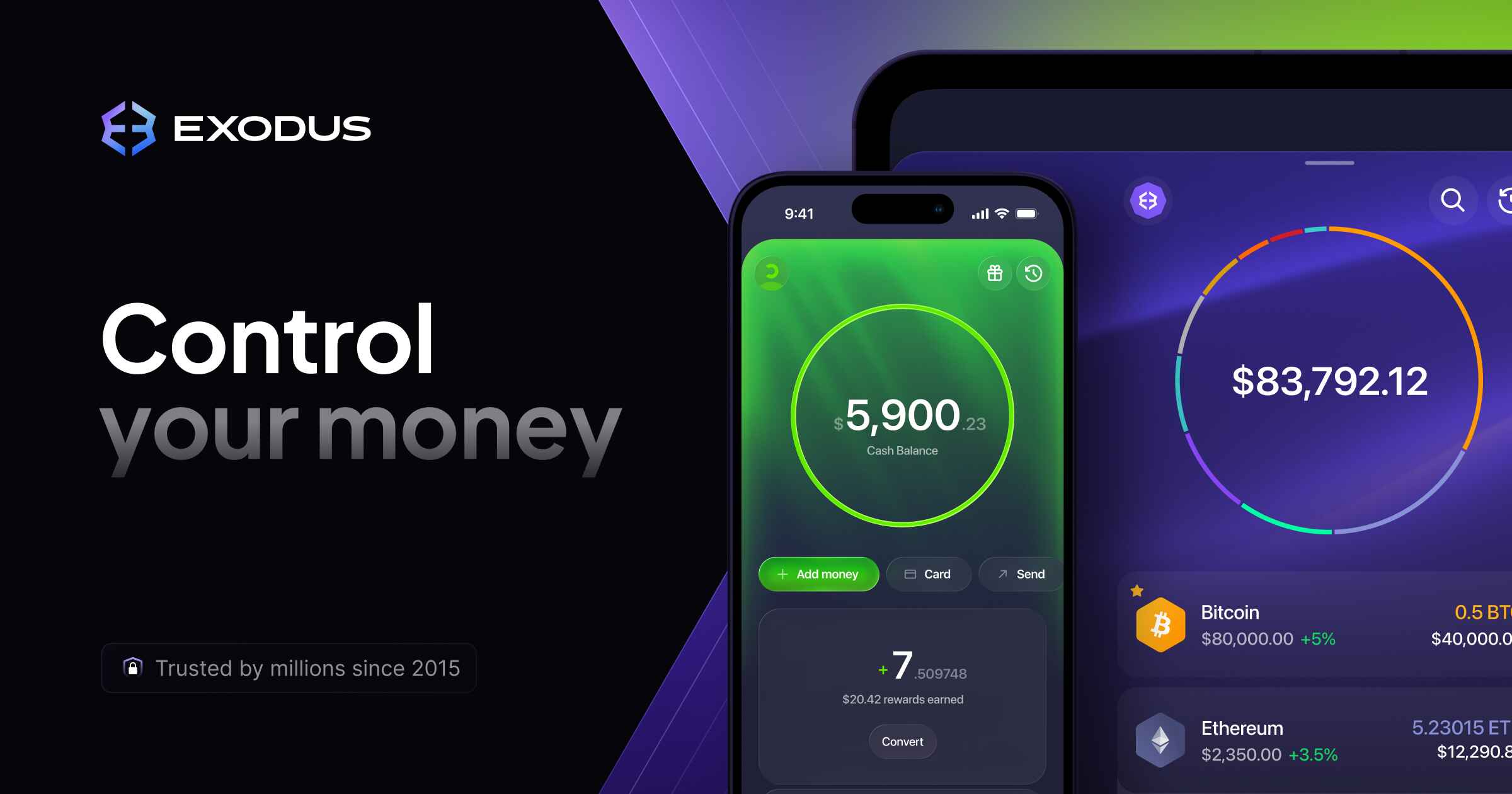
The mobile app is built for daily convenience. Biometric unlock (Face ID, Touch ID, fingerprint) gets you in fast, and fiat purchases go through card, Apple Pay, or Google Pay. Staking and swap flows are streamlined compared to desktop but fully functional. The iOS App Store rating sits at 4.6 stars from over 35,000 ratings, which reflects well for a crypto wallet.
Ledger Nano X connects to the mobile app via Bluetooth. This lets you sign transactions from cold storage while managing balances on your phone. Because the Ledger pairs over Bluetooth rather than USB, you get hardware-backed signing that stays portable alongside your phone, unlike the Trezor setup which is tied to the desktop client. If mobile is your primary platform and you want hardware-backed signing, the Ledger route is the way to go.
The browser extension is purpose-built for Web3. It handles dApp connection requests, network switching, and transaction signing. Permission requests are shown in plain language, so you can see exactly what access a dApp is asking for before you approve anything.
Feature parity across the three platforms is close. Layouts, asset pages, and transaction flows behave consistently, so moving between devices doesn’t feel like switching products.
Built-in swap feature and fee structure
Exodus routes in-app swaps through third-party aggregators rather than running its own order book. The fee structure starts with a spread of approximately 0.5%, then adds a variable spread that shifts with liquidity and market conditions. No flat fee is disclosed. In practice, the total effective cost on a swap typically lands somewhere between roughly 0.5% and 2%, depending on the asset pair and current conditions.
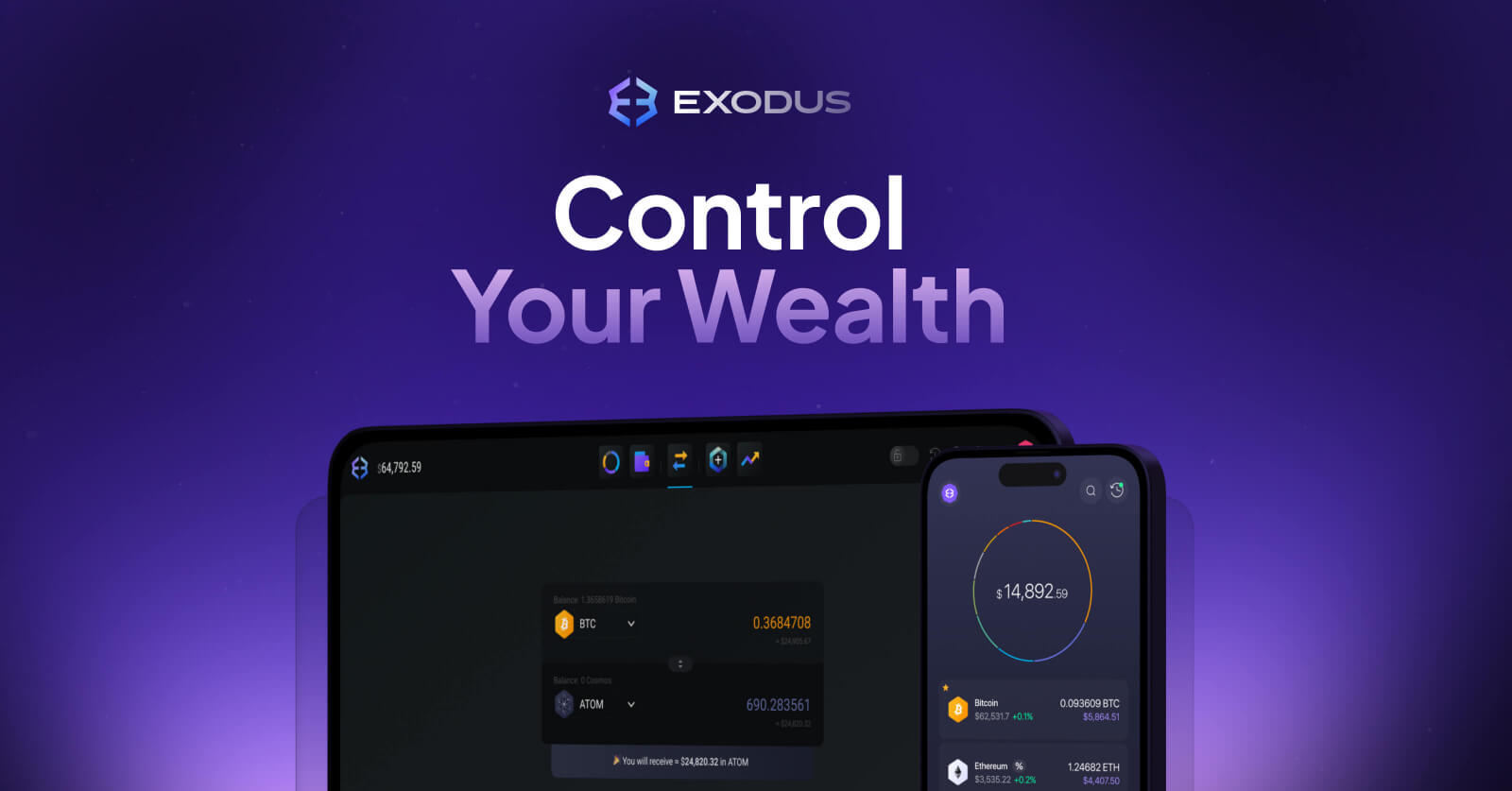
Before you confirm any swap, the app displays a quote showing the exact amount you’ll receive. That transparency is useful, but the spreads are wider than what you’d pay on a major centralized exchange. For small, everyday swaps, the convenience of doing it inside your wallet often outweighs the cost difference. For trades above a few thousand dollars, routing through a centralized exchange and withdrawing back to Exodus will typically save you money.
Fiat on-ramp purchases go through MoonPay on-ramp and Ramp Network. These partners charge their own processing fees on top of the standard blockchain network fee, so buying crypto with a card inside Exodus costs more than a bank transfer on an exchange would.
For standard sends and receives, Exodus adds nothing. You pay only the blockchain network fee that goes to miners or validators. There are no custody fees, maintenance fees, or subscription charges for holding assets in the wallet.
Staking rewards
Exodus offers non-custodial staking, which means your tokens are delegated to validators while your private keys stay on your device. If Exodus the company ceased to exist, your staked assets would still belong to you on-chain. You activate staking with a single toggle inside the wallet; the wallet handles validator selection and the underlying mechanics automatically.
Live APYs fluctuate daily, so the figures below are approximate ranges rather than guaranteed yields. Checking the staking hub inside the wallet before committing is the only way to see the current rate. The APR range across all staking assets has been reported between 1.24% and 13.88%.
| Asset | Typical APY range | Unbonding / lock-up |
|---|---|---|
| Solana | ~6-7% | ~3 days |
| Cardano | ~4-5% | No lock-up |
| Cosmos | ~15-18% | 21 days |
| Tezos | ~5-6% | No lock-up |
| Algorand | ~5-7% | No lock-up |
Cosmos carries the highest typical yield in the lineup, but the trade-off is real: a 21-day unbonding period means you can’t access those tokens for three weeks after you unstake. If the market drops sharply and you want to sell, you’re locked in. Cardano, Tezos, and Algorand have no lock-up at all, which makes them more flexible for people who want to earn yield without giving up quick access. Solana’s roughly 3-day unbonding period sits somewhere in between.
The single-toggle simplicity is a genuine advantage for people who want to earn crypto staking rewards without researching individual validators or managing delegation contracts manually. Power users who want to choose specific validators or split delegation across multiple nodes will need a different tool.
NFT gallery and Web3 dApp access
Exodus treats NFTs as first-class assets alongside fungible tokens. The built-in NFT gallery displays full previews and metadata directly inside the wallet, with supported networks including Ethereum, Solana, Polygon, Base, and Algorand. NFTs are auto-detected and rendered without manual importing, so anything sent to your address shows up on its own.
The gallery works well for viewing, storing, and managing collections. If you’re a high-frequency NFT trader who needs instant listings and batch operations, you’ll still want a dedicated marketplace interface. But for keeping track of what you own, the gallery handles it cleanly.
Web3 connectivity runs through the browser extension. It connects to decentralized applications like DEXs and NFT marketplaces, and it presents permission requests in plain language. Instead of raw contract calls you’d need to decode yourself, Exodus surfaces what access a dApp is requesting so you can make an informed call before approving.
Is Exodus Wallet safe?
Exodus is a hot wallet, meaning your keys are stored on an internet-connected device. That makes it inherently less secure than offline hardware wallets, but it’s how most people interact with crypto day to day. The keys stored locally are protected with AES-256 encryption, secured by a password you set plus optional biometric lock.
In over ten years of operation, no direct breach of Exodus infrastructure has been reported. The company runs a public bug-bounty program through HackerOne, inviting security researchers to find and report vulnerabilities before they can be exploited.
That said, the April 2025 supply-chain incident is worth understanding in detail. A malicious npm package called “pdf-to-office” was discovered injecting address-swapping malware into locally installed Exodus versions 25.13.3 and 25.9.2. The attack didn’t compromise the official Exodus installer from exodus.com. Instead, it targeted developers who happened to have Exodus installed on machines where they also ran untrusted npm packages. The malware would silently replace crypto addresses during transactions, redirecting funds to the attacker.
The takeaway is practical. Download Exodus only from the official site (exodus.com) or official app stores. Verify installer hashes against the values published on the download page. Avoid running your wallet on machines used for untrusted development toolchains. If you’re a developer who installs npm packages regularly, consider keeping your wallet on a separate device entirely. Signs of a compromised local install include unexpected address changes when copying and pasting, unfamiliar transaction prompts, or hash mismatches during updates.
Instead of traditional two-factor authentication, Exodus secures access through your device password and biometrics. There’s also no multisig support. For users who want additional network-level privacy, optional TOR routing is available. Enabling TOR routes your wallet’s network traffic through the Tor network, making it harder for third parties to associate your IP address with your wallet activity. It won’t make your on-chain transactions private, since those are still on public blockchains, but it adds a layer of separation between your physical connection and your wallet queries.
For larger holdings, pairing with a hardware wallet moves transaction signing to an offline device. On desktop, Trezor handles offline signing over USB, while on mobile, Ledger Nano X pairs over Bluetooth to keep your keys off the phone itself via a cold wallet setup. Either setup keeps your private keys off the internet-connected machine while still letting you use the Exodus interface for portfolio management.
Your 12-word seed phrase is the master key to everything. Never photograph it, never store it in a cloud service, and never type it into any website. Write it on paper (or stamp it in metal) and store it somewhere physically secure.
Exodus Pay, Passkeys Wallet
Exodus Pay is a stablecoin-based payments feature integrated into the existing app, announced for early 2026 rollout. It’s designed to let you hold and spend digital dollars and send stablecoins using familiar identifiers like phone numbers rather than long wallet addresses. The self-custodial model is preserved: Exodus Pay doesn’t shift you toward custodial finance. You still control your keys, but the sending experience feels closer to Venmo than to a blockchain transaction.
The Passkeys Wallet is a separate layer aimed at onboarding people who aren’t ready for seed phrases. It uses passwordless, biometric-based wallet creation, relying on cryptographic key ownership under the hood but simplifying the process so users on partner platforms (like NFT marketplaces) can get started without writing down 12 words.
The recovery path is where Passkeys Wallet diverges from the traditional Exodus experience. Instead of a seed phrase, recovery depends on Apple iCloud Keychain or Google account security. Losing access to either of those platform accounts without a fallback could lock you out permanently. If you lose access to your iCloud Keychain or Google account and don’t have the seed phrase fallback that a traditional Exodus wallet provides, your Passkeys Wallet could become inaccessible. It’s a meaningful trade-off: easier onboarding in exchange for a recovery model that depends on a third-party platform.
Exodus Wallet pros and cons
Exodus landed a Trustpilot rating of approximately 4.0 out of 5 from over 4,000 reviews as of April 2026. Here’s how the strengths and weaknesses break down.
| Pros | Cons |
|---|---|
| Intuitive interface accessible to beginners | No two-factor authentication on the wallet |
| 50-plus networks and hundreds of assets in one app | Closed-source code prevents independent audits |
| Non-custodial key ownership | Swap spreads higher than major exchanges |
| Free to download and use | Bitcoin Lightning support removed August 18, 2025 |
| Trezor and Ledger hardware wallet pairing | Hot-wallet exposure if device is compromised |
| In-app staking without surrendering custody | No multisig support |
| NFT gallery and Web3 dApp access | Mobile app supports fewer assets than desktop |
| Publicly listed parent company (NYSE American) | Customer support can be slow on complex or partner-related cases |
| 24/7 human customer support | |
| Privacy-first default with no KYC |
Exodus fits best if you’re a beginner learning self-custody, a hobbyist holding tokens across multiple chains, or a long-term staker who wants a clean interface without managing validators manually.
It’s less suited for power DeFi traders who need advanced gas controls and nonce management, privacy maximalists who need shielded transactions, or holders of large sums who should be using hardware-only cold storage as their primary security layer.
How Exodus compares to other wallet types
Exodus occupies a desktop-first, multi-chain visual-dashboard niche that’s distinct from browser-first DeFi wallets and mobile-native ecosystem wallets. Since 2015, it has accumulated 19.2 million cumulative downloads, with approximately 1.5 to 1.6 million monthly active users as of early 2026. That’s a meaningful user base, though significantly smaller than the largest software wallets.
| Wallet type | Strengths over Exodus | Where Exodus wins |
|---|---|---|
| EVM-focused browser wallets | Advanced DeFi controls, experimental chain support, better for heavy Ethereum DeFi use | Broader chain coverage, more polished UI, built-in staking and NFT gallery |
| Mobile-native multi-chain wallets | Maximum chain support, deep mobile integration, better for phone-only users | Desktop client depth, Trezor pairing, portfolio dashboard |
| Hardware wallets | Cold-storage signing, strongest security for serious holdings | Built-in swap, staking, Web3 connectivity, no companion software needed for basic use |
For most holders, the recommended combined setup looks like this: a hardware wallet for long-term cold storage of your largest positions, Exodus paired with a Trezor as your daily driver for regular transactions and staking, and a browser-extension wallet for one-off DeFi sessions where you need granular control.
Customer support, update cadence
Exodus offers support through an in-app help center, email, and a knowledge base with articles and video tutorials. The company states it provides 24/7 human support.
In practice, straightforward issues like transaction questions or staking setup typically get prompt responses. Complex cases involving swap partners or third-party chain transactions can take days to resolve, which lines up with the Trustpilot feedback pattern: most reviews are positive, but the negative ones tend to cluster around unresolved partner-related issues.
Software updates ship roughly every two weeks, with a public changelog so you can see what changed. Notable recent updates include a rebranded swap experience in 2024, the removal of Bitcoin Lightning Network support on August 18, 2025, and continued EVM chain expansion through 2025 and into 2026.
Can the IRS see Exodus Wallet transactions?
Exodus itself collects no personal data and does not report to tax authorities. There’s no KYC, no identity verification, and no mechanism for Exodus to connect your wallet to your real-world identity.
Your transactions are still visible, though, because every blockchain transaction is recorded on a public ledger. Anyone with your wallet address can trace your full history using a block explorer, and the IRS along with other agencies have used blockchain analysis tools to follow on-chain activity starting from nothing more than a public address.
Because fiat purchases route through MoonPay and Ramp Network, those providers may collect KYC data and report purchases depending on your jurisdiction and payment method. If you buy crypto with a credit card through MoonPay inside Exodus, MoonPay knows who you are and what you bought, even though Exodus itself doesn’t.
Displaying your balances in fiat inside the app is a UI convenience. It doesn’t create a taxable event on its own. But crypto-to-crypto swaps, selling for fiat, and spending crypto are all taxable events under U.S. tax law, and you’re responsible for reporting them. Exodus doesn’t generate tax forms for you, so you’ll need to track your cost basis and gains using your transaction history, either manually or through a crypto tax tool.
Frequently asked questions
Can you withdraw from Exodus Wallet?
Yes, sending crypto out of Exodus is a core function. You enter the destination address, choose the amount, and confirm. The only cost is the standard blockchain network fee paid to miners or validators. Exodus adds no withdrawal charge.
Is Exodus a custodial or non-custodial wallet?
Fully non-custodial. All private keys live locally on your device, so the company can never see or touch your funds. You’re the sole owner and controller of everything in the wallet.
Does Exodus require KYC?
The wallet itself does not. You can download, set up, and use Exodus without providing any personal information. However, fiat purchases routed through partners like MoonPay may require identity verification depending on your region and how you pay.
Can you recover an Exodus wallet after losing a device?
Yes, by entering your 12-word seed phrase on a new device. That phrase restores your entire wallet, including all assets across every supported network. For Passkeys Wallet users, recovery works differently: it depends on your Apple iCloud Keychain or Google account rather than a traditional seed phrase.
Does Exodus support staking and swaps?
Both are built into the app. Staking is non-custodial delegation, meaning your tokens go to validators while your keys stay on your device. Swaps route through third-party aggregators with a spread starting at approximately 0.5%, and you see the quoted amount before confirming.
Who Exodus Wallet fits in 2026, and when to pair it with something else
Exodus works well as a first wallet for someone entering self-custody who wants a visual dashboard and broad chain coverage without needing to understand advanced tooling. The learning curve is gentle, and the interface makes it clear what you own, what it’s worth, and what you can do with it.
As a daily-driver “checking account” layer, it handles regular transactions, staking, and swaps cleanly. Adding a Trezor over USB on desktop or a Ledger Nano X over Bluetooth on mobile keeps your signing keys offline without giving up the full Exodus interface for portfolio management.
Where Exodus doesn’t stretch is specialized DeFi. If you need advanced gas controls, custom nonce management, or support for bleeding-edge protocols the day they launch, a browser-extension DeFi wallet will serve you better. Exodus is a broad multi-chain tool, not a DeFi power user’s cockpit.
The wallet’s track record matters in a space where projects disappear constantly. Exodus has operated through the 2017 boom, the 2018 crash, the 2021 mania, the 2022 CEX collapses, and the 2025 supply-chain scare without a direct breach of its infrastructure. That’s ten-plus years of continuity.
But self-custody means your mistakes are permanent. No customer support agent can reverse a transaction sent to the wrong address or recover a lost seed phrase. Before depositing significant funds, make sure you understand how seed phrases work, how to verify you’re sending to the right address on the right network, and what gas fees mean for the chains you use. AXL Research Hub covers those fundamentals in detail if you need a starting point.