
The right Solana wallet for you depends on what you’re doing day to day: staking SOL, swapping tokens, collecting NFTs, or parking assets for the long haul all point toward different picks.
What is a Solana wallet and why does it matter?
A Solana wallet is software or hardware that stores and manages the private keys proving you own assets on the Solana blockchain. Your SOL and SPL tokens live on-chain, so the wallet itself doesn’t hold the tokens; it holds the cryptographic key that grants access to them.
Every wallet generates two critical pieces: a public address (a string of characters others use to send you SOL or SPL tokens) and a seed phrase (12 to 24 words) that serves as the master backup for your entire wallet. If you lose that seed phrase and your device breaks, your funds are gone permanently.
The Solana ecosystem spans DeFi protocols, NFT marketplaces, staking, payments, gaming, and thousands of tokens. The Solana ecosystem directory lists 157 wallets with documented Solana support. Your wallet is the gateway to all of it, and the one you choose directly affects how smoothly and safely you interact with the network.
What to look for when choosing a Solana wallet
Not every wallet handles Solana equally. Some are built from the ground up for the Solana network, while others bolt on Solana support alongside dozens of other chains. Here’s what matters most when you’re narrowing down your options.
- Self-custody (non-custodial) design. You control your private keys, not an exchange or third party. If a centralized platform goes down or freezes withdrawals, a self-custody wallet means your funds stay accessible to you alone.
- Security stack. Look for secure key storage, clear transaction signing prompts, transaction simulation (so you can see what a transaction will do before you approve it), phishing protection, and hardware wallet compatibility.
- Ease of use. Sending, swapping, staking, and connecting to dApps should all work within a single interface without jumping between separate tools or browser tabs.
- Platform coverage. The same wallet working on mobile (iOS and Android) and desktop (browser extension or web app) means you’re not locked to one device.
- Solana ecosystem depth. Native staking with validator choice, NFT management, SPL token support, dApp connections, and fiat on-ramps all matter if you plan to do more than hold SOL.
- Portfolio visibility. A unified dashboard showing token balances, staked positions, NFTs, DeFi positions, and real-time fiat values saves you from toggling between block explorers and third-party trackers.
One distinction worth understanding early: Solana-native wallets like Solflare focus all their development on Solana, which tends to mean deeper integration with Solana-specific features like validator staking, Token Extensions, and new network capabilities as they roll out. Multi-chain wallets like Phantom or MetaMask offer broader chain coverage but often come with thinner Solana tooling. Neither approach is universally better. It depends on whether Solana is your primary chain or one of several you use.
Best Solana wallets compared at a glance
This table gives you a fast way to shortlist before reading the detailed reviews below.
| Wallet | Type | Platforms | Solana focus | Standout strength | Best for |
|---|---|---|---|---|---|
| Phantom | Hot | iOS, Android, Chrome, Brave, Firefox, Edge | Multi-chain with strong Solana support | Clean interface, fast onboarding | Beginners and multi-chain users |
| Solflare | Hot | iOS, Android, browser extension | Solana-native | Deepest Solana-specific integration | Solana-focused users |
| Backpack | Hot | iOS, Android, Chrome | Solana + EVM chains | Customizable, developer-friendly | Builders and technical users |
| Jupiter Wallet | Hot | Browser extension, mobile | Solana-only | Smart swap routing, low trading fees | Active token traders |
| Ledger (Nano S / Nano X / Stax / Flex) | Cold | Desktop (Ledger Live), companion wallets | Multi-chain | Industry-standard offline key storage | Long-term holders, large portfolios |
| Keystone Pro 3 | Cold | QR-code pairing with companion wallets | Multi-chain | Fully air-gapped, open-source firmware | Security-focused holders |
| Solflare Shield | Cold | NFC with Solflare mobile | Solana-native | Card-format cold storage, tap-to-sign | Mobile-first Solana users |
Ledger Nano S is listed at $79, Ledger Stax at $399, and Keystone Pro 3 at $149.
Top Solana wallets reviewed
Each wallet below gets a closer look at its features, strengths, and limitations so you can match one to how you actually use Solana, whether you’re still learning Solana basics or trading daily.
Phantom
Phantom is a multi-chain self-custody wallet supporting Solana, Ethereum, Bitcoin, Polygon, and additional networks from one interface. It’s available as a browser extension (Chrome, Brave, Firefox, Edge) and a mobile app (iOS and Android). Phantom reports over 15 million users and has raised more than $150 million in funding, making it one of the most widely adopted wallets in the Solana ecosystem.
Onboarding is fast. You can set up a new wallet in minutes using Google or Apple account recovery options, which lowers the barrier for people who’ve never used a crypto wallet before. Phantom also offers gasless Solana transactions in certain cases, a built-in scam detection layer that flags suspicious sites and transactions, and a fiat on-ramp for in-app crypto purchases. US users who are eligible can also cash out directly to a bank account.
Phantom connects smoothly to major Solana dApps like Jupiter and Magic Eden, and it integrates with Ledger hardware wallets for offline key storage. SOL staking is available, with Phantom reporting historically around 7% APY, though staking rewards vary based on network conditions and your chosen validator.
The trade-off with Phantom’s multi-chain approach is that some Solana-specific features aren’t as deep as what you’ll find in Solana-native wallets. Hardware wallet support, for example, isn’t as granular as some Solana-native competitors offer. If Solana is your only chain, you may find a Solana-native wallet gives you more control. But if you hold assets across multiple networks and want one wallet for everything, Phantom is a strong starting point.
Solflare
Solflare is the Solana-native option. All of its development is focused exclusively on Solana rather than splitting resources across chains. Originally developed under Solana Labs, Solflare launched in July 2020 and has been building on the network longer than most competitors.
Staking on Solflare goes deeper than any other hot wallet. You get a dedicated staking dashboard where you choose your own validator, track rewards, and pick between standard cooldown unstaking or an instant unstake option through supported providers. As noted above, annual staking yields generally fall in the 5 to 6% range, with your exact return shaped by validator choice and network conditions. Solflare’s dashboard surfaces the details you need for that decision: each validator’s commission rate (the cut they keep from your rewards), uptime history, total stake, and how much your delegation helps decentralize the network. Validators with lower total stake that maintain high uptime can be a good choice, since spreading stake across more validators strengthens the network.
Built-in swaps come with advanced options including slippage settings, limit orders, and transaction previews. Fiat on-ramps work through third-party providers and accept card, bank transfer, Apple Pay, and Google Pay depending on your region.
On the security side, Solflare offers transaction simulation, Solflare Guards (which flag suspicious transactions before you sign), and support for both Ledger and Keystone hardware wallets. It’s also compatible with Solflare Shield, a Solana-native NFC hardware card for mobile-first cold storage. The wallet provides live human customer support, which is uncommon in the space.
The limitation is straightforward: if you actively manage assets across many non-Solana chains, Solflare won’t help you there. It’s built for people whose primary activity is on Solana.
Backpack
Backpack is a self-custody wallet for Solana and multiple EVM networks, available as a browser extension and mobile app. It’s the most customizable wallet on this list, with advanced account management that includes multiple accounts, programmable wallets, and granular permission structures.
Developers will appreciate Backpack’s deep integration with Anchor and Solana development frameworks. The wallet supports xNFTs, which are executable NFTs that let you run applications directly inside the wallet. In-wallet purchases and sales work through MoonPay, and staking controls are built into the interface. For larger teams or shared treasuries, Backpack supports multisig workflows backed by Ledger, Trezor, and Keystone.
The flip side is a steeper learning curve. Backpack’s interface can feel complex if you’re not a developer or power user. The number of options and settings is a strength for builders who want fine-grained control, but it can be overwhelming if you just want to send SOL and stake it.
Jupiter Wallet
Jupiter Wallet is a non-custodial, Solana-only wallet built by the team behind Solana’s leading DEX aggregator. If you spend most of your time swapping tokens, this wallet is designed around that workflow.
The key feature is smart swap routing across multiple Solana DEXs to find the best available price for each trade. You get gasless swaps and sends, shareable payment links, and fiat on- and off-ramps. In certain cases, Jupiter Wallet lets you trade without holding SOL for fees at all, since the wallet handles that automatically.
Jupiter Wallet keeps trading fees low and execution fast. But that trading-first focus comes with gaps. Staking tools are limited, NFT management is minimal, and long-term portfolio analytics don’t match what you’d get from Phantom or Solflare. If trading is your primary activity, Jupiter Wallet is purpose-built for it. If you need a wallet that does everything, look elsewhere.
Best hardware wallets for Solana
Hardware (cold) wallets keep your private keys completely offline on a physical device. Every transaction requires physical confirmation on the device itself, which makes hardware wallets resistant to hacks, malware, and phishing attacks that target software wallets. If you hold a significant amount of SOL, learning how to use a cold wallet is the strongest layer of protection you can add.
Solflare Shield
Solflare Shield is an NFC card-format hardware wallet built specifically for Solana. It’s roughly the size of a credit card, with no screens, buttons, cables, Bluetooth, or batteries. Private keys are generated and stored inside an EAL6+ certified secure element chip and never leave the card.
You sign a transaction by tapping the card against your phone via NFC. The Solflare mobile app serves as the companion interface for staking, swaps, NFTs, and dApp interactions. You can also enable biometrics on the phone side for an extra layer of local protection.
The card format makes Solflare Shield one of the most portable cold storage options available. You can carry it in your actual wallet. The trade-off is that you need the Solflare mobile app to use it, and the card itself has no screen to independently review transaction details before signing. You’re trusting Solflare’s transaction simulation and signing prompts on your phone to show you what you’re approving.
Ledger
Ledger is the industry-standard multi-chain hardware wallet. Private keys are stored in a Secure Element chip, fully offline. Ledger reports over 7 million customers worldwide.
Solana support works through companion wallets like Phantom and Solflare, and through Ledger’s own Ledger Live desktop app. You can stake SOL through Ledger Live while your keys remain on the hardware device. You confirm transactions physically using buttons (Nano models) or touchscreen (Stax and Flex), depending on which model you own.
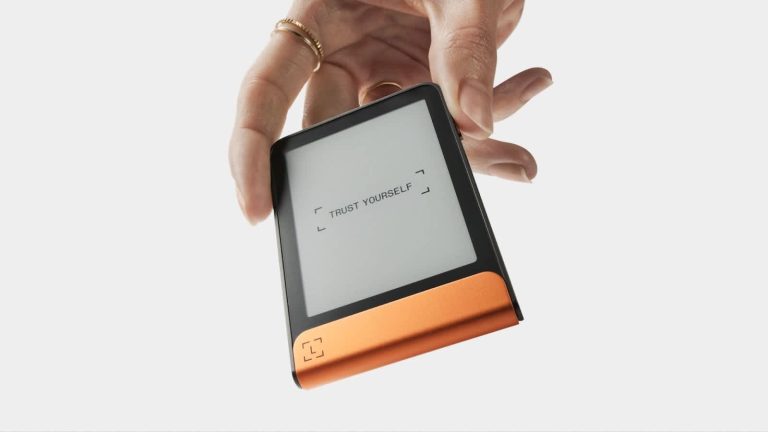
Ledger’s lineup spans several price points: the Nano S ($79) covers the basics, the Nano X adds Bluetooth for wireless use, and the Stax ($399) features an E Ink touchscreen designed by Tony Fadell. The Flex slots between the Nano X and Stax in terms of features.
The main downside is workflow friction. Some models require cables or charging, firmware updates happen periodically, and you need to install separate apps for each blockchain. Ledger is more of a desktop-first workflow, though pairing it with Phantom or Solflare on mobile narrows that gap.
Keystone
Keystone takes a fully air-gapped approach. The device never connects to the internet via cable, Bluetooth, or Wi-Fi. Instead, transactions are signed using QR codes: the companion wallet (Solflare for Solana access) displays a QR code, Keystone’s camera scans it, the device signs offline, and you scan the resulting QR code back.
The Pro 3 model ($149) includes a large touchscreen for reviewing transaction details before signing and a fingerprint scanner for biometric authentication. Keystone’s firmware is open source, meaning the security community can audit the code.
The air-gapped design offers maximum isolation from online threats. The trade-off is a slower signing process compared to USB or NFC wallets, a bulkier form factor, and less convenience for frequent transactions. Keystone is best suited for larger holdings you don’t move often.
Hot wallet vs. cold wallet for Solana
| Factor | Hot wallet (software) | Cold wallet (hardware) |
|---|---|---|
| Connection | Always connected to the internet | Keys stored fully offline |
| Convenience | Instant access for swaps, dApps, staking | Requires physical device for every transaction |
| Cost | Free | $79 to $399+ depending on model |
| Security risk | More vulnerable to phishing, malware, online attacks | Resistant to remote hacks |
| Best for | Daily transactions, active trading, dApp use | Large holdings, long-term storage |
Many experienced Solana users don’t pick just one. A common strategy is pairing a hardware wallet (Ledger or Keystone) with a software wallet (Phantom or Solflare). In this setup, your keys stay on the hardware device while the software wallet serves as the visual interface and dApp gateway. You get the convenience of a hot wallet’s interface with the security of offline key storage.
The right choice depends on three things: how often you transact, how much you hold, and how much risk you’re comfortable with. If you’re making multiple swaps a day, a hardware wallet for every transaction will slow you down. If you’re sitting on a large SOL position you don’t plan to touch for months, keeping those keys in a hot wallet adds unnecessary risk.
Which Solana wallets support staking SOL?
Staking SOL earns you rewards for helping secure the network, and several wallets make it easy to stake without leaving the app. Based on Solflare’s reported data, annual staking yields generally sit in the 5 to 6% range, but your actual return shifts depending on network conditions and which validator you delegate to.
- Solflare has the most complete staking setup among hot wallets. That staking dashboard, outlined in the Solflare section above, lets you browse validators, compare commission rates and uptime, delegate your SOL, and track rewards over time. Unstaking works via the standard cooldown period, or you can skip the wait with an instant unstake feature available through supported providers.
- Phantom offers SOL staking with a simpler interface. It’s straightforward to delegate, but you get less granular control over validator selection compared to Solflare.
- Backpack includes staking controls within the wallet interface, letting you stake and manage delegations without switching apps.
- Glow supports staking on iOS for users who want a lightweight mobile staking experience.
When choosing a validator, don’t just pick the one with the highest uptime. Commission rate tells you how much the validator takes from your rewards. Total stake matters because validators with very large stakes contribute less to decentralization. A validator running reliably with a moderate stake and a reasonable commission (many charge between 0 and 10%) is often a solid pick. Spreading your SOL across two or three validators can also reduce risk if one goes offline.
Best Solana wallets for NFTs and dApp integration
NFT management and dApp access vary significantly from wallet to wallet. If you’re active in the Solana NFT space or regularly interact with DeFi protocols, your wallet choice makes a real difference in day-to-day usability.
Solflare offers a full NFT gallery with Token Extensions support, Actions and Blinks, Solana Pay integration, and one-click dApp connections. It’s the most feature-complete option for users who want NFTs and DeFi access tightly integrated with their wallet.
Backpack takes a different approach with xNFTs, which are NFTs that double as runnable apps so you can launch programs without ever leaving the wallet. This blurs the line between wallet and app platform, and it’s particularly appealing if you want to interact with Solana-native apps without opening a browser.
Glow displays your NFT gallery and lets you list NFTs on marketplaces without leaving the wallet, which is a nice touch if you buy and sell frequently.
Jupiter Wallet is less feature-complete for NFTs. It’s designed primarily around trading, so NFT management and broad dApp tooling aren’t its strength.
Multi-chain wallets that add Solana support tend to offer thinner NFT and dApp tooling on Solana compared to Solana-native wallets. As covered earlier, Solana-native wallets invest all their development in the network, so if NFTs and dApps on Solana take up most of your time, you’ll notice the difference in day-to-day usability.
Best Solana wallets for beginners
If you’re setting up your first Solana wallet, the two strongest choices are Phantom and Solflare.
Phantom has the cleanest onboarding. You can go from download to a funded wallet in minutes, and the interface is intuitive enough that sending, swapping, and staking all make sense without reading documentation. It handles multiple chains, so if you later branch into what is Ethereum and its ecosystem, you won’t need a second wallet.
Solflare is also beginner-friendly, with the added advantage that its deeper Solana features are there when you’re ready for them. You can start with simple sends and staking, then move into validator selection, limit order swaps, and hardware wallet pairing as you get more comfortable.
A wallet that keeps staking, swapping, and dApp connections all in one place makes things much easier to learn. You’re not bouncing between three different apps to do three different things. Both Phantom and Solflare also offer transaction simulation and scam detection out of the box, which catches mistakes and suspicious transactions before they cost you anything.
A common progression for beginners: start with a software wallet, learn the basics, and add a hardware wallet later as your holdings grow and you want stronger security for long-term storage.
How to set up a Solana wallet step by step
This walkthrough uses Phantom as the example, but the process is nearly identical for Solflare, Backpack, or Jupiter Wallet.
- Download the wallet app or browser extension from the official website only. For Phantom, that’s phantom.app. For Solflare, it’s solflare.com. Never download from unofficial sources, third-party links, or search ads. Counterfeit browser extensions are one of the most common phishing vectors in crypto, and they look identical to the real thing.
- Open the app and select “Create a New Wallet.” If you already have a wallet elsewhere, you’ll see an option to import using an existing seed phrase instead.
- Write down your seed phrase immediately. The wallet will display 12 to 24 words in a specific order. Write every word down on paper or another offline medium, in exact order. Don’t skip a word, don’t rearrange them, and don’t assume you’ll remember them.
- Store the seed phrase in a secure offline location. A fireproof safe, a safety deposit box, or a dedicated metal seed phrase backup are all reasonable choices. Never store it in a screenshot, a cloud note, an email draft, or a text message. If someone accesses that file, they control your wallet.
- Never share your seed phrase with anyone. No legitimate wallet, exchange, or support team will ever ask for it. If someone does, it’s a scam.
- Set a strong password or enable biometric lock. This protects local access to your wallet on that specific device. It’s not a replacement for your seed phrase; it just prevents someone who picks up your phone from opening the wallet app.
- Purchase SOL on an exchange and send it to your wallet address. Copy the public address your wallet generated during setup (not your seed phrase), paste it as the withdrawal address on the exchange, and send a small test amount first. Once that arrives, send the rest.
You’re set. From here you can start staking, swapping tokens, connecting to dApps, or just holding.
Solana wallet security tips
Most crypto losses don’t come from sophisticated hacks. They come from phishing, carelessness with seed phrases, and blindly approving transactions. A few habits go a long way toward helping you secure your crypto wallet.
- Your seed phrase is the master key. Anyone who has it controls your wallet’s funds completely. Losing it means permanent loss of access, with no recovery option and no customer support that can help.
- Always verify you’re on the provider’s official domain before downloading or connecting. Bookmark the real URL. Phishing sites often use nearly identical domain names with one letter changed or a different extension.
- Consider a hardware wallet for holdings above your personal comfort threshold. There’s no universal dollar amount. If losing the funds in your hot wallet would seriously hurt, it’s time to move them to cold storage.
- Keep wallet software and firmware up to date. Updates patch known vulnerabilities. Delaying them leaves you exposed to attacks the wallet team has already fixed.
- Avoid approving unlimited token allowances on unfamiliar dApps. When a dApp asks permission to spend your tokens, some request unlimited access. If that dApp is compromised later, the attacker can drain whatever token you approved. Stick to approving only the amount you need, and revoke old approvals periodically.
- Test with a small transaction before moving larger amounts to a new wallet. Send a few dollars’ worth of SOL first, confirm it arrives, and then transfer the rest. The few cents in fees are worth the peace of mind.
- Never enter your seed phrase into any website, form, or message that requests it. This rule has no exceptions. Not for “wallet verification,” not for “airdrop claims,” not for “support tickets.”
Multi-chain wallets that support Solana
Multi-chain desktop and mobile wallets offer Solana alongside hundreds of other assets, which is convenient if you hold tokens across Ethereum, Bitcoin, and other networks. In practice, though, Solana support in these wallets tends to be more basic. Solana-native DeFi tools, NFT galleries, staking dashboards, and dApp connections are often limited compared to what you’d get in Phantom or Solflare.
MetaMask has added Solana support, but it remains primarily designed around EVM workflows. Solana features may feel less tailored, and accessing Solana-specific functionality can require extra steps that Solana-native wallets handle automatically.
The trade-off is real but manageable. Multi-chain wallets simplify portfolio management if you’re actively moving between blockchains. You see all your holdings in one place, and you don’t need to switch apps to check balances on different chains. But if Solana is where you spend most of your time, a Solana-native wallet delivers deeper integration, earlier access to new Solana features, and a smoother day-to-day experience.
At AXL Research Hub, we generally recommend that users primarily active on Solana start with a Solana-native wallet and add a multi-chain option only if their activity across other chains calls for it. Users who genuinely balance multiple chains on a daily basis may prefer the simplicity of a single multi-chain wallet, accepting the thinner Solana tooling as a reasonable trade-off.
Matching the right wallet to the way you use Solana
Your wallet choice shapes every interaction you have with Solana, not just asset storage. Staking, trading, collecting NFTs, connecting to dApps: all of it runs through your wallet, and the right fit depends on what you actually do on the network.
Beginners get the most from a clean, all-in-one hot wallet like Phantom or Solflare. The learning curve is low, the features are there when you need them, and you can get started in minutes, much like setting up a crypto wallet on any other chain. Active traders who spend their time swapping tokens will find Jupiter Wallet’s routing and low fees hard to beat for that specific workflow. Long-term holders who don’t transact daily are best served by a hardware wallet paired with a software interface, keeping keys offline while still accessing the full ecosystem when needed.
Solana-native wallets evolve alongside the network’s features, which means you get earlier access to new capabilities as Solana rolls them out. That advantage compounds over time. And pairing a hardware wallet with a software wallet, using Ledger or Keystone alongside Phantom or Solflare, combines offline security with full ecosystem access. It’s a setup many experienced holders adopt as their portfolio grows, and one worth planning for even if you start with a hot wallet alone.