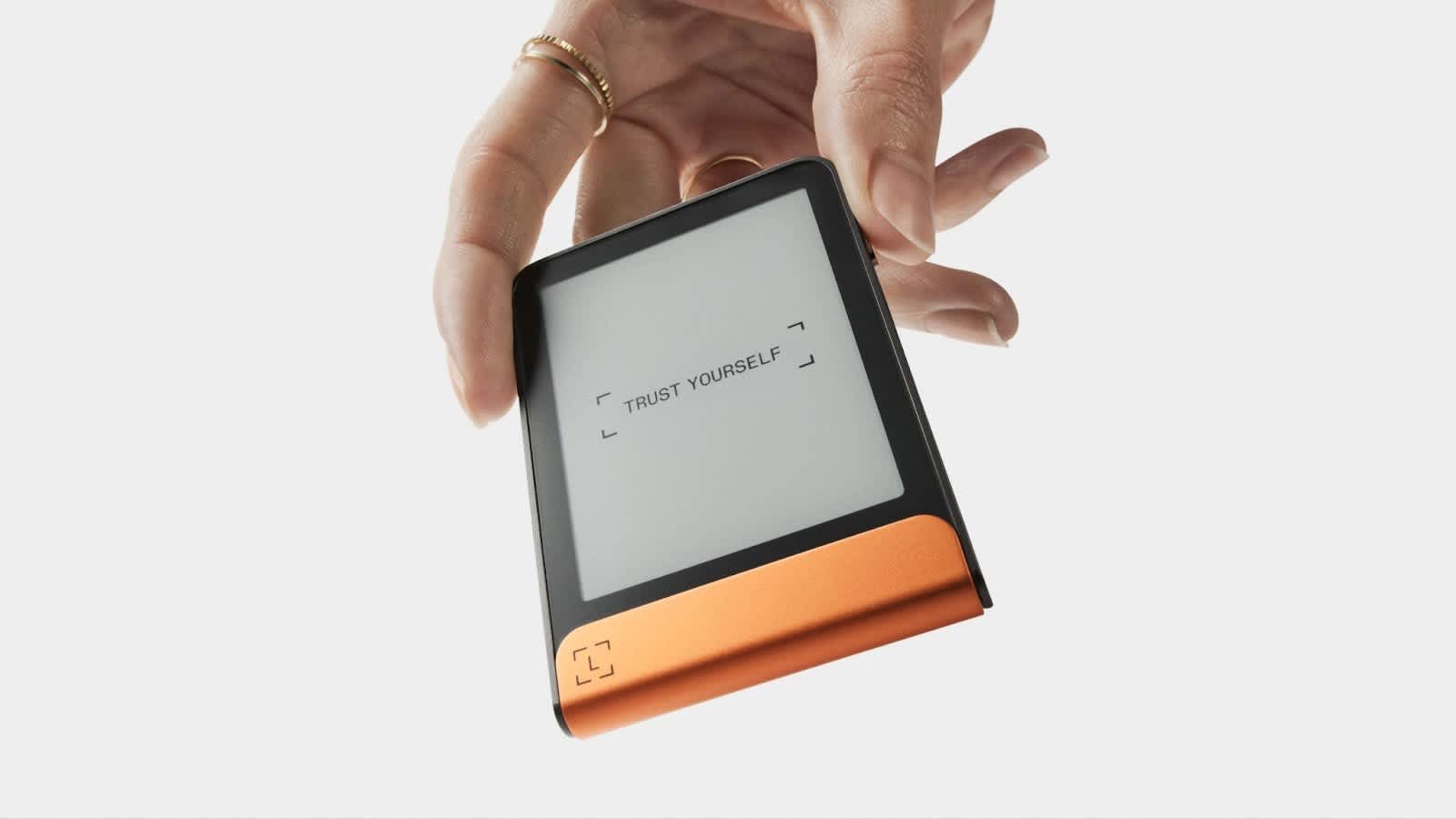

The Ledger Flex is a touchscreen hardware wallet priced at $249 that sits between Ledger’s budget Nano line and the premium Stax. It stores private keys offline on a certified Secure Element chip, pairs with phones over Bluetooth 5.2, and uses a 2.84-inch E Ink display for reviewing and approving transactions. For anyone weighing whether the Flex earns its price tag over a Nano or justifies skipping the $399 Stax, the answer comes down to how often you sign transactions, how large your portfolio is, and how much you value a readable screen.
What is the Ledger Flex?
The Ledger Flex is a non-custodial hardware wallet made by Ledger SAS, the France-based security company that’s been building crypto hardware since 2014. Ledger announced the Flex at the Bitcoin Conference on July 26, 2024, during the company’s 10th anniversary. It’s positioned as a mid-range device: more capable than the button-driven Nano X, less expensive than the curved-screen Stax.
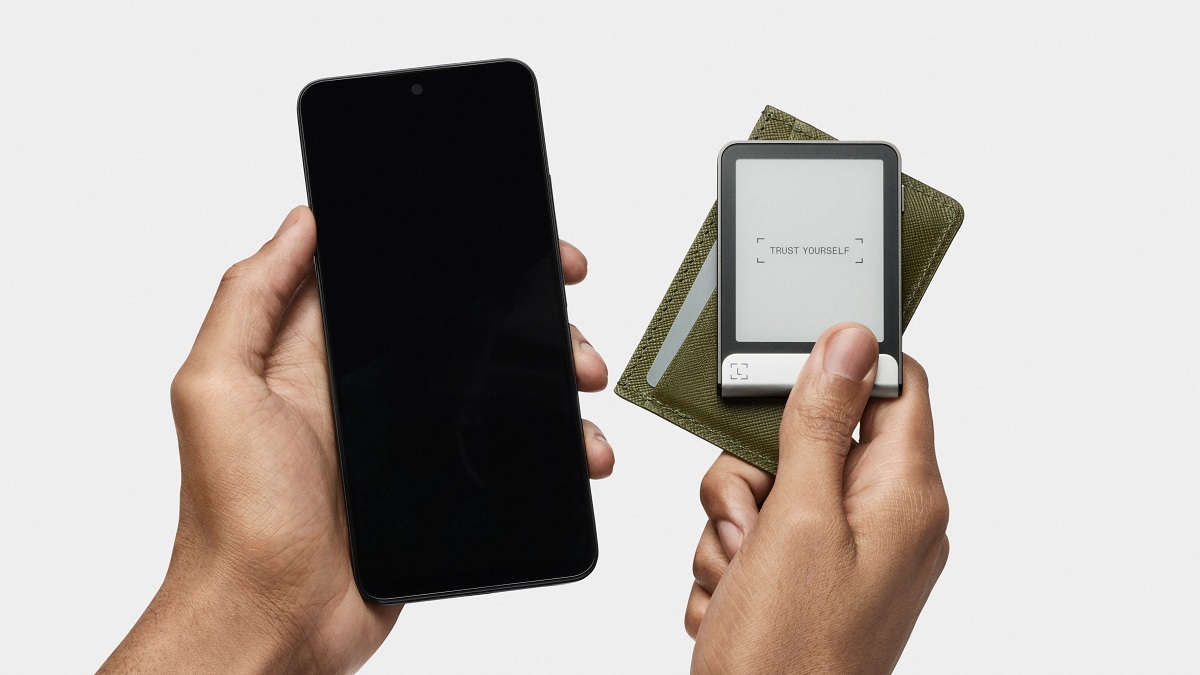
At its core, the Flex keeps your private keys inside a certified Secure Element chip. Those keys never leave the device. When you want to send crypto, the companion software (Ledger Wallet, formerly called Ledger Live) prepares the transaction on your computer or phone, then sends it to the Flex for on-device review and approval. Third-party wallets like Phantom can do the same thing, preparing transactions that you confirm on the Flex’s touchscreen.
Ledger Wallet runs on Windows, macOS, Linux, iOS, and Android, so you’re covered regardless of what you use day to day. The Flex also supports Ledger Recover, an optional provider-assisted backup service, but it isn’t required for normal operation. You control your own keys.
The device itself weighs 57.5 g and measures 78.4 mm × 56.5 mm × 7.7 mm, roughly the footprint of a credit card but thicker. It lists for $249 USD.
Key features of the Ledger Flex
The Flex’s design centers on its E Ink touchscreen and wireless connectivity, both of which change how you interact with a hardware wallet compared to the two-button Nano models.
- 2.84-inch E Ink touchscreen. The capacitive display runs at 480 × 600 px with 16 shades of gray. E Ink draws power only when the screen refreshes, which stretches battery life well beyond what a traditional LCD would allow. It stays sharp and readable in direct sunlight thanks to an anti-glare Gorilla Glass cover. The trade-off: E Ink has no backlight, so you’ll need an external light source to use the Flex in complete darkness.
- Always-on lock screen. Even when the Flex is powered off, the E Ink display holds a chosen image or one of your NFTs on the lock screen. You can customize this through the Ledger Wallet app.
- Bluetooth 5.2, USB-C, and NFC. Bluetooth handles wireless pairing with your phone. USB-C connects to a desktop and charges the 200 mAh battery. NFC serves a more specific role: it’s used for the Recovery Key backup card and for Security Key authentication (more on both below).
- Aluminum frame with plastic back. The frame gives the Flex a solid feel, and a metal bottom panel improves grip and carries the Ledger logo. The back cover is plastic, which keeps the weight down.
- Single physical button. A side button powers the device on. Everything else happens through the touchscreen, from entering your PIN to confirming transactions.
- PIN shuffle. When you enter your PIN, you can enable a shuffle option that randomizes digit placement on the on-screen keypad each time. If someone is watching over your shoulder, the position of your taps won’t reveal your code.
Security architecture
Cryptographic operations run on an ST33K1M5 chip that holds CC EAL6+ certification. That chip isolates your private keys and handles all cryptographic operations in a tamper-resistant environment. EAL6+ is among the highest certification levels applied to consumer security hardware, the same tier used in government ID documents and banking cards.
One detail that matters more than people realize: the Flex’s screen is a Secure Screen controlled directly by the Secure Element, not by your connected phone or computer. If malware on your laptop tries to change the transaction details you’re about to approve, the Flex’s display still shows you what the Secure Element actually received. What you see on the device is what you’re signing.
PIN protection uses a 4 to 8 digit code. After three incorrect attempts, the device resets to factory settings, wiping all stored data. That’s aggressive, but it means a thief can’t brute-force your PIN. You can also set up an optional passphrase on top of your 24-word recovery phrase. The passphrase creates an entirely separate set of accounts, so even if someone gets your seed words, they won’t find the passphrase-protected wallets without the exact passphrase.
On the transparency side, Ledger publishes the source code for its companion software and device apps. However, portions of the low-level firmware remain closed source. For users who consider fully open firmware a requirement, that’s a real trade-off, and it’s one Ledger hasn’t resolved.
Clear Signing and Transaction Check
Clear Signing and Transaction Check are two distinct security layers, and most discussions blur them together.
Clear Signing translates raw transaction data into human-readable details on the Flex’s screen. Instead of seeing a string of hex data when you interact with a smart contract, you see the action, the token, and the amount in plain language. This makes it far harder to approve something you didn’t intend to.
Transaction Check is a separate screening step powered by Blockaid. Before you confirm a transaction, this layer simulates it and flags risk indicators, like interaction with a known malicious contract. A clean Transaction Check result, though, doesn’t replace your own review. You should still verify the destination address and the action displayed on the Flex before approving.
Both features have coverage gaps. Support depends on the chain, the specific coin app installed, and the connection method you’re using. Ledger’s web-provider route, for instance, doesn’t support mobile browsers, which is a separate limitation from native mobile-app connections or Bluetooth pairing through wallets like Phantom.
Ledger Security Key app and NFC authentication
The Ledger Security Key app turns the Flex into a FIDO2-compliant device for two-factor authentication and passwordless login. It works with platforms like Google, Amazon, and major crypto exchanges.
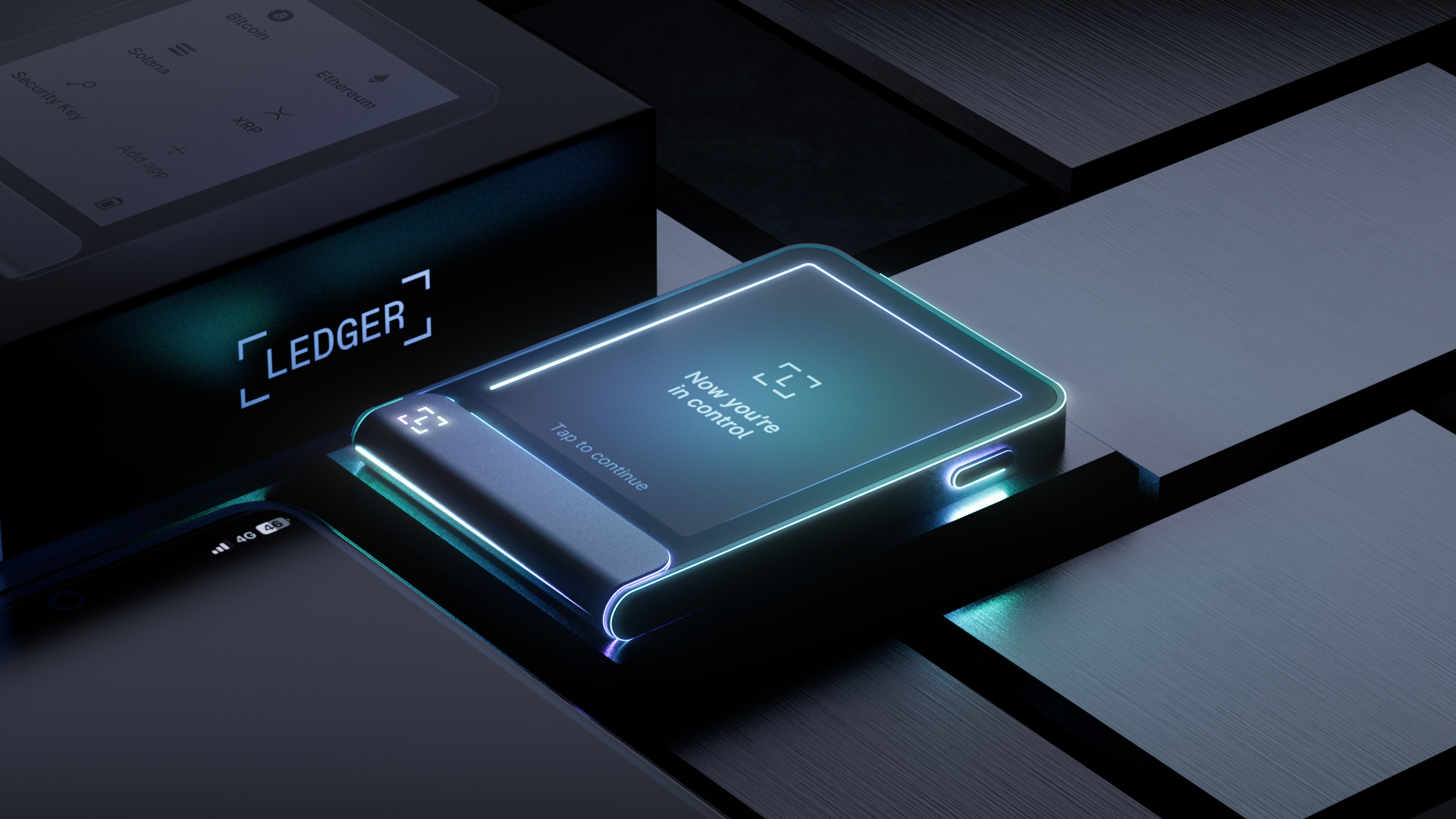
NFC is what makes this convenient in practice. You can tap the Flex against your phone to authenticate without unlocking the wallet’s crypto functions. There’s no need to plug in a cable or navigate through wallet menus. The authentication function is completely separate from cryptocurrency transaction signing or backup, so tapping to log in to Google doesn’t expose anything about your wallet.
This feature is compatible with the Flex, Stax, Nano X, and other supported Ledger models running the required OS version. If you already use a standalone FIDO2 key like a YubiKey, the Flex can combine that into the same device you use for crypto.
Supported coins, tokens, and NFTs
The Ledger Wallet app natively supports over 500 coins and tokens, including Bitcoin, Ethereum, Solana, Cardano, XRP, Polygon, Avalanche, and Tron, along with major stablecoins. Through third-party wallet integrations, the total climbs past 5,500 assets across multiple chains. Token standards covered include ERC-20, BEP-20, SPL, and TRC-20.
NFTs on Ethereum (ERC-721 and ERC-1155) and Polygon are viewable and manageable directly through the Ledger Wallet app. Broader NFT support across other chains comes through third-party wallets.
Each asset requires a corresponding coin app installed on the Flex, though Bitcoin and Ethereum come pre-installed and you add others through the companion app as needed. On-device memory caps how many coin apps you can have loaded at once, so if you manage assets across a large number of chains, you’ll likely end up swapping apps in and out. Reinstalling is quick because the apps are small, but don’t expect to have 20 chain apps loaded simultaneously.
Ledger Wallet app (formerly Ledger Live)
Ledger Wallet is the companion software that ties everything together. It provides a central dashboard for real-time portfolio tracking, live profit-and-loss insights, and market alerts. Desktop and mobile versions sync across devices: the mobile app connects to the Flex via Bluetooth, while the desktop version uses USB-C.
Buying crypto with fiat is handled through integrated providers like MoonPay and Transak. Each provider sets its own fees, KYC requirements, and regional eligibility, so the experience varies depending on where you are and how you pay. Swapping one cryptocurrency for another is also built in, though swap routes differ: some send your assets to a provider who holds them during the exchange, while others execute through smart contracts.
Staking is available for coins like Ethereum and Solana. Rewards, commissions, and withdrawal terms depend on the validator or pool you choose, and Ledger Wallet surfaces those options for you. The app also includes an NFT gallery for viewing, organizing, and transferring collectibles, plus access to decentralized apps and DeFi protocols. Throughout all of this, your keys stay on the Flex. The app prepares transactions; the hardware device approves them.
Ledger Wallet integrates with over 50 third-party service providers across more than 100 chains.
Setting up the Ledger Flex
Setup takes most users 6 to 10 minutes from unboxing to a funded wallet.
- Press the side button to power on the Flex, then download the Ledger Wallet app on your computer or phone.
- Connect to your computer with the included USB-C cable, or pair with your phone over Bluetooth.
- The app verifies the device’s authenticity and checks your firmware version. If an update is available, it installs in roughly two minutes.
- Name your device using the on-screen keyboard.
- Choose to create a new wallet, which generates a fresh 24-word recovery phrase, or restore an existing wallet using a 12-, 18-, or 24-word phrase you already have.
- Write the 24-word phrase on the included recovery sheets. The Flex box comes with three recovery sheets (the Stax includes only one), so you can store copies in separate secure locations.
- Confirm all 24 words on the Flex’s screen. The device walks you through each word to make sure you’ve recorded them correctly.
- Install coin apps for the assets you plan to store. Bitcoin and Ethereum are pre-installed; add others from the Ledger Wallet app.
- Fund your wallet by sending crypto from another wallet or buying through the app’s fiat on-ramp.
- Optionally, set up the included Recovery Key NFC card and customize your lock screen with an image or NFT.
The touchscreen makes the whole process noticeably faster than Nano models, where you scroll through each letter with physical buttons.
Battery life and portability
The Flex carries a 200 mAh rechargeable lithium-polymer battery that charges through USB-C only. There’s no Qi wireless charging (that’s a Stax feature).
Ledger rates the battery for approximately 10 hours of active use or about 150 transaction signings per charge, but since most people don’t run a hardware wallet nonstop, standby drain is the more useful measure. Users report roughly 5 to 7% battery loss per week with light use, which means someone who signs a handful of transactions and then puts the device away can go weeks between charges.
E Ink is the reason standby lasts so long. The display only draws power when the screen content changes. The always-on lock screen image, once rendered, consumes no additional energy. Compared to a phone or a hardware wallet with an LCD, the difference in idle drain is substantial.
The battery is irremovable and non-replaceable. Over years of use, lithium-polymer cells lose capacity, and there’s no way to swap in a fresh one. For a device you might hold onto for five or more years, that’s a factor worth considering when you evaluate long-term ownership costs.
Physically, the credit-card-like footprint slips into a pocket or bag without much thought. At 57.5 g, it’s light enough that you won’t notice it in a jacket pocket alongside your phone.
Backup and recovery options
The primary backup for any Ledger wallet is the 24-word Secret Recovery Phrase generated during setup. Written on paper and stored offline, it’s what lets you restore your accounts on a new device if your Flex is lost, stolen, or damaged.
The Flex ships with a Recovery Key, an NFC card that stores an encrypted copy of your 24-word phrase. This card has its own 4 to 8 digit PIN, separate from your device PIN. Three incorrect PIN entries erase the card entirely. To use it, you tap the Recovery Key against a compatible device (Flex, Stax, or Nano Gen5) and enter the card’s PIN to restore your wallet.
One limitation that’s easy to miss: the Recovery Key does not back up an additional passphrase. If you’ve set up passphrase-protected accounts, restoring from the Recovery Key gives you your base wallet, but you’ll still need to remember and re-enter the exact passphrase to access those hidden accounts. Both the 24 words and the passphrase are required.
Ledger Recover is a separate, optional paid subscription service. It encrypts your backup material, splits it into three fragments, and distributes those fragments among three custodians: Ledger, Coincover, and EscrowTech. Restoring through Recover requires identity verification, and two of the three fragments are needed to reconstruct the backup. This service isn’t required for normal wallet operation, and plenty of users prefer to manage their own backup without a third party involved.
Regardless of which backup method you use, losing the physical Flex doesn’t mean losing your funds. As long as your recovery phrase or Recovery Key is intact, your accounts are recoverable.
Ledger Flex fees and ongoing costs
| Fee type | Cost |
|---|---|
| Hardware (list price) | $249 USD |
| Sending, receiving, or transferring crypto | $0 from Ledger (standard blockchain network fees still apply) |
| Buying crypto with fiat | Set by the payment provider (varies by location, method, and currency) |
| Swapping crypto | Quote spread + possible Ledger/partner charges + network fee |
| Recovery Key | Included free, no ongoing fee |
| Ledger Recover | Optional paid subscription (separate pricing and eligibility) |
Ledger itself charges nothing for on-chain transactions. The blockchain network fee, which every wallet pays regardless of brand, still applies. Where costs add up is in fiat purchases and swaps: each integrated provider sets its own pricing, and those fees vary enough that it’s worth comparing providers within the app before committing.
Pros and cons of the Ledger Flex
The Flex gets a lot right for its price point, but it has real trade-offs that depend on what you need.
Pros:
- Your private keys stay offline on a chip carrying one of the highest security certifications you’ll find in a consumer device.
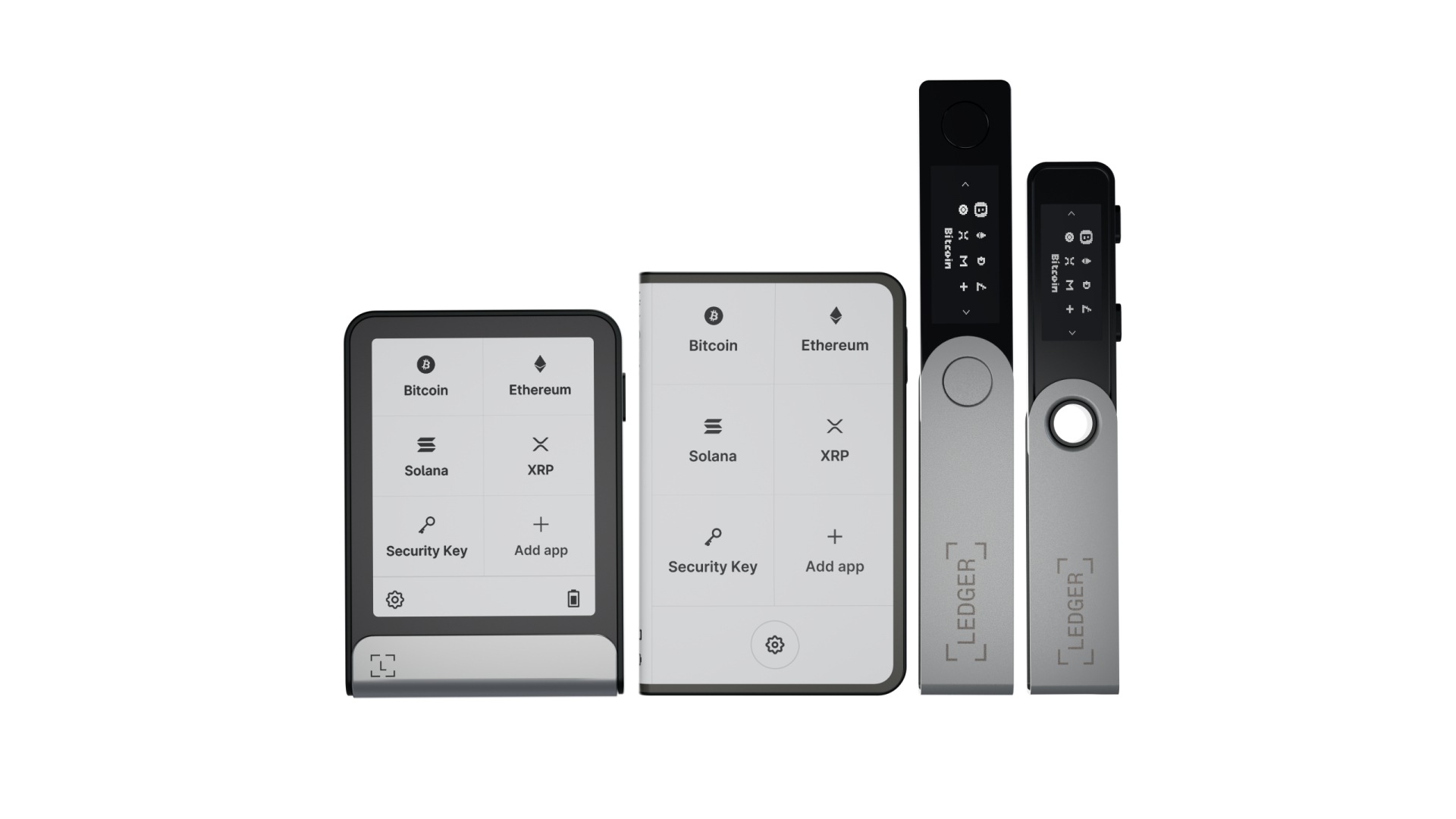
- The 2.84-inch E Ink touchscreen makes transaction review and wallet setup far more intuitive than scrolling through options on a Nano’s tiny OLED with two buttons.
- Bluetooth 5.2 lets you manage your wallet wirelessly from a phone, no cable needed for everyday signing.
- Over 5,500 assets and NFTs are accessible across Ledger Wallet and third-party integrations.
- The included Recovery Key card adds a second offline backup method at no extra cost.
- Passphrase accounts and PIN shuffle give you additional layers of physical security beyond the standard PIN.
Cons:
- At $249, the Flex costs more than most competing hardware wallets. For a small portfolio, the device price may exceed the value it protects.
- The E Ink display has no backlight, making it unusable in complete darkness without an external light source.
- Low-level firmware isn’t fully open source, which is a dealbreaker for users who require full code transparency.
- Unlike the Stax, the Flex doesn’t ship with a protective case. You’ll need to source one separately if you want scratch protection for the Gorilla Glass.
Is Ledger still trustworthy after past security incidents?
Ledger has been building crypto hardware since 2014, started by a team of blockchain and security engineers, and now ranks among the biggest hardware wallet companies in the industry. The company raised $577 million in total funding, including a $380 million round in 2021 that pushed its valuation past $1.5 billion. That scale brings scrutiny, and Ledger has faced several security incidents that are worth understanding in detail.
2020: customer data breach. A third-party marketing database was compromised, exposing customer emails and personal information. Wallet keys and cryptocurrency were not affected. The fallout was primarily phishing: attackers used the leaked contact information to target Ledger customers with fake emails and messages. If you bought a Ledger before mid-2020, you may still receive phishing attempts using your real name and address.
2023: Connect Kit supply-chain attack. Because a compromised publishing account let malicious code slip into Ledger’s Connect Kit, affected web apps began generating deceptive signing requests. Ledger released a fix within approximately 40 minutes and pledged to compensate affected users. The hardware device itself was never the target; the vulnerability sat in the software layer that web-based dApps used to connect to Ledger wallets.
2026: Ethereum app signing flaws. Three vulnerabilities (LSB023, LSB024, LSB025) were disclosed in the Ethereum coin app. These flaws allowed a compromised host computer to interfere with transaction review or create mismatches between what was displayed and what was actually signed. Ethereum app version 1.22.3 is the minimum patched version. Separately, in January 2026, BleepingComputer reported a customer data exposure through commerce provider Global-e. Ledger stated its own systems and recovery phrases were not involved.
Each type of incident calls for a different response from users. The data breaches mean you need to recognize phishing attempts. The Connect Kit attack highlighted how important it is to verify which software versions are running. The 2026 Ethereum app flaws show why keeping both firmware and individual coin apps updated matters. When Ledger discloses a vulnerability with a minimum safe version number, installing that update isn’t optional.
Ledger has upgraded its security protocols after each event. The hardware Secure Element and the keys stored on it have not been breached. But the surrounding systems, from marketing databases to publishing accounts to coin app code, have been targeted repeatedly. Trusting a Ledger device means also committing to staying current on updates and treating every unexpected email or signing request with suspicion.
Ledger Flex vs. Ledger Stax
| Feature | Ledger Flex | Ledger Stax |
|---|---|---|
| Price | $249 USD | $399 USD |
| Screen | 2.84-inch flat E Ink, 480 × 600 px | 3.7-inch curved E Ink, 400 × 670 px |
| Secure Element | ST33K1M5, CC EAL6+ | ST33K1M5, CC EAL6+ |
| Bluetooth | 5.2 | 5.2 |
| NFC | Yes | Yes |
| USB-C | Yes | Yes |
| Charging | USB-C only | Qi wireless + USB-C |
| Lock screen customization | Yes (images/NFTs) | Yes (images/NFTs) |
| Asset support | 5,500+ | 5,500+ |
| Design | Aluminum frame, metal bottom plate | Premium stackable design |
Security and software features are functionally identical. Both devices run the same Secure Element, support the same assets, and work with the same Ledger Wallet app. The $150 price difference buys you the Stax’s larger curved screen, a stackable form factor, and Qi wireless charging. If those matter to you, the Stax delivers. If you’d rather save $150 and you don’t need wireless charging, the Flex gives you the same security and touchscreen verification in a slightly more compact, grip-focused package.
Ledger Flex vs. other Ledger models
| Feature | Nano S Plus | Nano X | Flex | Stax |
|---|---|---|---|---|
| Price | €79 | €149 | €249 | €399 |
| Display | 128 × 64 OLED | 128 × 64 OLED | 2.84″ E Ink, 480 × 600 px | 3.7″ curved E Ink, 400 × 670 px |
| Navigation | Two buttons | Two buttons | Touchscreen | Touchscreen |
| Bluetooth | No | Yes | Yes (5.2) | Yes (5.2) |
| NFC | No | No | Yes | Yes |
| Secure Element | ST33G1M2 | ST33J2M0 | ST33K1M5 (CC EAL6+) | ST33K1M5 (CC EAL6+) |
| Charging | USB-C (no battery) | USB-C | USB-C | Qi wireless + USB-C |
| Asset support | 5,500+ | 5,500+ | 5,500+ | 5,500+ |
| OS | BOLOS | BOLOS | BOLOS | BOLOS |
All four models share the BOLOS operating system and access to 5,500+ assets through the Ledger ecosystem. The biggest dividing line is the interface. The Nano S Plus and Nano X use tiny OLED screens with physical button navigation, which works but makes setup and transaction review slow. Scrolling through a 24-word recovery phrase one letter at a time on a Nano is tedious; typing it on the Flex’s touchscreen takes a fraction of the time.
The Flex and Stax also run a newer Secure Element chip (ST33K1M5 with CC EAL6+), while Ledger’s two Nano models rely on older chips. All four still keep keys offline, but the newer chip carries a higher certification level.
Among the best crypto wallets, the Nano S Plus, with no Bluetooth and limited app storage, remains the most affordable entry point. The Nano X adds Bluetooth but keeps the small screen. The Flex at €249 is where Ledger’s touchscreen generation starts, and the Stax at €399 adds a curved display and wireless charging.
Who is the Ledger Flex best for?
The Flex fits well for users who want touchscreen-based transaction review without paying the Stax premium. If you sign transactions regularly, whether you’re trading, interacting with DeFi protocols, or managing multiple wallets, the E Ink display and Clear Signing make every approval faster and more readable than squinting at a Nano’s OLED.
NFT collectors benefit from on-device display and secure storage of collectibles. Mobile-first users who prefer Bluetooth pairing over plugging in a cable get wireless convenience without giving up hardware-level key storage. And if you’re upgrading from a Nano S Plus or Nano X, the jump to a touchscreen interface is immediately noticeable during setup and everyday use.
The Flex is less suited to a few specific situations. If your portfolio is small enough that $249 exceeds the value of assets you’re storing, either of Ledger’s Nano models gives you the same offline security at a lower cost. If you rarely interact with stored crypto and just want to hold long-term, the touchscreen and Bluetooth don’t add much over a simpler cold storage device. And if fully open-source firmware or air-gapped QR-based signing is a requirement, the Flex doesn’t meet that bar.
Frequently asked questions
What happens if I lose my Ledger Flex?
Your funds are recoverable using your 24-word recovery phrase or your Recovery Key card on a new compatible device. The lost Flex is protected by its PIN, and entering the wrong code three times wipes the device completely. Without your recovery phrase, nobody can access your funds from the lost device.
Does the Ledger Flex work with mobile phones?
Yes. The Flex connects via Bluetooth 5.2 or USB-C to both Android and iOS devices running the Ledger Wallet app. Bluetooth is the more convenient option for everyday use since you don’t need a cable.
Is the Ledger Flex waterproof?
No. The aluminum frame is sturdy, but the plastic back cover is scratch-prone, and the device has no water resistance rating. Handle it with care and keep it away from moisture.
Does the Ledger Flex support DeFi and dApps?
It does. You can connect to DeFi protocols through browser extensions like MetaMask and compatible wallets. The Flex signs the transactions while your keys stay offline on the device.
Can someone steal my funds if they get my Flex?
The device requires your PIN to unlock, and entering the wrong code three times wipes everything and resets it to factory defaults. Without your recovery phrase, a thief has no way to access your funds, even with the physical device in hand.
Is the Ledger Flex good for beginners?
The touchscreen and guided setup through the Ledger Wallet app make it accessible even if you’ve never used a hardware wallet before. Most users complete setup in under 10 minutes. The on-screen keyboard and visual prompts are a significant step up from navigating a Nano with physical buttons.
Balancing security, usability, and price
The Ledger Flex occupies a practical spot in Ledger’s lineup: touchscreen verification and Bluetooth convenience at $150 less than the Stax. The CC EAL6+ Secure Element, included Recovery Key, and passphrase support create layered protection that goes beyond a single point of defense.
Owning a Flex comes with ongoing responsibility. Keeping firmware and coin apps updated isn’t just a best practice after the 2026 Ethereum app vulnerabilities; it’s a requirement for safe operation. The 24-word recovery phrase needs to stay offline and physically secure. AXL Research Hub‘s wallet guides cover these points because they apply to every hardware wallet, not just Ledger’s.
The touchscreen and Clear Signing are a meaningful step forward from Nano-era button navigation. Reviewing transaction details on a 2.84-inch display, with human-readable contract interactions, is faster and more reliable than scrolling through data on a 128 × 64 OLED. The $249 price makes sense when your portfolio justifies hardware-level protection and you value the screen and wireless connectivity over the cheapest cold storage option.