
Finding the best crypto apps means sorting through hundreds of exchanges, brokerages, wallets, and decentralized platforms, each pitching a different mix of fees, coin selection, and security. Roughly 163 exchanges trade about $83.4 billion between them in a day, and the lines have blurred, with brokerages now listing coins beside stocks and exchanges selling equities of their own.
What makes a crypto app the best choice in 2026
The crypto app market now stretches well beyond standalone exchanges. You can buy coins on crypto-native platforms like Kraken and Coinbase, trade them inside traditional brokerages like Robinhood and Fidelity, hold them in self-custody wallet apps, or swap tokens permissionlessly through decentralized exchange apps like Uniswap. With roughly 163 crypto exchanges tracked globally and a combined 24-hour trading volume of about $83.4 billion, the choices are broad and the differences between them matter more than ever.
What you’re trying to do with crypto should steer your app choice more than any feature list. A day trader chasing tight spreads on derivatives has completely different needs than someone dollar-cost averaging into Bitcoin every paycheck, so your experience level, security preferences, and the assets you want access to are the factors that actually matter when picking a platform.
The boundaries separating these app categories have gotten fuzzy. Major brokerages now list coins like Solana right next to stocks and bonds, while crypto exchanges have started offering equities and ETFs of their own. On top of that, publicly traded crypto ETFs give investors exposure through nearly any brokerage, including retirement accounts, without ever opening a crypto exchange account.
Legislative uncertainty still shapes what you can actually do inside these apps. Staking availability varies by state, and the federal classification of crypto has shifted across administrations, meaning a feature available today could disappear or change terms tomorrow. When we evaluated apps, we weighted fee transparency, security architecture, supported assets, mobile usability, regulatory compliance, and extras like staking or debit cards.
How we evaluated and ranked these crypto apps
We selected apps based on ease of use, security protections, educational resources, standout features, and real-user reviews on both the App Store and Google Play. We paid extra attention to fees this time around because several platforms have been raising and obscuring purchase and withdrawal fees. When a platform buries its spread inside the quoted price and then tacks on a separate transaction fee, the total cost can be significantly higher than the advertised rate.
Staking and earnings programs carried less weight than in prior years. Platforms have repeatedly introduced and then quietly discontinued these programs, making them unreliable as a reason to choose one app over another. Similarly, newer additions like prediction markets and stock trading didn’t inflate an app’s ranking when those features fall outside core crypto functionality.
Independent trust-score systems gave us a cross-check on our own findings. CoinGecko, for example, scores exchanges on a 1-to-10 scale that factors in liquidity, scale, cybersecurity, and proof-of-reserves transparency. Top-ranked exchanges earn a 10/10 on that scale. These third-party scores are useful because they evaluate things an individual user can’t easily verify, like the percentage of funds held in cold storage or whether an exchange’s reported trading volume is genuine.
Best crypto apps compared at a glance
This table gives you a quick look at each app’s core numbers. Use it to narrow your shortlist before reading the detailed breakdowns below.
| App | Best for | Cryptocurrencies | Fee range | Security / regulatory highlight | Notable feature |
|---|---|---|---|---|---|
| Kraken | Overall | 772 | ~1% instant buy; 0.25%/0.40% maker/taker (sub-$10K) | Proof-of-reserves audits | 200+ cryptos, 700+ trading pairs |
| Coinbase | Beginners | 410 | 0%-5% (varies by type) | Nasdaq-listed; ~$376B managed crypto (end of 2025) | Coinbase Learn education modules |
| Uphold | Staking | 250 | 0.5%-5.5% | Multiple wallet options | Thousands of trading pairs |
| Gemini | Advanced (regulated) | 59 | 0.0%-3.49% | NYDFS-regulated, BitLicense holder | Gemini Pay for retail spending |
| Crypto.com | Advanced (mobile-first) | 480+ | 0%-2.99% | CoinGecko trust score 9/10 | Integrated Visa prepaid card |
| Robinhood | Traditional brokerage | Limited selection | Commission-free (spread-based) | 2FA, crime insurance, encrypted data | Stocks, ETFs, and crypto in one app |
| Binance (U.S.) | Active traders | 100+ | Tiered competitive fees | Standard protections | TradingView charts, advanced order types |
| Bybit | Derivatives | Large selection | Volume-based tiers | Standard protections | Mastercard-backed card |
| OKX | Derivatives / leverage | 350+ | Competitive tiers | Monthly proof-of-reserves audits | Up to 125x leverage |
| Uniswap | Decentralized trading | Permissionless (any listed token) | ~0.3% swap + gas fees | Non-custodial (smart-contract based) | Multi-chain support, governance via UNI |
Best overall crypto app
Kraken combines a catalog of 772 cryptocurrencies with fees that are clearly labeled at the point of purchase. Its instant-buy feature charges a flat 1% of the purchase price, shown on the screen before you confirm, which is down from as high as 1.5% in previous years. That transparency alone sets it apart from platforms that bundle a spread into the quoted price and then add a separate fee on top.
The platform was originally built for advanced traders, and that DNA shows in the depth of its order types and charting. Over the years, though, Kraken has simplified its main app interface enough that newer users can navigate it without getting lost. The advanced trading tier (Kraken Pro) uses a maker-taker schedule: the sub-$10K volume tier charges 0.25% maker and 0.40% taker, dropping to 0.20% maker and 0.35% taker at the $10K-$50K level. These tiers break down into granular bands beyond that, rewarding higher volume with progressively lower rates.
Kraken has also added equity trading and has plans for a prediction market, but the core crypto experience hasn’t been diluted by those additions. App-store ratings are strong: 4.4 out of 5 on Google Play and 4.7 out of 5 on Apple’s App Store.
There are trade-offs. Kraken isn’t available in every U.S. state, so you’ll need to verify access before creating an account. BTC withdrawal fees and minimums run relatively high compared to some competitors, which matters if you plan to move Bitcoin to a self-custody wallet frequently.
Best crypto app for beginners
Coinbase is the largest U.S.-based exchange, with 14 years of operation and a public listing on Nasdaq. It custodies roughly 12% of total global cryptocurrency value through its Coinbase Prime arm, which speaks to its institutional scale. For beginners, the app’s clean interface and straightforward fiat on-ramps (linking a bank account takes minutes) make the first purchase feel simple rather than intimidating.
Coinbase Learn offers short educational modules that walk you through individual cryptocurrencies and broader concepts like staking and gas fees. That kind of built-in education is genuinely useful when you’re starting out and trying to understand crypto fundamentals.
Fee transparency, however, has gotten worse. A $200 Bitcoin purchase through the instant-buy option shows a 1% spread ($2) plus a separate $3.68 fee, totaling $5.68, or about 2.84%. That two-layer structure makes it harder to calculate your total cost at a glance compared to a flat-percentage model like Kraken’s. The fee can vary by transaction type, ranging from 0% to as high as 5%.
Coinbase offers a separate self-custody wallet app (Base App, formerly Coinbase Wallet) for managing on-chain assets, which is a nice pairing if you want the convenience of a custodial exchange for buying and a non-custodial wallet for holding. On the downside, customer support has drawn complaints for inconsistency, and there are concerns about a lack of guardrails around derivatives and prediction markets that newer users could stumble into.
If you’re considering Coinbase but want to compare it against another beginner-friendly option, Gemini has run a promotion offering $20 of BTC after you trade $100 or more within 30 days.
Best crypto app for staking
Uphold makes staking accessible directly inside the app without requiring you to navigate separate tabs or third-party protocols. The staking function is built into the same interface you use for buying and selling, which lowers the learning curve for anyone who wants to earn yield on holdings without moving assets off-platform.
The app supports 250 cryptocurrencies with thousands of trading pairs, giving you room to diversify beyond the largest-cap coins. Multiple wallet options and educational resources add to its appeal for users who are still learning what staking crypto involves and what the risks are.

The downside is cost. Transaction fees range from 0.5% to 5.5%, and the upper end of that range is steep compared to what you’d pay on Kraken or even Coinbase’s advanced platform. There’s also no live phone support, so if you run into a technical issue with a staking lock-up or a failed transaction, you’re working through tickets or chat rather than speaking with someone directly.
Best traditional brokerage app for crypto
Robinhood appeals to investors who want crypto, stocks, and ETFs inside one app without switching between platforms. Crypto trades are commission-free, though pricing is spread-based and tier-based, so the cost is embedded in the price you see rather than listed as a separate line item.
The app offers real-time market data, recurring investment schedules, and customizable watchlists. For users who like to set a weekly Bitcoin buy and forget about it, the recurring-buy feature handles that automatically. Security includes two-factor authentication, crime insurance, and encryption of sensitive data. App-store ratings sit at 4.2 on Google Play and 4.3 on Apple.
Robinhood also has a separate Wallet app for on-chain assets, supporting Ethereum, Bitcoin, Dogecoin, Arbitrum, Polygon, and Optimism. This gives you the option to move coins into self-custody without leaving Robinhood entirely.
If you’re already using a traditional brokerage and simply want to add a small crypto allocation, Fidelity Crypto is worth a look. It supports only 5 cryptocurrencies at a 1% fee, but the appeal is keeping everything, including retirement accounts, under one roof with a firm that’s been around for decades.
Best crypto apps for advanced and active traders
Several apps target experienced users who need derivatives, margin trading, and professional-grade charting on a mobile device. The right one depends on which combination of regulation, leverage, and fee structure matches how you trade.
Gemini
Gemini is regulated by the New York Department of Financial Services (NYDFS) and was one of the first U.S. exchanges to hold a BitLicense. That regulatory standing carries weight for traders who want compliance built into the platform rather than treated as an afterthought.
The ActiveTrader interface offers competitive maker/taker pricing and the kind of advanced order tools, including charting and conditional orders, that active traders rely on. Gemini Pay lets you spend crypto at retailers directly through the app, which is a nice extra if you want to use holdings without converting to fiat through a separate step.
The catch is that convenience fees and spread fees on the standard tier can run noticeably higher than ActiveTrader pricing. If you’re using Gemini, make sure you’re on the ActiveTrader tier, or you’ll pay more than you need to. The app supports 59 cryptocurrencies, fewer than most competitors on this list, but the selection covers the most actively traded coins. On the app-store side, Gemini holds a 4.2 rating on Google Play and a 4.8 on Apple.
Crypto.com
Crypto.com is a mobile-first platform supporting over 480 cryptocurrencies with a fee structure ranging from 0% to 2.99%. It earns a CoinGecko trust score of 9 out of 10, placing it just below the top tier on that independent scale.
The integrated Visa prepaid card is the headline feature here. It converts crypto to fiat for everyday spending wherever Visa is accepted, letting you use your holdings at a coffee shop or gas station without a separate conversion step, and when you’d rather move cash out entirely, our guide to withdrawing money from Crypto.com covers the steps. For users who want their crypto to work as spending money, not just a portfolio line item, this card is a practical tool.
Fee complexity is a drawback. Credit-card purchases and certain withdrawals carry their own charges on top of trading fees, so you need to read the fine print before funding your account. Crypto.com has also been recognized as a strong option for crypto IRA accounts, which matters if you’re looking for tax-advantaged crypto exposure.
Binance (U.S. platform)
Binance’s U.S. platform lists over 100 cryptocurrencies with advanced order types including limit and stop-limit orders. Charts are powered by TradingView, which we break down in our roundup of TradingView reviews, and crypto-to-crypto swaps let you move between positions without converting back to USD first. Staking rewards are available on select assets.
The tiered fee structure is competitive, particularly at higher volume levels. The mobile app mirrors desktop-level functionality, so you can execute sophisticated trades from your phone without losing access to the tools you’d have on a computer.
App-store ratings tell a mixed story: 2.9 on Google Play and 4.2 on Apple. The low Android rating reflects past issues with the U.S. platform’s availability and feature limitations compared to the global Binance app.
Bybit
Bybit’s strength is its derivatives platform. It supports spot, margin, and perpetual futures trading with tiered fees that reward higher volume and VIP levels. Advanced order types, deep liquidity, and professional-grade charting on mobile make it a go-to for traders focused on leveraged positions.
The Bybit Card, backed by Mastercard, allows everyday crypto spending without extra conversion steps, similar in concept to Crypto.com’s Visa card but on a different payment network. This primarily appeals to active traders who want to spend profits directly.
App-store ratings are strong at 4.6 on Google Play and 4.7 on Apple, reflecting a user base that generally knows what it wants from the platform.
OKX
OKX supports over 350 cryptocurrencies with margin and derivatives trading up to 125x leverage, the highest on this list. Monthly proof-of-reserves audits provide fund transparency that goes beyond what most exchanges offer, giving you a regular, verifiable check on whether the platform actually holds the assets it claims.
TradingView charts, real-time order execution, and customizable dashboards mirror the desktop experience on mobile, so anyone comfortable using TradingView will feel at home. If you’re the type of trader who keeps multiple chart layouts and alert configurations running, the app handles that without forcing you back to a laptop.
OKX primarily appeals to seasoned crypto and derivatives traders. If you’re new to leverage, this isn’t the place to learn. App-store ratings are 4.3 on Google Play and 4.6 on Apple.
Best decentralized exchange app
Uniswap puts permissionless, on-chain token swaps on your phone without requiring account sign-ups, identity verification, or custodial accounts. You connect a self-custody wallet, and you’re trading. No one holds your funds at any point during the process.
The app supports swaps, liquidity provision, token transfers, and governance participation through the UNI token. Swap fees typically run around 0.3%, but you’ll also pay network gas fees on top of that, and gas costs fluctuate with blockchain congestion. During busy periods on Ethereum, gas alone can make small swaps uneconomical.
Security works differently here than on a centralized exchange. There’s no custodian to protect (or lose) your funds. Instead, security depends on your wallet’s safety and the integrity of the smart contracts you’re interacting with. That means you’re responsible for avoiding phishing links, verifying token contract addresses, and keeping your seed phrase secure.
Multi-chain support and concentrated-liquidity features extend Uniswap’s utility beyond simple Ethereum swaps, making it practical for DeFi-native users who operate across multiple networks. Uniswap scores 4.6 on Google Play and 4.8 on Apple, earning the strongest combined app-store ratings among the apps we reviewed.
Crypto wallet apps vs. exchange apps
Exchange apps and wallet apps serve fundamentally different purposes, and understanding the distinction matters before you commit funds to either one.
Exchange apps hold your funds in custodial accounts. The exchange manages your private keys, matches orders, provides fiat on- and off-ramps, and handles regulatory compliance on your behalf. This is convenient for active trading because everything happens inside one interface, and you don’t need to worry about key management. The risk is platform-level: if the exchange fails, gets hacked, or freezes withdrawals, your funds are locked up with it. SIPC insurance, which protects brokerage accounts, does not cover cryptocurrency held on exchanges.
Non-custodial wallet apps flip that model. You hold your own private keys, and the wallet provider never has access to your funds. Modern self-custody wallets use technologies like multi-party computation (MPC) security and biometric authentication to protect keys on your device. Some support over 1,000 tokens across more than 15 blockchains, giving you broad access without giving up control. The trade-off is responsibility: you’re in charge of backing up your recovery phrase, spotting phishing attempts, and verifying every transaction. There’s no support team that can reverse a mistake or recover a lost key.
Some platforms offer both models side by side. Coinbase, for example, runs a custodial exchange app for buying and selling alongside Base App (its self-custody wallet) for on-chain asset management. Robinhood similarly has a separate Wallet app. This lets you trade on the exchange when speed matters and move assets to self-custody for long-term holding.
Hybrid trading apps add another layer. These aggregate multiple exchanges and DEXs through API connections, letting you manage trades across platforms from a single interface. They’re useful for active traders who want the best price across venues without logging into each one separately.
How fees, security, and features compare across top crypto apps
Fees, security, and extras vary enough across these apps that a direct comparison saves you from surprises after you’ve already funded an account.
| App | Instant-buy / simple fee | Maker / taker (advanced) | Fee transparency | Security highlights | Debit / prepaid card | Staking | Other extras |
|---|---|---|---|---|---|---|---|
| Kraken | ~1% (shown on screen) | 0.25% / 0.40% (sub-$10K) | Flat %, clearly labeled | Proof-of-reserves audits | No | Yes | Equity trading |
| Coinbase | ~2.84% on $200 example (spread + fee) | Lower on Advanced Trade | Spread + separate fee (harder to calculate) | Nasdaq-listed, ~$376B managed crypto | No | Yes | Coinbase Learn, Base App wallet |
| Uphold | 0.5%-5.5% | N/A | Shown at purchase | Multiple wallet options | No | Yes (in-app) | Educational resources |
| Gemini | Up to 3.49% (convenience fee) | Competitive (ActiveTrader) | Varies by tier | NYDFS-regulated, BitLicense | No | Yes | Gemini Pay |
| Crypto.com | 0%-2.99% | Tiered | Complex (credit-card and withdrawal charges extra) | CoinGecko trust score 9/10 | Visa prepaid card | Yes | Crypto IRA |
| Robinhood | Commission-free (spread-based) | N/A | Spread embedded in price | 2FA, crime insurance, encryption | No | No | Stocks, ETFs, recurring buys |
| Binance (U.S.) | Tiered | Tiered competitive | Standard disclosure | Standard protections | No | Yes | TradingView charts |
| Bybit | Volume-based | Tiered (VIP levels) | Standard disclosure | Standard protections | Mastercard-backed card | No | Derivatives, perpetual futures |
| OKX | Competitive tiers | Competitive tiers | Monthly proof-of-reserves | Monthly proof-of-reserves audits | No | No | Up to 125x leverage |
| Uniswap | ~0.3% + gas | N/A | On-chain, visible | Non-custodial (smart-contract) | No | No (liquidity provision instead) | Multi-chain, governance (UNI) |
Crypto trading still costs significantly more than stock trading. Many brokers charge zero commission for equities, while crypto fees can reach 5% depending on your payment method and platform. That gap makes fee comparison especially important if you’re trading frequently.
Fee transparency is just as important as fee level. Kraken’s flat percentage shown on the purchase screen is the simplest model to understand. Coinbase’s split between a spread and a separate fee makes total cost less obvious at a glance. Spread-based models like Robinhood’s embed the cost entirely, so you never see a fee line item but you may not get the best available price.
On security, proof-of-reserves audits (offered by Kraken and OKX on a regular basis) give you a way to verify that the exchange holds enough assets to cover user deposits. NYDFS regulation, held by Gemini, imposes strict capital reserve and cybersecurity requirements. For brokerage-based apps like Robinhood, standard protections include 2FA, crime insurance, and data encryption, but remember that SIPC coverage stops at securities and cash, not crypto.
Customer service quality varies significantly. Some exchanges offer phone support similar to what you’d get from a traditional brokerage, while many crypto-only platforms limit you to email tickets and chatbots. If responsive support matters to you, check this before signing up.
How to choose the right crypto app for your goals
No single app works best for everyone. Here’s how to match a platform to the way you actually invest:
- Match the app to your trading strategy. Day traders need advanced order types, deep liquidity, and low latency. Long-term holders should prioritize security and low withdrawal fees over trading features they won’t use.
- Compare total trading costs, not just advertised fees. Add up spreads, per-transaction fees, deposit charges, and withdrawal costs. A commission-free app with a wide spread can cost more than one with a visible 0.25% maker fee.
- Confirm coin and pair support before you fund the account. If you want to trade a specific altcoin or need particular trading pairs, verify they’re listed. Coin counts range from 5 (Fidelity) to 772 (Kraken) across the apps on this list.
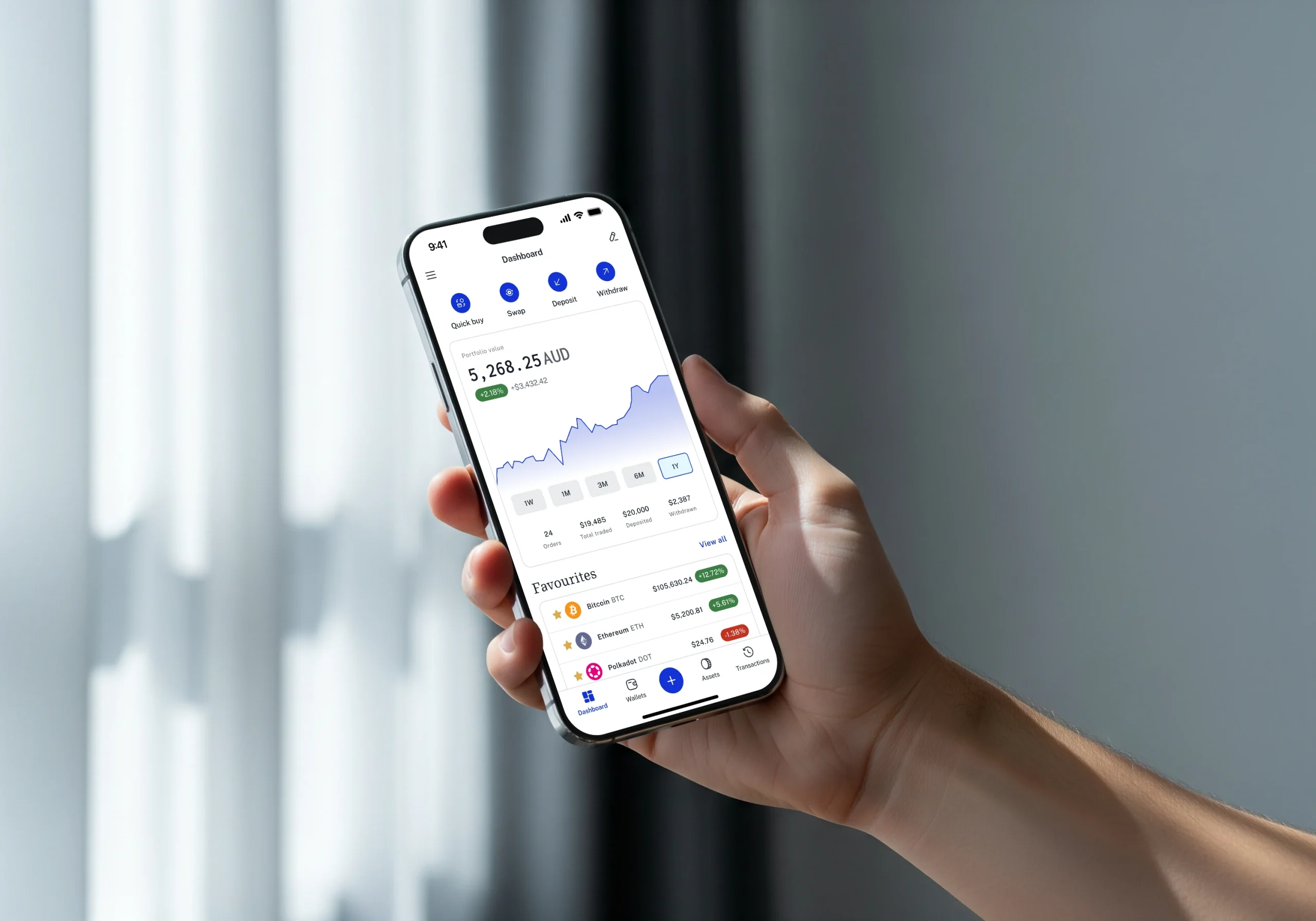
- Test the mobile experience on your device. Download the app and navigate it with a small deposit before committing larger amounts. Screen layout, notification quality, and biometric login can vary between Android and iOS versions of the same app.
- Check regulatory compliance and incident history. Look at whether the platform is registered in your state, what licenses it holds, and how it has handled past security incidents. How an exchange responds to a breach tells you more than its marketing copy.
- Weigh extras against your actual goals. Staking yield, rewards programs, crypto debit cards, and DeFi integrations are valuable only if you’ll use them. Don’t pick an app for a feature you’ll never touch.
- Decide if you want everything in one place. Platforms like Robinhood combine crypto, stocks, and ETFs. Crypto-first apps like Kraken go deeper on coin selection and trading tools. Neither approach is better on its own; it depends on whether portfolio consolidation or crypto depth matters more to you.
- Review state-level restrictions. Some of the top apps on this list are unavailable or limit features in certain U.S. states. Kraken, for example, isn’t accessible everywhere, and staking availability varies by state across multiple platforms.
Frequently asked questions about crypto apps
Can you make $100 a day from crypto?
It’s possible in theory through active trading, staking, or yield farming, but it’s far from reliable. Crypto is highly volatile, gains are never guaranteed, and losses can exceed your initial investment. Bitcoin hit a fresh all-time high in October 2025, then fell into bear-market territory about a month later. Ethereum briefly set a new all-time high in August 2025, driven by favorable stablecoin legislation, before pulling back. Those swings can produce large single-day gains, but they produce equally large losses just as quickly. Anyone promising consistent daily returns from crypto is oversimplifying the risk.
Matching the right app to every type of crypto investor
Newcomers benefit most from intuitive interfaces, built-in educational content, and easy fiat on-ramps. Coinbase and Robinhood both fit this profile, and the simplicity genuinely reduces costly mistakes like sending funds to the wrong network or placing market orders during volatile swings. For a detailed side-by-side breakdown, see our Robinhood vs Coinbase comparison.
Active traders need low maker-taker fees, advanced charting, margin and derivatives access, and API connectivity for automation. Kraken’s Pro tier, Gemini’s ActiveTrader, Bybit, and OKX all serve this group, though each leans toward a different balance of regulation and leverage.
DeFi-focused users want non-custodial wallet apps with multi-chain support and direct DEX integration. Uniswap is the clearest fit, but pairing it with a crypto wallet that supports a broad range of chains gives you the most flexibility.
Multi-asset investors who want crypto alongside stocks and ETFs in a single portfolio view will gravitate toward Robinhood or Fidelity, or pair an exchange app with one of the top portfolio trackers. The crypto selection is narrower on these platforms, but the convenience of managing a diversified portfolio from one app is a real advantage for people who don’t want to juggle multiple accounts.
The crypto app landscape keeps shifting. Fees change, new coins get listed, regulatory rules tighten or loosen, and features appear and vanish. At AXL Research Hub, we update our comparisons regularly to reflect those changes, and we’d encourage you to revisit your app choice at least once or twice a year as your goals and the market evolve.